How do I use the Elegant Blue-Haired Fantasy Woman template?
Choose the primary action to open PicX Studio with the available template settings. Review the model and format, personalize the creative direction, and generate when ready.
Generates a full-body anime visual novel standing character with gothic-fantasy formalwear and ornate blue crystal detailing. Change the subject, setting, or lighting one variable at a time.
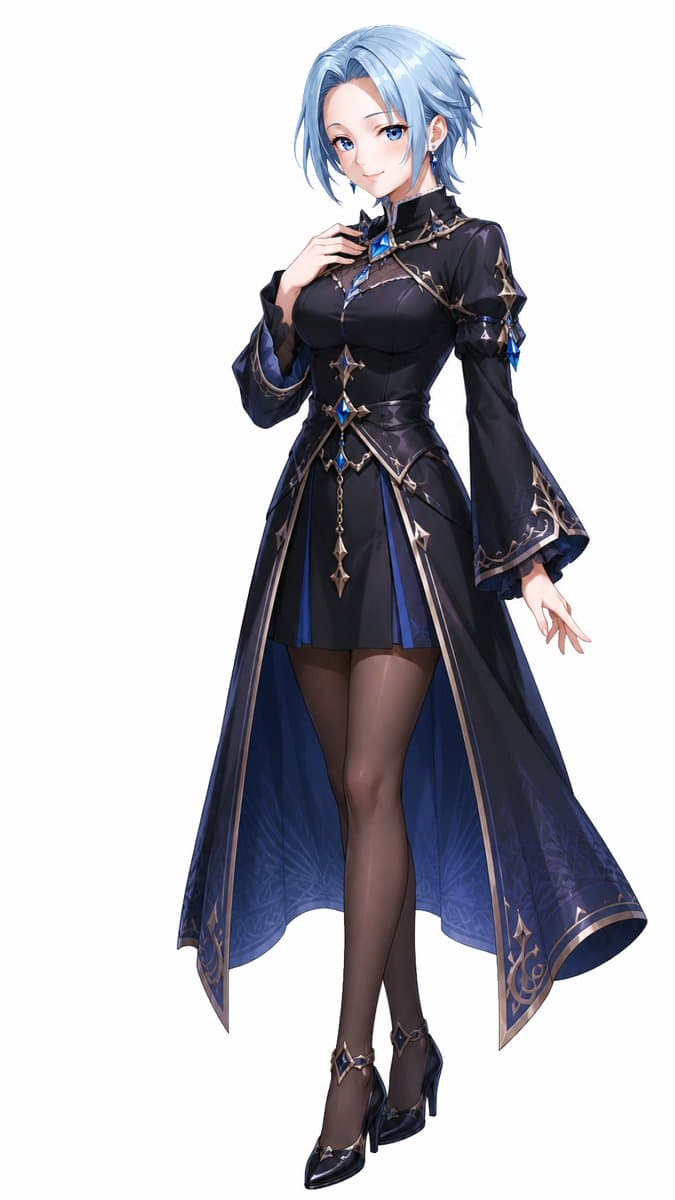
Create a polished full-body anime game character standing pose on a clean white background, featuring an elegant adult woman with {argument name="hair color" default="icy light blue"} short layered bob hair, long side bangs, and a small dangling earring. Her face is intentionally covered by a centered soft gray square blur, while the rest of the design remains highly detailed. She wears a fitted gothic-fantasy formal dress in {argument name="outfit color" default="black and deep sapphire blue"}: a high-neck bodice with a sculpted corset waist, long flared sleeves, a short front skirt, and a long split tailcoat-like overskirt that opens in the front and falls behind her calves. Decorate the outfit with ornate silver trim, thorn-like metallic filigree, star-shaped accents, blue crystal gems at the chest, waist, sleeves, and shoes, plus a small chain pendant hanging from the waist. Add sheer dark stockings and glossy black pointed high heels with ankle straps and matching blue gemstone ornaments. Pose her gracefully with one hand raised near her collarbone, the other hand relaxed outward, legs crossed in a refined stance. Use clean high-end visual novel character art, crisp linework, soft cel shading, glossy highlights, delicate fabric folds, subtle translucent blue inner lining with faint floral patterns, elegant proportions, and a premium fantasy RPG heroine design.
Choose the primary action to open PicX Studio with the available template settings. Review the model and format, personalize the creative direction, and generate when ready.
Yes. You can change the subject, setting, lighting, mood, format, and available model controls before creating your image.
This template is free to open and customize. Generation usage is shown in PicX Studio before you create.
Start with GPT Image 2, which is the model associated with this template. You can compare another compatible model for a different finish.
© 2026 PicX Studio. All rights reserved.

Follow a topic to a crawlable collection of related PicX Studio templates.
43,474 public templates available. Verified via the PicX Studio public templates API; refreshed hourly.












![Minimalist Flat Vector Travel Poster — Premium minimalist flat-vector travel poster for {argument name="city name" default="[CITY_NAME]"}, 3:4 vertical format.](https://cms-assets.youmind.com/media/1787917359711_3ug846_HQX205cbMAA6F6S-300x400.jpg)





















![Fashion Scrapbook Page Layout Generation — 傑作、最高品質、高解像度、(全身ショット:1.5)、ファッションスクラップブックページレイアウト、コラージュスタイル、[テーマ/美的キーワード]
[主題]:[キャラクター説明]のワイドショット全身ファッション写真。[ポーズとアクショ](https://pbs.twimg.com/media/HBCQ5yVa8AAhsS5.jpg)