
F1 Race Results Infographic
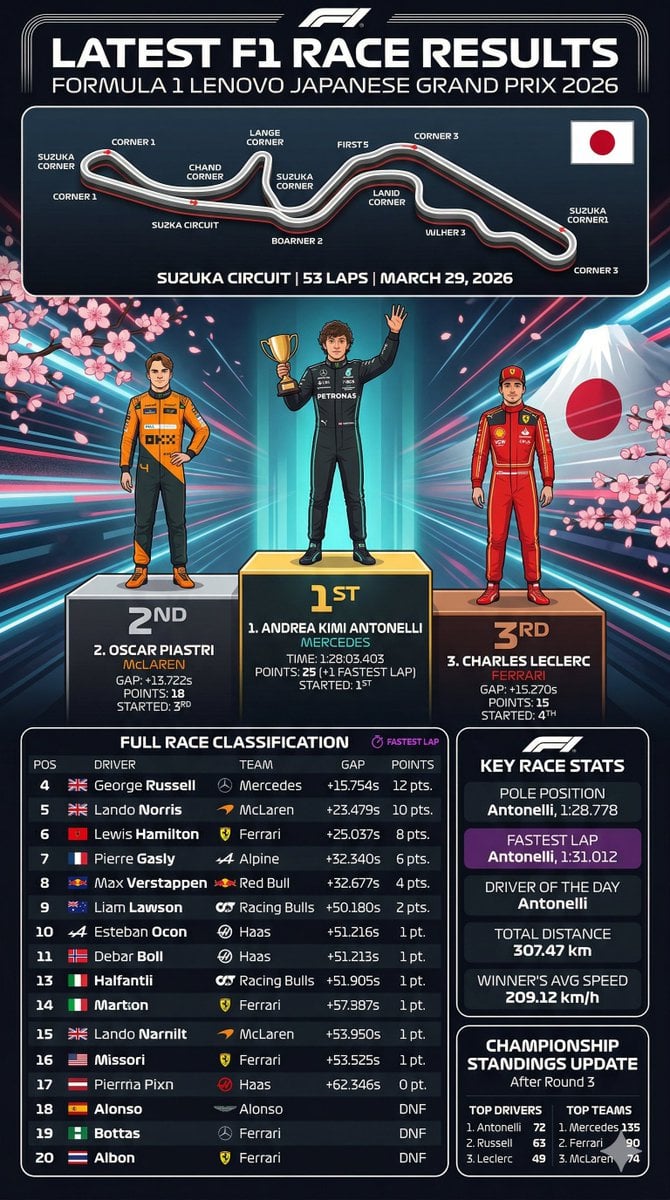
A detailed Formula 1 race results infographic featuring a track map, illustrated podium finishers, and comprehensive statistical tables.
- Prompt included
- Model and format preset
- Free template
The prompt behind this image
Copy the exact prompt behind F1 Race Results Infographic, or open it in the studio and make it yours.
- Type
- sports infographic
- Theme
- Formula 1 Race Results
- Header › Title
- LATEST F1 RACE RESULTS
- Header › Subtitle
- {argument name="grand prix name" default="FORMULA 1 LENOVO JAPANESE GRAND PRIX 2026"}
- Layout › Sections › 0 › Title
- Track Map
- Layout › Sections › 0 › Position
- top
- Layout › Sections › 0 › Elements
- circuit layout with 11 labeled corners, Japanese flag, track details text: {argument name="track name" default="SUZUKA CIRCUIT"} | 53 LAPS | MARCH 29, 2026
- Layout › Sections › 1 › Title
- Podium
- Layout › Sections › 1 › Position
- middle
- Layout › Sections › 1 › Background
- Mount Fuji, cherry blossoms, neon radiating lines
- Layout › Sections › 1 › Count
- 3
- Layout › Sections › 1 › Drivers › 0 › Position
- 1st
- Layout › Sections › 1 › Drivers › 0 › Name
- {argument name="first place driver" default="ANDREA KIMI ANTONELLI"}
- Layout › Sections › 1 › Drivers › 0 › Team
- MERCEDES
- Layout › Sections › 1 › Drivers › 0 › Pose
- holding gold trophy, waving
- Layout › Sections › 1 › Drivers › 0 › Suit
- black
- Layout › Sections › 1 › Drivers › 1 › Position
- 2nd
- Layout › Sections › 1 › Drivers › 1 › Name
- {argument name="second place driver" default="OSCAR PIASTRI"}
- Layout › Sections › 1 › Drivers › 1 › Team
- McLAREN
- Layout › Sections › 1 › Drivers › 1 › Pose
- hands on hips
- Layout › Sections › 1 › Drivers › 1 › Suit
- orange and black
- Layout › Sections › 1 › Drivers › 2 › Position
- 3rd
- Layout › Sections › 1 › Drivers › 2 › Name
- {argument name="third place driver" default="CHARLES LECLERC"}
- Layout › Sections › 1 › Drivers › 2 › Team
- FERRARI
Raw JSON
{
  "type": "sports infographic",
  "theme": "Formula 1 Race Results",
  "header": {
    "title": "LATEST F1 RACE RESULTS",
    "subtitle": "{argument name=\"grand prix name\" default=\"FORMULA 1 LENOVO JAPANESE GRAND PRIX 2026\"}"
  },
  "layout": {
    "sections": [
      {
        "title": "Track Map",
        "position": "top",
        "elements": [
          "circuit layout with 11 labeled corners",
          "Japanese flag",
          "track details text: {argument name=\"track name\" default=\"SUZUKA CIRCUIT\"} | 53 LAPS | MARCH 29, 2026"
        ]
      },
      {
        "title": "Podium",
        "position": "middle",
        "background": "Mount Fuji, cherry blossoms, neon radiating lines",
        "count": 3,
        "drivers": [
          {
            "position": "1st",
            "name": "{argument name=\"first place driver\" default=\"ANDREA KIMI ANTONELLI\"}",
            "team": "MERCEDES",
            "pose": "holding gold trophy, waving",
            "suit": "black"
          },
          {
            "position": "2nd",
            "name": "{argument name=\"second place driver\" default=\"OSCAR PIASTRI\"}",
            "team": "McLAREN",
            "pose": "hands on hips",
            "suit": "orange and black"
          },
          {
            "position": "3rd",
            "name": "{argument name=\"third place driver\" default=\"CHARLES LECLERC\"}",
            "team": "FERRARI",
            "pose": "standing straight",
            "suit": "red"
          }
        ]
      },
      {
        "title": "FULL RACE CLASSIFICATION",
        "position": "bottom-left",
        "count": 17,
        "description": "Table with 17 rows showing positions 4 through 20, including columns for POS, DRIVER, TEAM, GAP, and POINTS."
      },
      {
        "title": "KEY RACE STATS",
        "position": "bottom-right-top",
        "count": 5,
        "stats": [
          "POLE POSITION",
          "FASTEST LAP (purple background)",
          "DRIVER OF THE DAY",
          "TOTAL DISTANCE",
          "WINNER'S AVG SPEED"
        ]
      },
      {
        "title": "CHAMPIONSHIP STANDINGS UPDATE",
        "position": "bottom-right-bottom",
        "columns": 2,
        "lists": [
          "TOP DRIVERS (3 items)",
          "TOP TEAMS (3 items)"
        ]
      }
    ]
  }
}Reference images included
F1 Race Results Infographic needs input media to work. They load alongside the prompt when you open it in the studio.
How to use F1 Race Results Infographic in 3 steps
- 1Upload ImagePNG, JPG or paste
Add your photo
Upload the photo the template builds on. The prompt, model and format are already set.
- 2…a portrait of your subject in softgolden-hour light, 85mm…
Personalize
Edit the subject and creative details for your destination.
- 3Generate
Generate
Press Generate — your image is created in PicX Studio, so you can compare it with the original and refine one variable at a time.
More like this
Templates with the same subject, style or setup. Open one to see its prompt.
F1 Race Results Infographic Dashboard

Japan Travel Brochure Poster

Isometric Process Educational Diorama

Isometric Vehicle Teardown Infographic Template

Gpt2 E Commerce Main Image Earbuds E Commerce Infographic

Gpt2 Infographic Edu Visual Alishan One Day Travel Poster

Gpt2 Infographic Edu Visual Ethnographic Plate for Tibetan Ceremonial Hat

Gpt2 Infographic Edu Visual Earth Signs Zodiac Character Poster

Gpt2 Infographic Edu Visual Water Signs Zodiac Character Poster

Gpt2 Infographic Edu Visual Ink Wash Tribute Poster for Chen Uen

Gpt2 Infographic Edu Visual Vintage Claude Shannon Infographic Poster

Gpt2 Infographic Edu Visual Taoist Three Souls Seven Po Poster
Make it yours
F1 Race Results Infographic works as-is. These are the safest ways to change it without losing the look.
Swap the setting
Keep the rest of the prompt and replace the location block. The current setting is “Mount Fuji, cherry blossoms, neon radiating lines”.
Change one field
Copy a single group, rewrite it, and generate again so you can see what that field is doing.
Keep the frame, change the subject
Hold the composition and light of F1 Race Results Infographic, then swap wardrobe, props or the person for a new take.
| If the result… | Why | Fix |
|---|---|---|
| The result drifts from the preview | Too many fields changed at once. | Reuse F1 Race Results Infographic as-is first, then change one group — subject, light, or setting. |
| GPT Image 2 ignores part of the JSON | Some models flatten or skip nested keys. | Keep the same values and paste them as a short paragraph instead. |
More GPT Image 2 templates
Other prompts made for GPT Image 2.

Six VTuber Japanese Logo Sheet

Realistic Portrait of Woman and Deer

The Vista Modular Condo Poster

AI Model Routing Comparison Infographic

2.5D Anime Art Board

Isometric Productivity Desk Scene

New York Double Exposure Poster

Four-Panel AI Landscape Comparison

Japanese Tatami Lifestyle Magazine Cover

NESCAFÉ Coffee Map Poster
More image prompts
Fresh picks from across the catalog.
Nintendo Game Boy Product Showcase Infographic with Tetris
Mucha Style Seasonal Art Nouveau
BMW Cyberpunk Garage Wallpaper
Comic Book Page Generation
Epic Gugugaga Movie Poster
Multi-Concept AI Evolution Prompt
Cyber DJ Beneath a Red Monolith
Dinosaur Park Gift Shop Merchandise Display
3D Cartoon Character Pose Sheet
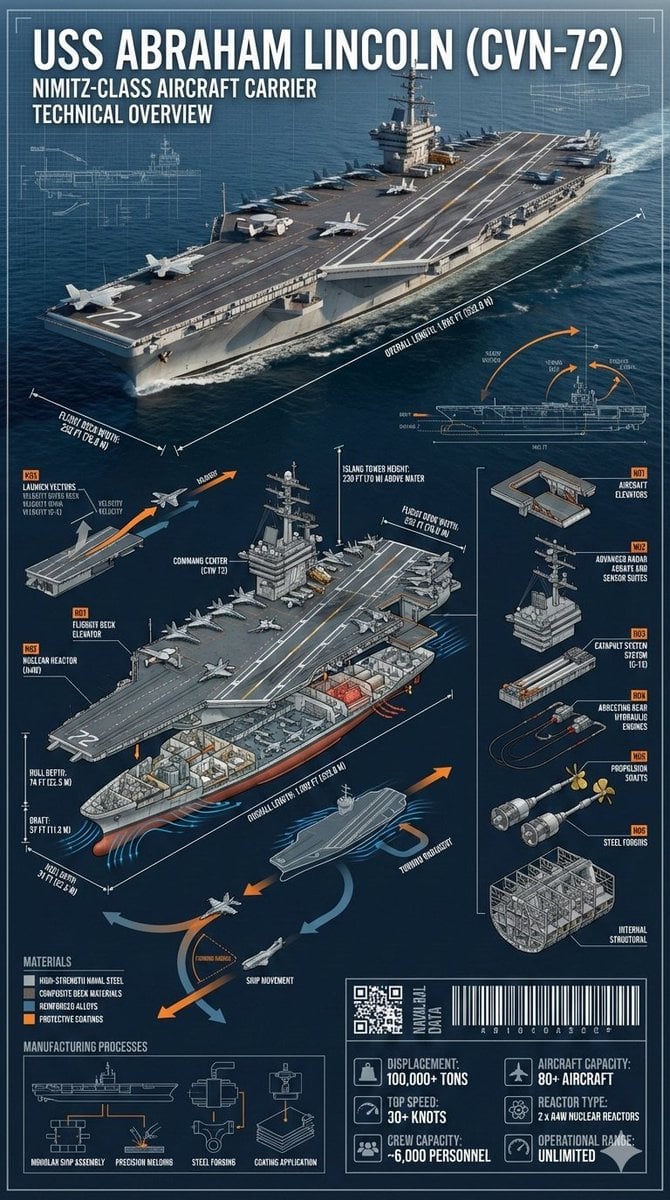
Cinematic Engineering Infographic of USS Abraham Lincoln
Browse template categories
F1 Race Results Infographic questions
How do I use the F1 Race Results Infographic template?
Add your photo if the template asks for one, edit the prompt if you like — the template's model and format are already selected — and press Generate. Your version opens in PicX Studio.
Can I customize the F1 Race Results Infographic template?
Yes. You can change the subject, setting, lighting, mood, format, and available model controls before creating your image.
Is the F1 Race Results Infographic template free?
Opening and editing this template is free. Generating uses credits, shown on the Generate button when you are signed in.
Which AI model should I use?
Start with GPT Image 2, which is the model associated with this template. You can compare another compatible model for a different finish.
Looking for something else? Browse all templates.

Your photo, any look
Thousands of ready templates for every top image and video model, from one credit balance.