How do I use the Pop-Punk Emo Kitten Portrait template?
Choose the primary action to open PicX Studio with the available template settings. Review the model and format, personalize the creative direction, and generate when ready.
This prompt generates a photorealistic kitten portrait with emo pop-punk styling, ideal for humorous music-themed character art or viral social media images. Change the subject, setting, or lighting one variable at a time.
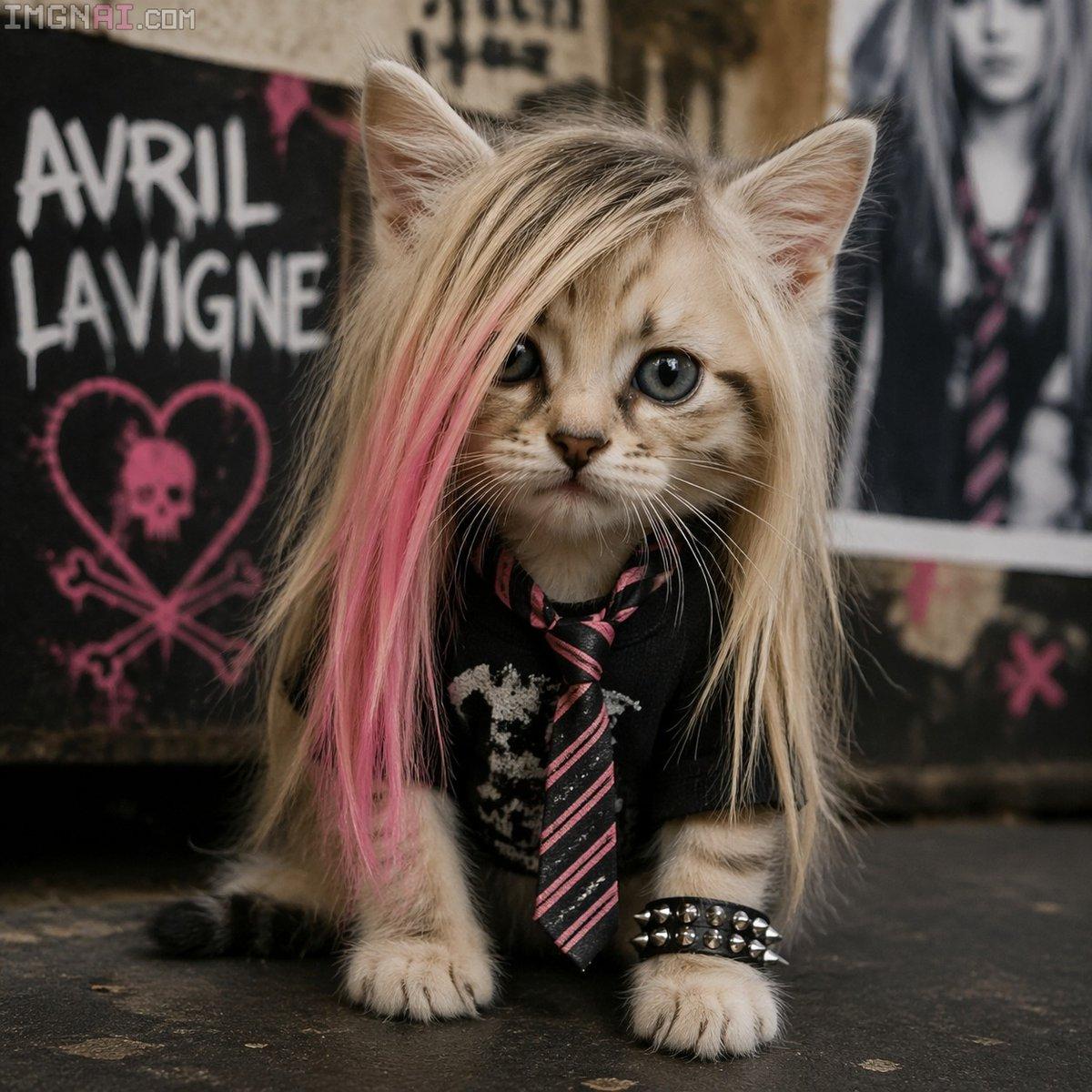
A photorealistic close-up portrait of a small tabby kitten styled like an early-2000s pop-punk rocker, sitting on a dark floor and facing the camera with a calm, slightly soulful expression. The kitten has large round eyes, soft striped fur, and long straight scene-kid hair in {argument name="hair color" default="platinum blonde"} with a bold {argument name="streak color" default="pink"} streak draped over one side of the face, partially covering one eye. It wears 4 visible fashion elements: a black band-style shirt with a distressed white graphic, a black-and-pink diagonal striped necktie, a black studded bracelet on one front paw, and the dramatic long wig-like hairstyle. The background is a gritty bedroom or rehearsal-space wall covered with punk posters and distressed textures; on the left is a black poster with large white text reading {argument name="poster text" default="AVRIL LAVIGNE"} above a pink heart-and-crossbones symbol, and on the right is a blurred poster of a person in dark clothing with a striped tie. Moody warm indoor lighting, shallow depth of field, highly detailed fur, realistic whiskers, subtle grunge atmosphere, centered composition, nostalgic emo aesthetic, studio-quality realism.
Choose the primary action to open PicX Studio with the available template settings. Review the model and format, personalize the creative direction, and generate when ready.
Yes. You can change the subject, setting, lighting, mood, format, and available model controls before creating your image.
This template is free to open and customize. Generation usage is shown in PicX Studio before you create.
Start with GPT Image 2, which is the model associated with this template. You can compare another compatible model for a different finish.
© 2026 PicX Studio. All rights reserved.

Follow a topic to a crawlable collection of related PicX Studio templates.
43,474 public templates available. Verified via the PicX Studio public templates API; refreshed hourly.
Prompt stories that include this template.















![Minimalist Flat Vector Travel Poster — Premium minimalist flat-vector travel poster for {argument name="city name" default="[CITY_NAME]"}, 3:4 vertical format.](https://cms-assets.youmind.com/media/1787917359711_3ug846_HQX205cbMAA6F6S-300x400.jpg)