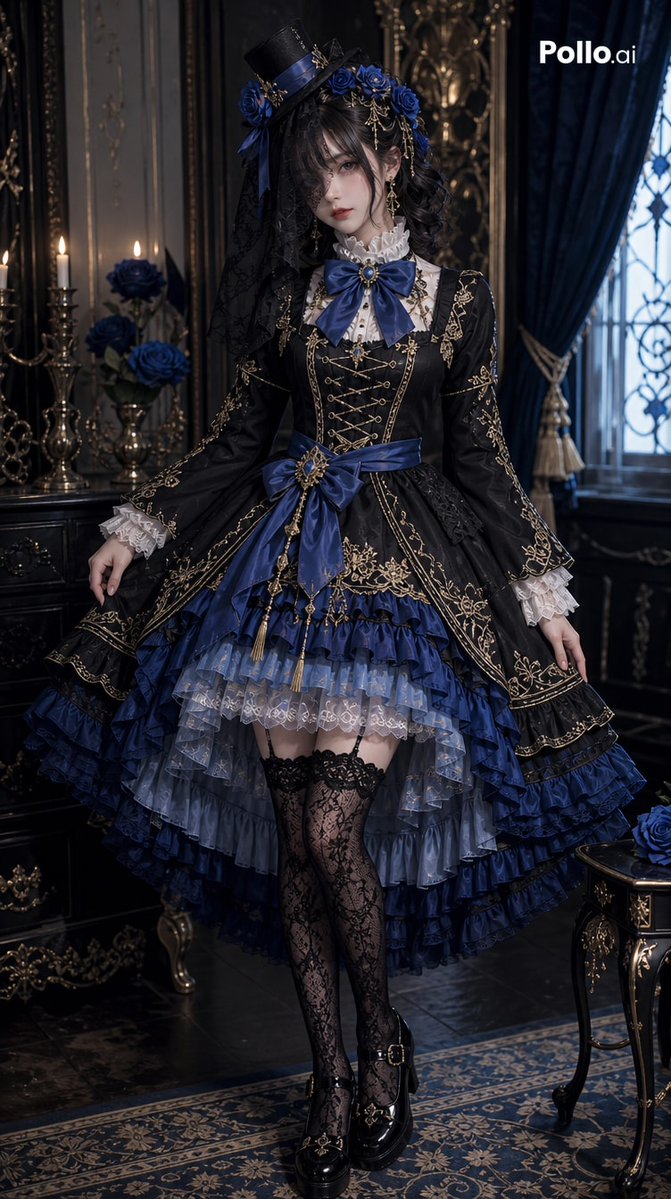
How do I use the Gothic Lolita Twin-Tail Full-Body Portrait template?
Choose the primary action to open PicX Studio with the available template settings. Review the model and format, personalize the creative direction, and generate when ready.
This prompt generates a polished full-body anime fashion portrait of a gothic lolita girl, ideal for character design, outfit visualization, and elegant style showcases. Change the subject, setting, or lighting one variable at a time.
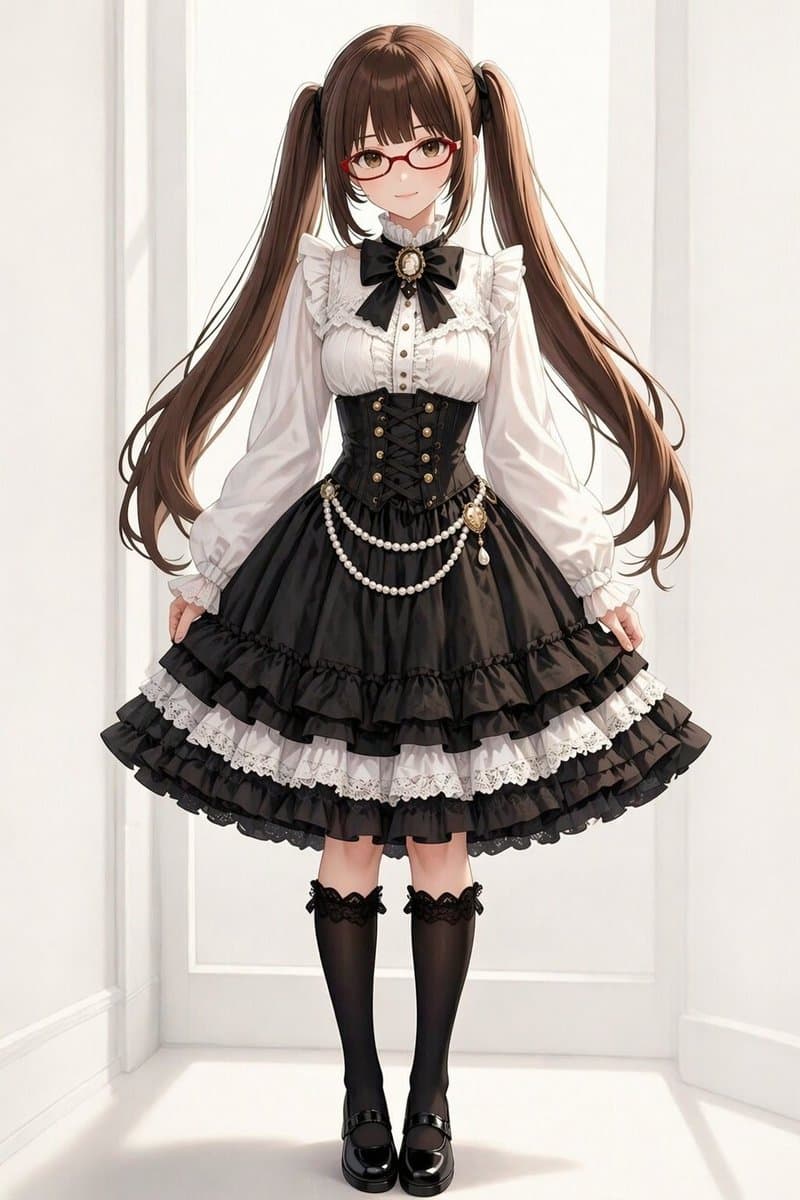
A full-body anime fashion illustration of a young woman standing centered in a bright white interior with clean wall panel molding, facing forward in a symmetrical pose and lightly holding out both sides of her skirt. She has {argument name="hair color" default="warm chestnut brown"} hair styled in very long high twin tails with soft shine, straight-cut bangs, and loose curled ends flowing down past her waist. Dress her in an elegant black-and-white gothic lolita outfit: a white high-neck blouse with frilled collar, lace trim, ruffled cap-like shoulder flounces, long puffed sleeves, and a vertical row of small buttons; a large black ribbon bow at the neck with an ornate oval cameo brooch at the center; a fitted black corset-style waist cincher with front lacing and 8 visible gold buttons arranged in two vertical columns of 4; a voluminous black bell-shaped skirt with multiple layered ruffles, including 3 prominent black ruffle tiers near the hem and 2 visible white lace underskirt bands between the black layers; draped pearl chains hanging across the hips in 2 swags, plus a small decorative cameo charm at the right hip. She wears black knee-high stockings with lace tops and small ribbon accents, and glossy black Mary Jane shoes with medium platform soles. The mood is refined, sweet, and classic, with delicate fabric rendering, soft studio lighting, clean shadows, highly detailed lace and satin textures, and a polished high-end character fashion sheet aesthetic.
Choose the primary action to open PicX Studio with the available template settings. Review the model and format, personalize the creative direction, and generate when ready.
Yes. You can change the subject, setting, lighting, mood, format, and available model controls before creating your image.
This template is free to open and customize. Generation usage is shown in PicX Studio before you create.
Start with GPT Image 2, which is the model associated with this template. You can compare another compatible model for a different finish.
© 2026 PicX Studio. All rights reserved.

Follow a topic to a crawlable collection of related PicX Studio templates.
43,474 public templates available. Verified via the PicX Studio public templates API; refreshed hourly.


![Ultra-realistic 8K full body portrait wearing a clean and pressed white — Ultra-realistic 8K full body portrait of [PERSON’S FULL NAME], wearing a clean and pre](https://images.meigen.ai/tweets/2011898760650170378/0.jpg)


![Ultra-realistic 8K full body portrait wearing a clean and pressed white — Ultra-realistic 8K full body portrait of [PERSON’S FULL NAME], wearing a clean and pre](https://images.meigen.ai/tweets/2018389139826037141/0.jpg)



![Minimalist Flat Vector Travel Poster — Premium minimalist flat-vector travel poster for {argument name="city name" default="[CITY_NAME]"}, 3:4 vertical format.](https://cms-assets.youmind.com/media/1787917359711_3ug846_HQX205cbMAA6F6S-300x400.jpg)
























![Cinematic Chinese Style Fashion Editorial (Shang Cheng Shi) — 作为世界级时尚摄影师(Steven Meisel / Paolo Roversi / Harley Weir 风格),为**[参考图1人物100%严格还原面部特征、发型、气质]**拍摄《上城士 S](https://pbs.twimg.com/media/G_ICgFrXoAAPWEf.jpg)