How do I use the High-End Monochrome Fashion Illustration template?
Choose the primary action to open PicX Studio with the available template settings. Review the model and format, personalize the creative direction, and generate when ready.
A sophisticated prompt for generating luxury magazine-style monochrome ink portraits with vibrant emerald accents and dynamic splash effects.
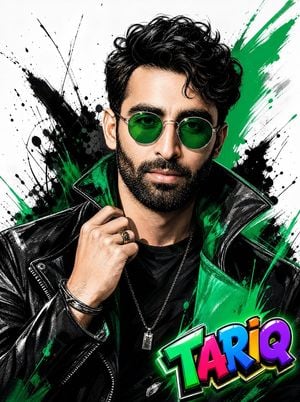
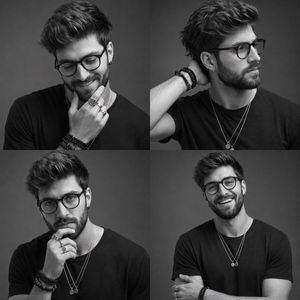
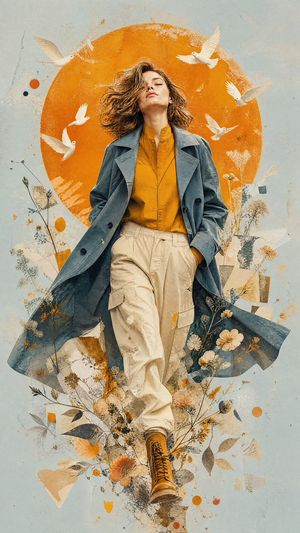
Ranga ({argument name="character features" default="exact locked facial features, curly hair, blue glasses removed, stylish teenage look"}), ultra-cool fashion portrait, close-up chest-up composition, confident expression, slightly tilted head, one hand adjusting the collar of a premium jacket, looking directly at camera. Art style: high-end monochrome ink illustration with {argument name="accent color" default="vibrant emerald green"} accent color, bold brush strokes, dynamic paint splashes, luxury fashion magazine cover aesthetic, hand-painted sketch texture, modern graphic novel artwork. Outfit: black leather jacket with neon green inner lining, black premium t-shirt, sleek metallic accessories, stylish round green-tinted sunglasses, modern urban fashion. Background: clean white studio backdrop with dramatic black ink splashes, emerald green paint strokes, abstract artistic textures, minimalistic luxury design. Lighting: cinematic studio lighting, high contrast shadows, dramatic rim light, glossy highlights, fashion editorial lighting, ultra-sharp details. Mood: confident, fearless, modern, stylish, trendsetter, social media influencer vibe. Quality: masterpiece, ultra detailed, 16K, HDR, hyper-realistic textures, premium poster design, sharp focus, luxury fashion illustration, vibrant emerald accents. Composition: portrait orientation {argument name="aspect ratio" default="9:16"}, centered character, premium magazine cover look, dynamic ink explosion effects around character. TARIQ Creation colourful 2D cartoon-style text at bottom-right corner, bold black outline, shadow, highlight, glow effect. Negative Prompt: blurry, low quality, extra fingers, deformed face, bad anatomy, duplicate body parts, watermark, text artifacts, cropped face, distorted glasses, dull colors.
Choose the primary action to open PicX Studio with the available template settings. Review the model and format, personalize the creative direction, and generate when ready.
Yes. You can change the subject, setting, lighting, mood, format, and available model controls before creating your image.
This template is free to open and customize. Generation usage is shown in PicX Studio before you create.
Start with GPT Image 2, which is the model associated with this template. You can compare another compatible model for a different finish.
Follow a topic to a crawlable collection of related PicX Studio templates.