How do I use the Anime Girl in Rainy Tokyo Alley template?
Choose the primary action to open PicX Studio with the available template settings. Review the model and format, personalize the creative direction, and generate when ready.
Generates a cinematic anime illustration of a lone girl in a wet Tokyo alley with Tokyo Tower glowing behind her.
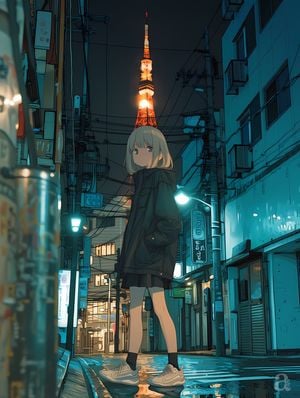
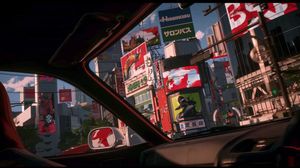
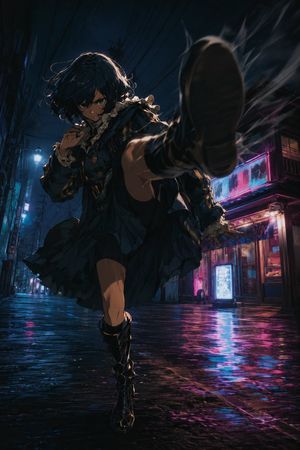
Create a vertical anime-style night street illustration of {argument name="character name" default="a quiet teenage girl"} standing full-body in the middle of a narrow Tokyo back alley after rain, viewed from a low street-level perspective. She has {argument name="hair color" default="short ash-blonde bob hair with straight bangs"}, pale skin, large muted eyes, and a calm slightly melancholy expression, looking toward the viewer. She wears an oversized dark hooded jacket with bulky pockets, a short dark skirt, black ankle socks, and chunky beige sneakers, hands tucked into her jacket pockets. Behind her, perfectly centered above her head, the illuminated orange-and-white Tokyo Tower rises in the distance like a glowing spire, with its bright central light creating a warm halo that contrasts against the deep blue night sky. The alley is dense with urban details: tall narrow buildings on both sides, air-conditioning units, shop shutters, small signs, street lamps, utility poles, tangled overhead power lines, balconies, pipes, and wet reflective pavement with puddles. Use a teal-and-cyan color palette for the buildings and street lighting, with warm orange highlights from the tower and shop interiors. The composition should feel cinematic and slightly surreal, with strong perspective depth, moody lighting, crisp manga linework, soft painterly shading, reflective wet ground, and subtle bokeh lights in the foreground on the left. Keep the character noticeably large compared with the background perspective, as if the scale is slightly imperfect but visually charming. No readable text, no extra characters, no vehicles, no watermark.
Choose the primary action to open PicX Studio with the available template settings. Review the model and format, personalize the creative direction, and generate when ready.
Yes. You can change the subject, setting, lighting, mood, format, and available model controls before creating your image.
This template is free to open and customize. Generation usage is shown in PicX Studio before you create.
Start with GPT Image 2, which is the model associated with this template. You can compare another compatible model for a different finish.
Follow a topic to a crawlable collection of related PicX Studio templates.