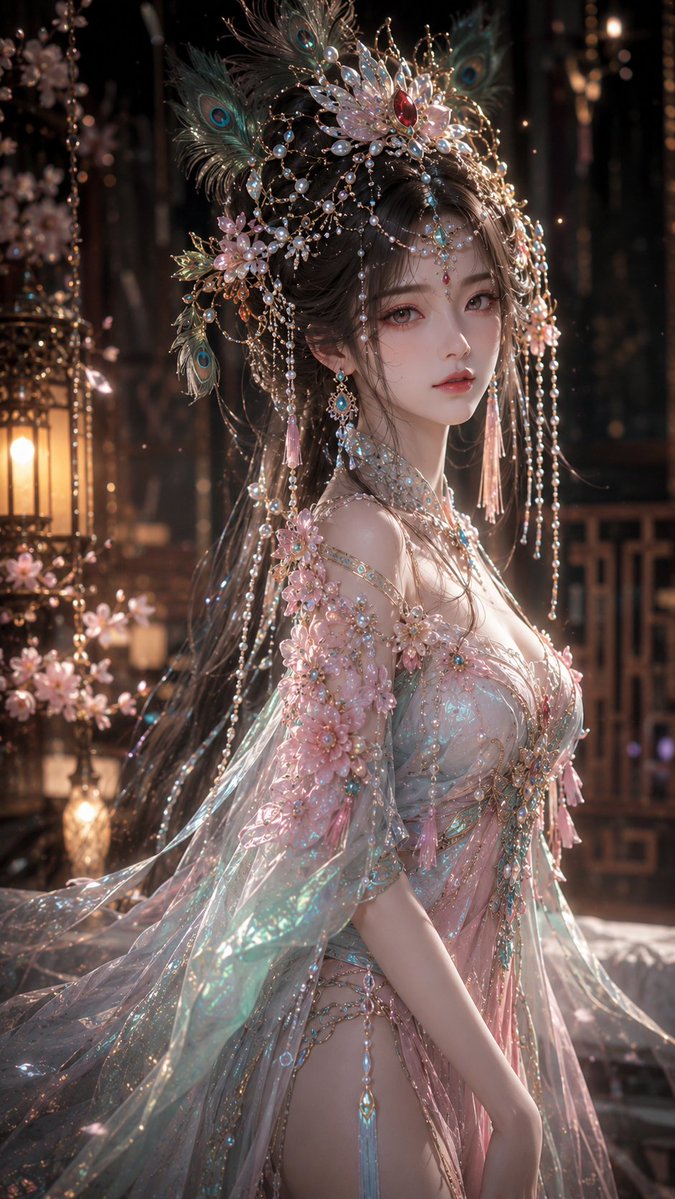
How do I use the Woman in Red Dress in Monochrome City template?
Choose the primary action to open PicX Studio with the available template settings. Review the model and format, personalize the creative direction, and generate when ready.
A sophisticated cinematic prompt for a woman in a vivid red dress standing in a black and white Japanese night city, using motion blur and selective color for a
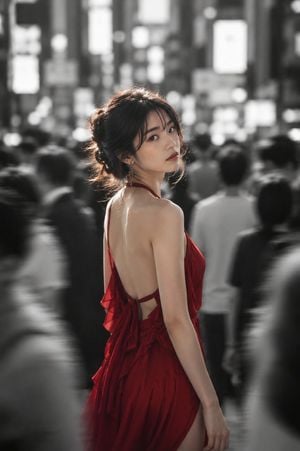
主題: 赤だけの静寂 主体: 縦長2:3の写真。夜の日本の繁華街、人混みの中でひとりだけ鮮やかな色を持つ{argument name="人物属性" default="20代女性"}。人物は画面中央やや左に立ち、腰上から太もも付近までが大きく入る。周囲の通行人と街並みは強いモーションブラーと浅い被写界深度で黒白に近くぼかされ、人物だけが明瞭でカラーに残る。 人物・表情: 自然で現実感のある日本人女性。大人びた均整の取れた体型で、華奢すぎず落ち着いた存在感がある。黒髪に近いダークブラウンの髪をゆるくまとめ、薄い前髪と後れ毛が首元や頬にかかる。上品な日系メイク、淡い血色感のある肌、小さなキャッチライトの入った瞳。身体は奥へ歩く向き、顔だけを左後方のカメラへ静かに振り返る。唇は少し開き、都会の喧騒の中で一瞬だけ時間が止まったような表情。 服装・ポーズ: {argument name="服装のデザイン" default="深いルビーレッドのサマードレス"}。細いストラップ、背中が大きく開いたデザイン、後ろのリボン、斜めに重なるフリル、柔らかく揺れるサテン調の薄手生地。腰まわりに自然なドレープが入り、歩き出す動きで裾がわずかに流れる。右腕は身体の横に自然に下ろし、肩甲骨と首筋に柔らかな光が入る。露出は上品で、ファッションポートレートとして洗練された印象。 背景・光: {argument name="場所" default="日本の夜の繁華街"}。高層ビル、白く発光する看板、歩道の人波、遠くの街灯がすべて黒白の大きなボケになる。読めない看板文字、白い矩形の光、濡れた路面のような反射を背景に入れる。光源は背後上方と左奥からの強めの逆光で、髪の輪郭、肩、背中に細いハイライトを作る。顔には前方から弱い反射光が入り、影は柔らかく落ちる。 構図・カメラ: 85mm相当の中望遠、F1.4〜F1.8の浅い被写界深度。人物の顔と赤いドレスにピントを合わせ、前景と背景の通行人は横方向に流れるようにブレる。カメラは胸の高さからやや近距離で撮影。人物の周囲を黒い人影が囲み、中央だけに視線の抜け道を作る。上部には街灯と看板の白いボケを広く残し、下部は赤いドレスの面積をしっかり見せる。 質感・スタイル: プロ用カメラで撮影したリアルなストリートファッション写真。背景はモノクロ寄り、人物だけ自然な肌色と鮮烈な赤を残す部分カラー表現。シネマティックなコントラスト、柔らかな粒子感、自然な肌理、過度な美肌補正なし。赤いドレスの布の光沢、髪の細い後れ毛、夜の空気感を繊細に表現する。 ネガティブ: 不自然な顔、不自然な視線、余分な指、欠けた指、手足の融合、関節の破綻、服の構造破綻、過度な露出、道具との接触不良、不自然な重力、誤った遠近法、光源と矛盾する影、背景の文字化け、ロゴ、透かし、過度な美肌補正、プラスチックのような肌、人物以外の強い彩度。
Choose the primary action to open PicX Studio with the available template settings. Review the model and format, personalize the creative direction, and generate when ready.
Yes. You can change the subject, setting, lighting, mood, format, and available model controls before creating your image.
This template is free to open and customize. Generation usage is shown in PicX Studio before you create.
Start with GPT Image 2, which is the model associated with this template. You can compare another compatible model for a different finish.
Follow a topic to a crawlable collection of related PicX Studio templates.