How do I use the Consistent Game Character Expansion template?
Choose the primary action to open PicX Studio with the available template settings. Review the model and format, personalize the creative direction, and generate when ready.
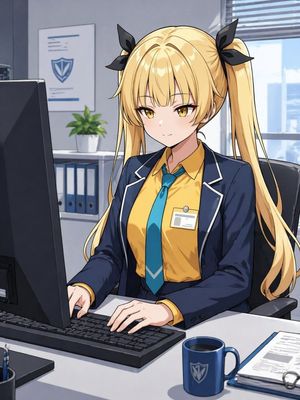
A highly detailed prompt for GPT Image 2 to design five new characters that strictly follow the art style, color palette, and world-building of an uploaded refe
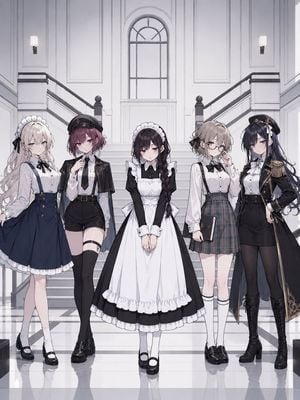
{argument name="縦横比" default="3:4"}の縦長の画角。アップロードされたキャラクターを基準キャラクターとして使用すること。真ん中に描くこと。 出力は{argument name="人数" default="五人"}。 基準キャラクターと同じゲームに登場する新規キャラクターをデザインすること。 ⸻ 【最重要】 基準キャラクターの画風を厳密に維持すること。 基準キャラクターの世界観を維持すること。 基準キャラクターの色彩設計を維持すること。 基準キャラクターのデザイン思想を維持すること。 同じ作品の登場人物として成立すること。 画像をいたずらに高詳細にしない。細かいエフェクトや塵を入れない。画面を汚くしない。粒子を入れるのはタブー。服のデザインを細かくしすぎない。過度の装飾を避ける。 ⸻ 【禁止事項】 基準キャラクターの顔を流用しないこと。 基準キャラクターの髪型を流用しないこと。 基準キャラクターの髪色を流用しないこと。 基準キャラクターの目の形を流用しないこと。 基準キャラクターの前髪を流用しないこと。 基準キャラクターの性格を流用しないこと。 色違いキャラクターを作らないこと。 姉妹キャラのようなデザインにしないこと。 キャラクターの服装と違う服装にすること。新規デザイン。 キャラクターの服装とは色を変えること。新規デザイン。 一目で別人と分かること。 ⸻ 【キャラクター条件】 キャラクター① {argument name="キャラクター設定" default="(ここに自由入力)"} キャラクター② (ここに自由入力) キャラクター③ (ここに自由入力) キャラクター④ (ここに自由入力) キャラクター⑤ (ここに自由入力) 【背景】 ⸻ 【出力】 背景込み。 公式設定資料レベル。
Choose the primary action to open PicX Studio with the available template settings. Review the model and format, personalize the creative direction, and generate when ready.
Yes. You can change the subject, setting, lighting, mood, format, and available model controls before creating your image.
This template is free to open and customize. Generation usage is shown in PicX Studio before you create.
Start with GPT Image 2, which is the model associated with this template. You can compare another compatible model for a different finish.
Follow a topic to a crawlable collection of related PicX Studio templates.