How do I use the Woman in Classical Chinese Garden template?
Choose the primary action to open PicX Studio with the available template settings. Review the model and format, personalize the creative direction, and generate when ready.
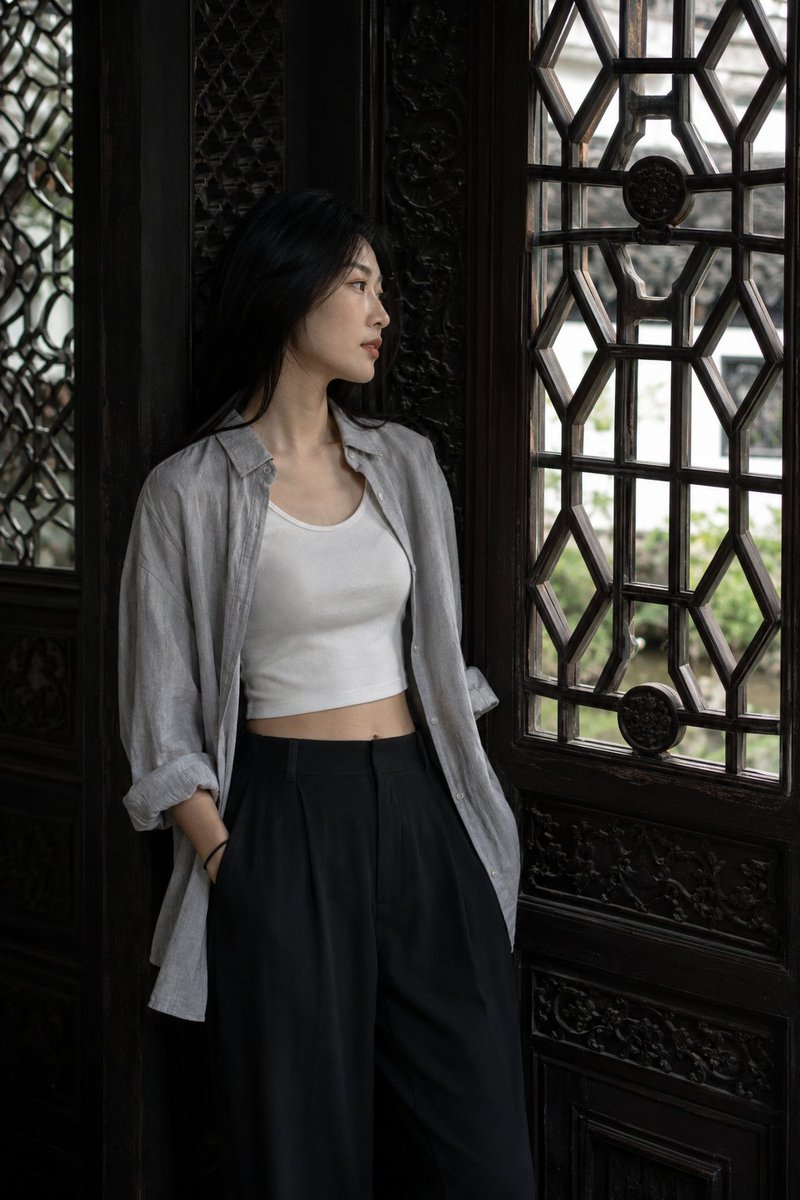
A photorealistic vertical portrait prompt for creating a serene hanfu-clad woman beside a red garden wall, flowering vines, a lattice window, and scholar rock.
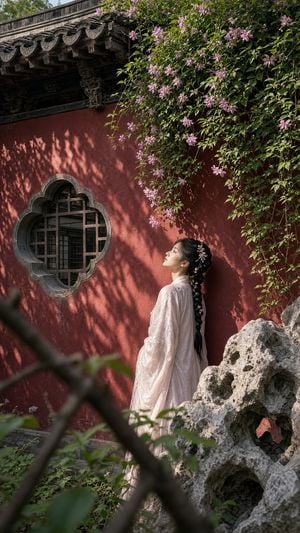
Create a vertical 9:16 cinematic photorealistic portrait of a young {argument name="woman ethnicity" default="East Asian"} woman in an old Chinese classical garden, standing in profile beside a weathered deep red plaster wall. She wears a flowing pale {argument name="dress color" default="blush pink"} traditional hanfu-style robe with translucent embroidered sleeves, her long black hair braided down her back and decorated with small floral hairpins. She leans gently against the wall and tilts her face upward with closed or soft eyes, calm and contemplative, lit by warm natural afternoon sunlight. On the left side of the wall is one ornate quatrefoil stone-framed lattice window with dark wooden bars; above it is an aged gray tiled roof eave with carved wooden supports. From the upper right, a dense cascade of green vines hangs down, covered with many small {argument name="flower color" default="pink-purple"} blossoms, casting intricate leaf shadows across the red wall. In the lower right foreground sits one large porous Taihu scholar rock, gray and textured, partially obscuring the woman’s lower body. Add out-of-focus branches and leaves crossing the lower foreground for depth, with lush garden greenery at the bottom. Composition: woman placed slightly right of center, window on left, vines filling the top right, rock anchoring the lower right. Style: ultra-realistic, high-detail, shallow depth of field, natural colors, soft contrast, no text, no watermark, serene historical Chinese garden atmosphere.
Choose the primary action to open PicX Studio with the available template settings. Review the model and format, personalize the creative direction, and generate when ready.
Yes. You can change the subject, setting, lighting, mood, format, and available model controls before creating your image.
This template is free to open and customize. Generation usage is shown in PicX Studio before you create.
Start with GPT Image 2, which is the model associated with this template. You can compare another compatible model for a different finish.
Follow a topic to a crawlable collection of related PicX Studio templates.