How do I use the Raspberry Gloss Macro Editorial Grid Prompt template?
Choose the primary action to open PicX Studio with the available template settings. Review the model and format, personalize the creative direction, and generate when ready.
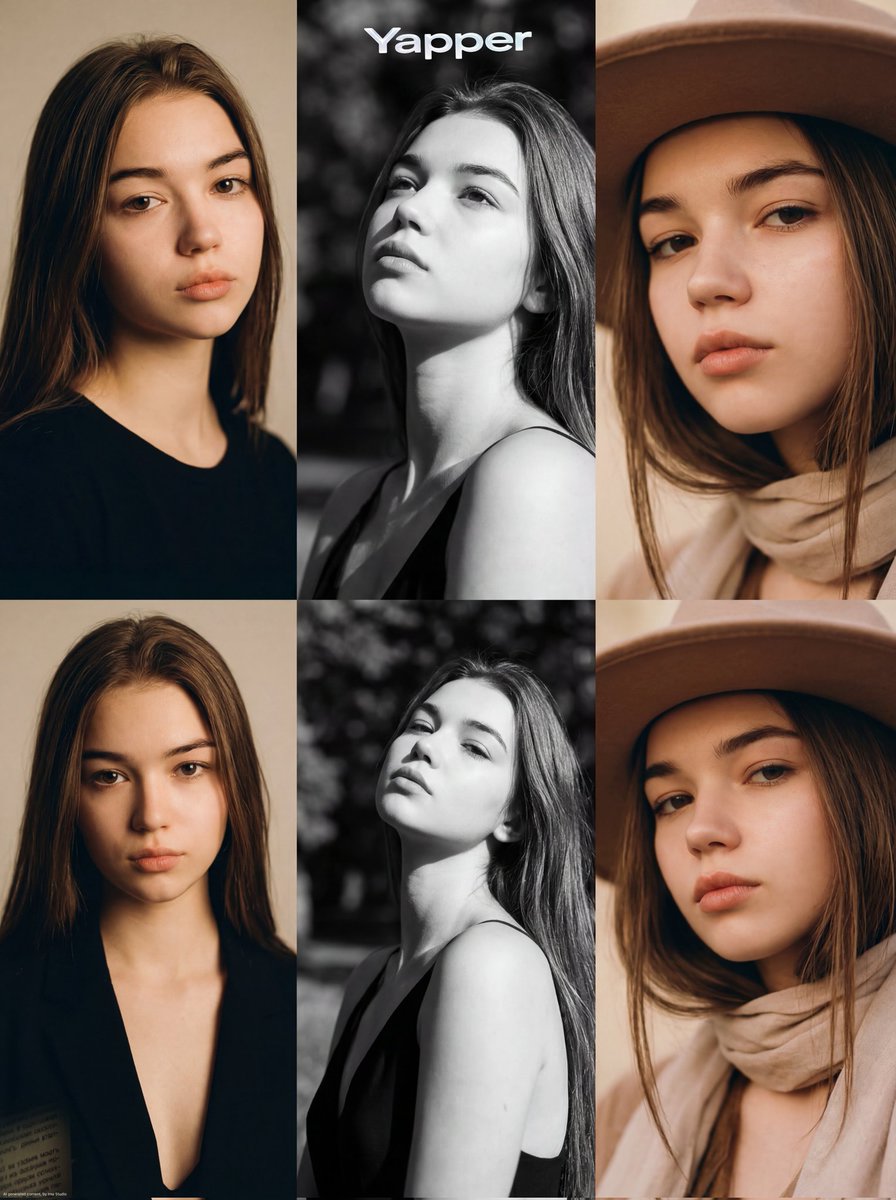
A highly detailed JSON prompt for generating a 2x2 beauty editorial macro grid featuring the same female model, focusing on glossy lips and eyes, using raspberries as a sensual prop, and maintaining consistent identity and high-end photography aesthetics across all panels. Change the subject, setting, or lighting one variable at a time.

{ "generation_request": { "meta_data": { "task_type": "beauty_editorial_macro_series_grid", "language": "en", "priority": "highest", "version": "v1.0_RASPBERRY_GLOSS_MACRO_EDITORIAL_GRID" }, "input": { "mode": "text_to_image", "notes": "Create a 2x2 beauty editorial grid featuring the same adult female model. Each panel is a slightly different macro crop: (A) eye + cheek + lips with raspberry near mouth, (B) extreme close-up of glossy lips with raspberry touching the upper lip, (C) another extreme close-up from a slightly different angle, (D) eye + cheek + lips again with a micro-variation in gaze and raspberry placement. Keep identity, makeup, and styling consistent across all panels. No text, no logos." }, "output": { "aspect_ratio": "4:5", "resolution": "ultra_high", "num_images": 1, "layout": { "type": "grid", "rows": 2, "cols": 2, "gutter": "thin" }, "sharpness": "editorial_crisp", "grain": "subtle_film", "post_processing": { "skin_retouch": "light_editorial", "texture_preservation": "high", "avoid_plastic_skin": true, "avoid_hdr": true } }, "scene": { "concept": "high-fashion beauty editorial macro campaign with raspberries as a sensual prop", "environment": "minimal studio, warm neutral background, no visible set elements", "composition": { "framing": "macro close-ups, tight crops, emphasis on lips and eye", "camera_height": "eye_level", "focus_priority": "lips_texture_and_gloss_highlights" }, "lighting": { "type": "soft_directional_studio_light", "direction": "slightly_side", "contrast": "medium_soft", "temperature": "warm_neutral", "highlight_behavior": "controlled_specular_on_gloss", "shadow_behavior": "soft_falloff" }, "camera": { "look": "beauty_campaign_photography", "lens": "100mm_macro", "aperture": "f2.8", "depth_of_field": "shallow_but_legible", "macro_detail": "high" } }, "subject": { "person": "adult woman", "appearance": { "skin": "natural pores visible, faint freckles, soft warm undertone", "hair": "straight dark hair, sleek, partially framing face", "eye_color": "hazel_or_brown" }, "makeup": { "complexion": "light foundation with natural texture, soft powder control", "blush": "dusty_rose blush on cheekbones", "eyes": "sharp winged eyeliner, long separated lashes, subtle shimmer on lids", "lips": "deep berry red lipstick with high gloss finish, crisp lip line, visible lip texture" }, "props": { "raspberries": "fresh raspberries placed near and touching the lips, one held between fingers", "hands": "fingers in frame holding raspberry,
Choose the primary action to open PicX Studio with the available template settings. Review the model and format, personalize the creative direction, and generate when ready.
Yes. You can change the subject, setting, lighting, mood, format, and available model controls before creating your image.
This template is free to open and customize. Generation usage is shown in PicX Studio before you create.
Start with Nano Banana 2, which is the model associated with this template. You can compare another compatible model for a different finish.
© 2026 PicX Studio. All rights reserved.

Follow a topic to a crawlable collection of related PicX Studio templates.
43,474 public templates available. Verified via the PicX Studio public templates API; refreshed hourly.











![Naive doodle-style subject illustration — A doodle-style {argument name="subject" default="[subject]"}, naive lines, humorous shape exaggeration](https://pbs.twimg.com/media/G6Wl2YxbsAARB2b.jpg)