How do I use the Samurai Swordsman Dynamic Battle Scene Prompt template?
Choose the primary action to open PicX Studio with the available template settings. Review the model and format, personalize the creative direction, and generate when ready.
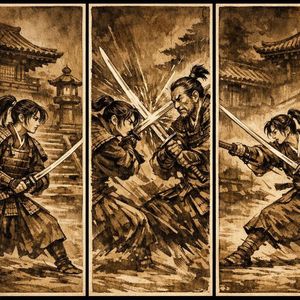
A highly detailed, cinematic prompt for generating a dynamic anime-scale battle scene featuring a Japanese-style swordsman (samurai) unleashing a powerful slash, emphasizing an intense low-angle perspective, motion blur, and high-contrast lighting on a desolate mountain ridge. Change the subject, setting, or lighting one variable at a time.

Masterpiece quality, theatrical animation-scale dynamic battle scene, Japanese-style swordsman (samurai) character, intense low-angle perspective with exaggerated depth, bold framing where the blade thrusts forward as if piercing through the screen. Captured in the exact moment of unleashing a powerful slash, sharp gaze and teeth clenched in determination. As he steps forward, the ground shatters beneath him and the rocky surface cracks from the impact. Standing along a mountain ridge, violent winds spiral around him, haori and hair whipping like a raging storm. A single cutting arc slices through the air, leaving a blue-white luminous trail as an afterimage. The pressure of the strike sends surrounding dust and debris flying in sweeping arcs. Wide-angle perspective emphasizing depth, dynamic motion blur conveying speed, high-contrast dramatic lighting creating intense tension. Background: desolate rocky mountains beneath a sky covered in heavy clouds, layered clouds streaming rapidly in the wind. The katana features finely detailed metallic reflections and a clearly defined hamon shimmering along the blade. Vertical cinematic poster composition, 9:16 aspect ratio, no text.
Choose the primary action to open PicX Studio with the available template settings. Review the model and format, personalize the creative direction, and generate when ready.
Yes. You can change the subject, setting, lighting, mood, format, and available model controls before creating your image.
This template is free to open and customize. Generation usage is shown in PicX Studio before you create.
Start with Nano Banana 2, which is the model associated with this template. You can compare another compatible model for a different finish.
Follow a topic to a crawlable collection of related PicX Studio templates.
43,474 public templates available. Verified via the PicX Studio public templates API; refreshed hourly.









![Naive doodle-style subject illustration — A doodle-style {argument name="subject" default="[subject]"}, naive lines, humorous shape exaggeration](https://pbs.twimg.com/media/G6Wl2YxbsAARB2b.jpg)