How do I use the Censored Anime Girl Portrait template?
Choose the primary action to open PicX Studio with the available template settings. Review the model and format, personalize the creative direction, and generate when ready.
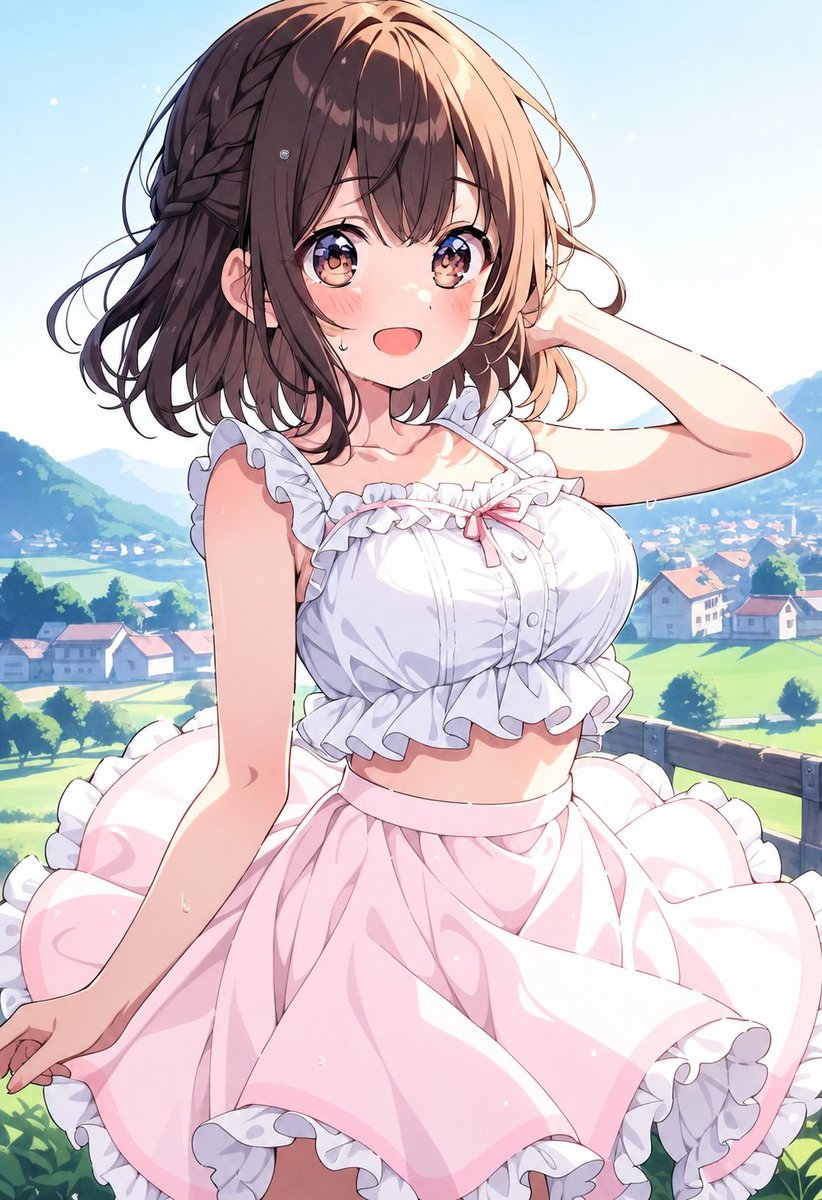
Generates a vertical pastel anime illustration of a frilly dressed girl in a sunny countryside scene with her face intentionally covered by a censor block. (free to use) — Free AI image template on PicX Studio.
Create a polished vertical anime illustration of a young woman standing outdoors on a sunny hillside overlook, with her face deliberately obscured by a centered opaque square censor block in muted dusty brown-pink. She has {argument name="hair color" default="warm medium brown"} shoulder-length wavy bob hair with a braided section along the left side, loose flyaway strands, and sunlight highlights. She wears a frilly summer outfit: exactly 2 main clothing pieces, a white cropped ruffled camisole with lace trim, buttons, thin straps, and a small pale pink bow at the neckline, plus a high-waisted pale pink flared skirt with large white ruffled hem panels. Pose her in a graceful three-quarter view, one arm raised with the hand behind her head and the other arm lowered near the skirt, emphasizing soft fabric folds and a breezy romantic mood. Set the background as a bright pastoral village landscape with green fields, scattered houses, trees, distant blue mountains, and a pale blue sky with tiny glowing particles, using shallow depth of field and soft atmospheric perspective. Style should be high-detail Japanese anime key visual, clean line art, pastel colors, glossy highlights, delicate skin shading, warm summer lighting, and a vertical {argument name="aspect ratio" default="2:3"} composition. Keep the censor square flat, untextured, and perfectly rectangular, covering the entire facial area without revealing facial features; no text, no watermark, no extra characters.
Use Censored Anime Girl Portrait to plan an AI image around gpt-image-2 generation, themes such as en and gpt-image-2. Match the preview's composition first, then personalize the subject, setting, and mood for your own project.
Use the primary action to load the template settings in PicX Studio.
Adjust the subject and creative details for your destination.
Create the image, compare the result with the preview, and refine one variable at a time.
A continuous mix — similar concepts first, woven with same-model prompts and fresh picks from the catalog.
Choose the primary action to open PicX Studio with the available template settings. Review the model and format, personalize the creative direction, and generate when ready.
Yes. You can change the subject, setting, lighting, mood, format, and available model controls before creating your image.
This template is free to open and customize. Generation usage is shown in PicX Studio before you create.
Start with gpt-image-2, which is the model associated with this template. You can compare another compatible model for a different finish.
Follow a topic to a crawlable collection of related PicX Studio templates.
39,157 public templates available. Verified via the PicX Studio public templates API; refreshed hourly.
A continuous mix — similar concepts first, woven with same-model prompts and fresh picks from the catalog.