How do I use the Ultra Photorealistic Early Morning Bedroom Scene template?
Choose the primary action to open PicX Studio with the available template settings. Review the model and format, personalize the creative direction, and generate when ready.
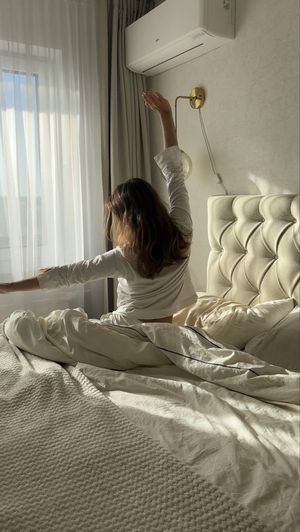
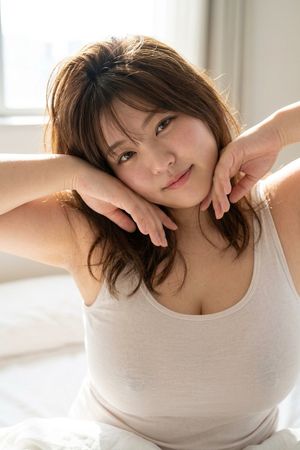
A highly detailed, structured JSON prompt for Nano Banana 2 to generate an ultra photorealistic image of a woman in a bedroom with early morning golden light, focusing on intimate framing, soft lighting, and specific pose and outfit details. Change the subject, setting, or lighting one variable at a time.

{ "meta": { "camera": "iPhone 17 Pro", "lens": "35mm", "aspect_ratio": "4:5", "quality": "ultra photorealistic", "style": "soft daylight iphone realism, natural HDR, intimate framing" }, "scene": { "location": "bedroom with open balcony doors", "time": "early morning golden light", "atmosphere": "private, warm, slow morning energy" }, "lighting": { "primary": "strong sunlight entering from behind", "secondary": "soft room bounce", "effect": [ "backlit glow around body", "light passing through fabric", "soft shadows across skin", "warm golden tone" ], "temperature": "warm 5800K" }, "camera": { "angle": "slightly below chest level", "distance": "mid shot", "focus": "sharp subject, soft background", "motion": "slight handheld realism" }, "subject": { "pose": { "position": "standing near balcony", "action": "pulling oversized shirt off one shoulder mid-motion", "torso": "twisting slightly", "hips": "angled" }, "expression": { "eyes": "looking at camera through sunlight", "mouth": "soft teasing smile" }, "hair": { "style": "natural morning volume", "movement": "slight breeze" }, "outfit": { "top": { "type": "oversized button shirt", "color": "white", "state": "half falling off shoulder", "details": "sunlight slightly passing through fabric" }, "bottom": { "type": "minimal lounge underwear", "color": "soft neutral" } } }, "environment_details": { "background": [ "open balcony", "flowing curtains", "sunlight streaks", "unmade bed" ] }, "post_processing": { "exposure": "+12%", "colors": "warm", "skin": "natural texture" } }
Choose the primary action to open PicX Studio with the available template settings. Review the model and format, personalize the creative direction, and generate when ready.
Yes. You can change the subject, setting, lighting, mood, format, and available model controls before creating your image.
This template is free to open and customize. Generation usage is shown in PicX Studio before you create.
© 2026 PicX Studio. All rights reserved.

Start with Nano Banana 2, which is the model associated with this template. You can compare another compatible model for a different finish.
Follow a topic to a crawlable collection of related PicX Studio templates.
43,474 public templates available. Verified via the PicX Studio public templates API; refreshed hourly.










![Naive doodle-style subject illustration — A doodle-style {argument name="subject" default="[subject]"}, naive lines, humorous shape exaggeration](https://pbs.twimg.com/media/G6Wl2YxbsAARB2b.jpg)




















![Editorial chair on lake — Use [reference image] as the base for {argument name="subject identity" default="subject identity, facial structure, and likeness"}. R](https://pbs.twimg.com/media/HGu8p3aaMAASMdh.jpg)

![Image-to-Snow Sculpture Conversion Prompt for Nano Banana Pro — 【設定】
[キャラクターの外見] = {argument name="キャラクターの外見" default="髪をツインテールにした黒いマントの少女とセーラー服の少女"}
[タイトル] = {](https://pbs.twimg.com/media/G8ckB-wakAMXPNe.jpg)