How do I use the Grok AI Editorial Infographic Poster template?
Choose the primary action to open PicX Studio with the available template settings. Review the model and format, personalize the creative direction, and generate when ready.
A complex editorial infographic prompt that visualizes the Grok AI architecture and history in a dramatic National Geographic style. Change the subject, setting, or lighting one variable at a time.
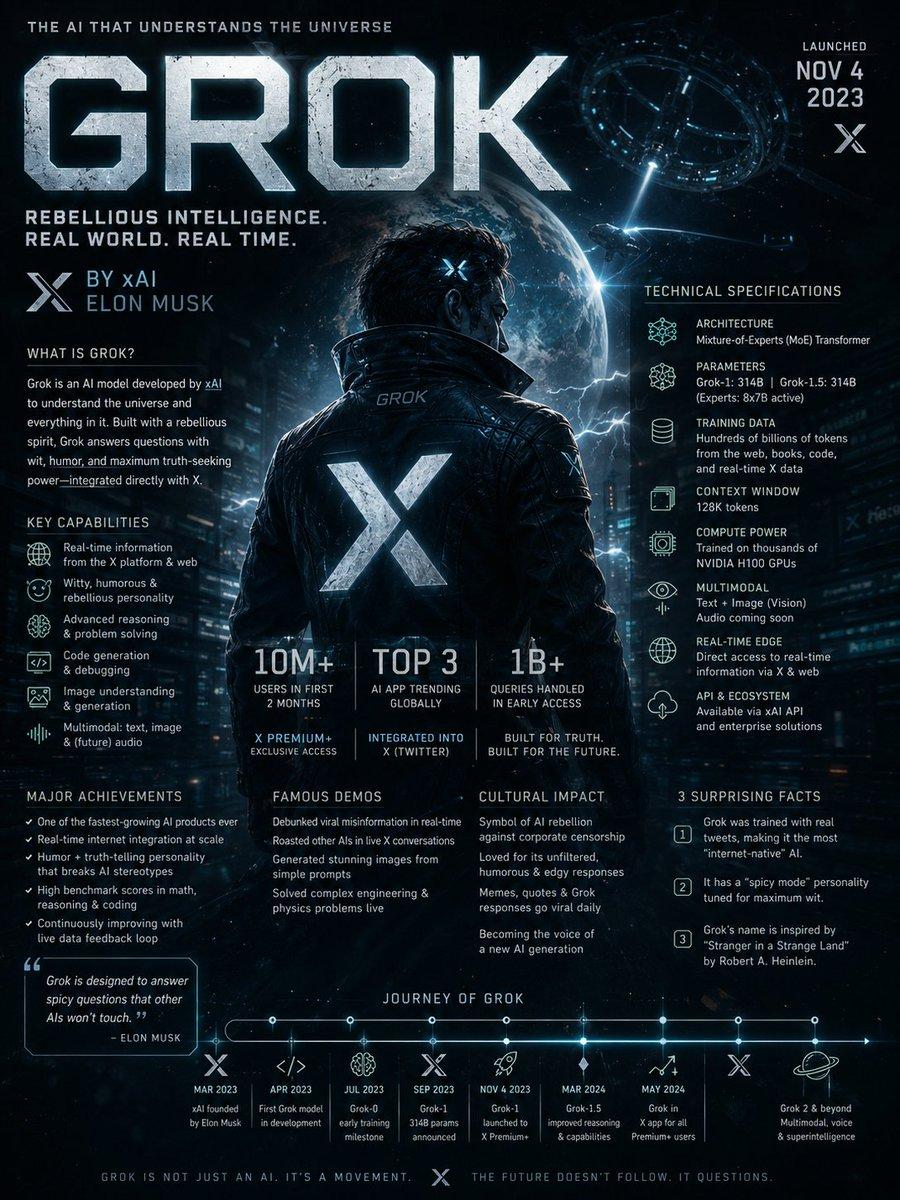
Search the web for detailed information about {argument name="topic" default="Grok AI"} including its development history, underlying architecture, technical capabilities, training methodology, real-world applications, cultural impact, major breakthroughs, controversies, notable model versions, and surprising lesser-known facts. Then create a dramatic editorial infographic poster in the style of a {argument name="style" default="National Geographic feature"} — but for groundbreaking artificial intelligence. The most powerful and recognizable visual representation of Grok is the full-bleed atmospheric hero filling the entire poster top to bottom, dramatically lit and color-graded in deep black, electric blue, chrome silver, and cosmic neon tones matching Grok’s rebellious futuristic identity. Oversized bold typography with the word ‘GROK’ dominates the upper portion in a sleek sci-fi font inspired by space technology and cyberpunk interfaces. Text and graphic panels float naturally over the image as editorial overlays — not boxed magazine layouts. Include: release year and creator/company (xAI / Elon Musk), model architecture and parameter scale, training data scale and computing infrastructure, key capabilities and benchmark performance, integration with X (Twitter), adoption statistics and market influence, launch milestones, famous public demos, major achievements, cultural significance, and 3 surprising lesser-known facts. A technical specification panel on one side showing architecture, multimodal abilities, reasoning features, context window, API ecosystem, and compute power. A timeline of Grok’s major breakthroughs and releases along the bottom. Include references to real-time internet integration, humor-driven personality, open-source initiatives, and competition with other frontier AI models. Color palette and mood drawn entirely from Grok’s own visual identity — cinematic, edgy, intelligent, futuristic, slightly rebellious. No white background, no magazine grid, no boxed sections. Everything layered organically over the full-bleed hero image. Aspect ratio 4:5. Dense, tactile, cinematic, unmistakably Grok.
Choose the primary action to open PicX Studio with the available template settings. Review the model and format, personalize the creative direction, and generate when ready.
Yes. You can change the subject, setting, lighting, mood, format, and available model controls before creating your image.
This template is free to open and customize. Generation usage is shown in PicX Studio before you create.
Start with GPT Image 2, which is the model associated with this template. You can compare another compatible model for a different finish.
© 2026 PicX Studio. All rights reserved.

Follow a topic to a crawlable collection of related PicX Studio templates.
43,474 public templates available. Verified via the PicX Studio public templates API; refreshed hourly.






























![Minimalist Flat Vector Travel Poster — Premium minimalist flat-vector travel poster for {argument name="city name" default="[CITY_NAME]"}, 3:4 vertical format.](https://cms-assets.youmind.com/media/1787917359711_3ug846_HQX205cbMAA6F6S-300x400.jpg)