How do I use the Censored Sunflower Field Portrait template?
Choose the primary action to open PicX Studio with the available template settings. Review the model and format, personalize the creative direction, and generate when ready.
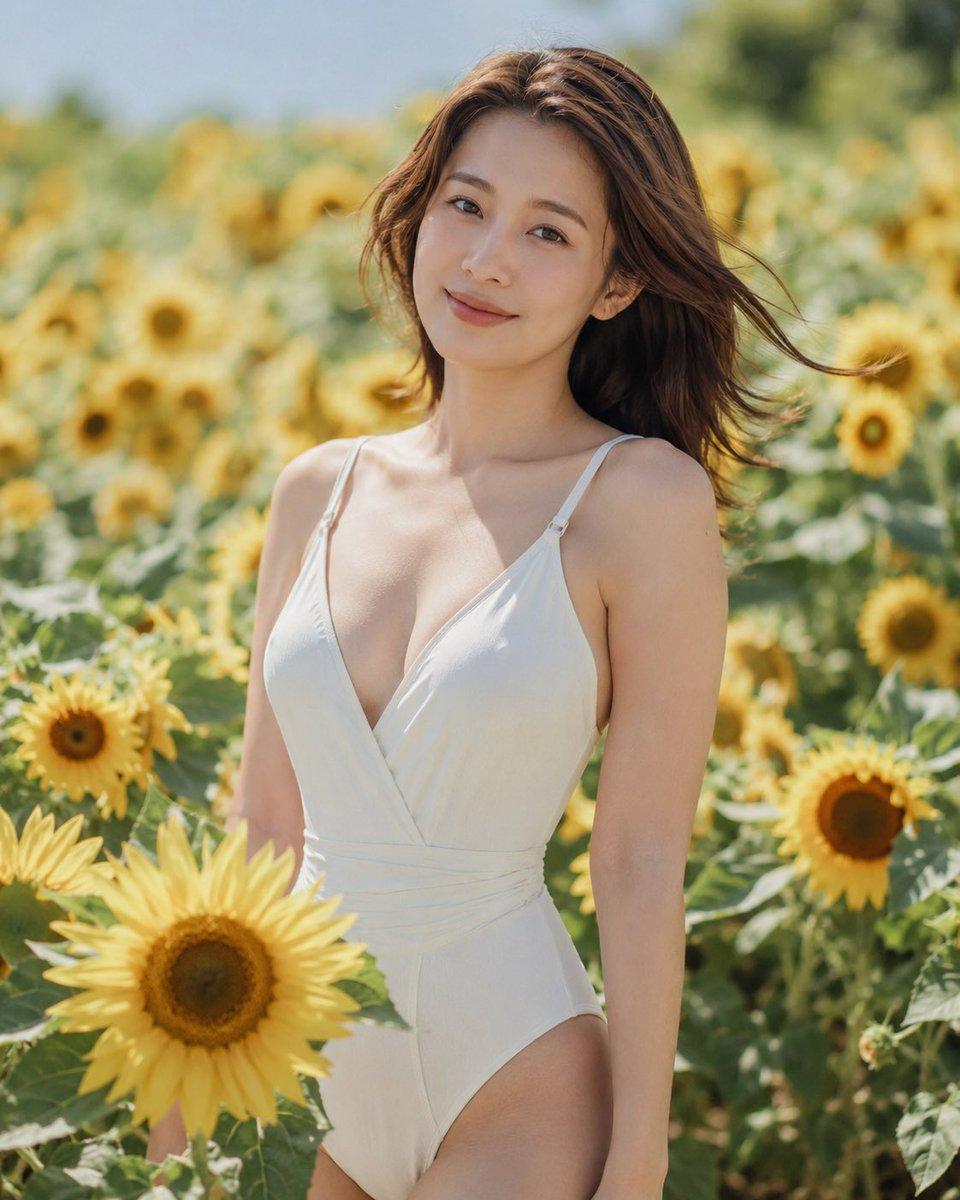
Generates a photorealistic summer fashion portrait of an adult woman in a sunflower field with an opaque square face censor for anonymized editorial use. (free to use) — Free AI image template on PicX Studio.
Create a photorealistic outdoor fashion portrait of an {argument name="subject" default="adult woman"} standing waist-up in a bright sunflower field on a sunny day, wearing a {argument name="outfit" default="white deep V-neck one-piece swimsuit with thin shoulder straps and a wrap-style bodice"}. She has {argument name="hair color and style" default="long chestnut-brown hair blowing gently in the wind"}, bare shoulders, soft natural skin tones, and a relaxed upright pose among tall yellow sunflowers. Place a large opaque square censor block over the center of her face, colored muted tan-brown, covering the facial features while leaving the hair, neck, shoulders, and outfit visible. Use warm summer daylight, shallow depth of field, creamy bokeh sunflowers in the background, crisp focus on the subject and nearby foreground sunflower, natural editorial photography style, 85mm lens look, soft highlights, fresh green and golden color palette, vertical 4:5 composition.
Use Censored Sunflower Field Portrait to plan an AI image around gpt-image-2 generation, themes such as en and gpt-image-2. Match the preview's composition first, then personalize the subject, setting, and mood for your own project.
Use the primary action to load the template settings in PicX Studio.
Adjust the subject and creative details for your destination.
Create the image, compare the result with the preview, and refine one variable at a time.
A continuous mix — similar concepts first, woven with same-model prompts and fresh picks from the catalog.
Choose the primary action to open PicX Studio with the available template settings. Review the model and format, personalize the creative direction, and generate when ready.
Yes. You can change the subject, setting, lighting, mood, format, and available model controls before creating your image.
This template is free to open and customize. Generation usage is shown in PicX Studio before you create.
Start with gpt-image-2, which is the model associated with this template. You can compare another compatible model for a different finish.
Follow a topic to a crawlable collection of related PicX Studio templates.
39,155 public templates available. Verified via the PicX Studio public templates API; refreshed hourly.
A continuous mix — similar concepts first, woven with same-model prompts and fresh picks from the catalog.