
China Country Profile Infographic
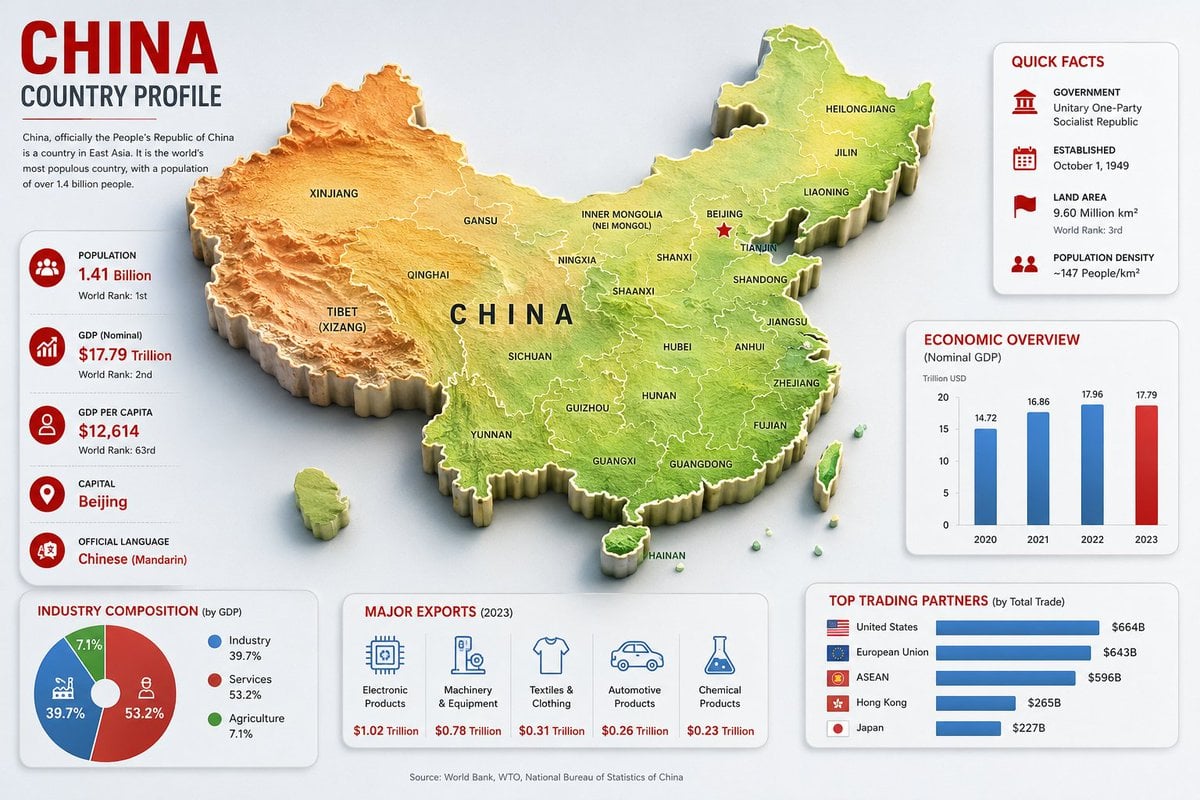
A detailed 16:9 country profile infographic featuring a 3D relief map of China with economic, demographic, export, and trade statistics.
- Prompt included
- Model and format preset
- Free template
The prompt behind this image
Copy the exact prompt behind China Country Profile Infographic, or open it in the studio and make it yours.
Goal: Create a clean, modern country-profile infographic for {argument name="country name" default="China"}, titled “CHINA COUNTRY PROFILE,” with a large central 3D raised relief map and surrounding statistical cards. Canvas: 16:9 horizontal infographic, light gray background, crisp corporate editorial style, subtle shadows, red/blue/green accent colors, high-resolution vector-meets-3D look. Main map: Place a large raised 3D topographic map of China in the center, occupying most of the canvas. Use terrain coloring: orange-brown mountains in the west, yellow central plateau, green eastern lowlands and coast. Add white province borders and black province labels. Include Taiwan, Hainan, and small South China Sea islands as separate raised pieces. Put large spaced black letters “CHINA” across the center. Mark Beijing with a red star and label it. Visible map labels should include exactly 28 province/region/city labels: Xinjiang, Tibet (Xizang), Qinghai, Gansu, Inner Mongolia (Nei Mongol), Ningxia, Sichuan, Yunnan, Guizhou, Guangxi, Guangdong, Hainan, Fujian, Zhejiang, Jiangsu, Anhui, Shandong, Hubei, Hunan, Shaanxi, Shanxi, Beijing, Tianjin, Liaoning, Jilin, Heilongjiang, Taiwan, and China. Top-left title block: Big red headline “CHINA,” dark subtitle “COUNTRY PROFILE,” a thin red divider line, and a short paragraph: “China, officially the People’s Republic of China is a country in East Asia. It is the world’s most populous country, with a population of over 1.4 billion people.” Left statistics card: A tall rounded white card with exactly 5 stacked fact rows, each with a red circular icon and text. The 5 rows are: Population — {argument name="population value" default="1.41 Billion"} — World Rank: 1st; GDP (Nominal) — $17.79 Trillion — World Rank: 2nd; GDP Per Capita — $12,614 — World Rank: 63rd; Capital — {argument name="capital city" default="Beijing"}; Official Language — {argument name="official language" default="Chinese (Mandarin)"}. Use thin separators between rows. Top-right quick facts card: A rounded white card titled “QUICK FACTS” in red. Include exactly 4 rows with red icons: Government — Unitary One-Party Socialist Republic; Established — October 1, 1949; Land Area — 9.60 Million km², World Rank: 3rd; Population Density — ~147 People/km². Middle-right economic chart card: A rounded white card titled “ECONOMIC OVERVIEW” with subtitle “(Nominal GDP)” and small label “Trillion USD.” Include exactly 4 vertical bars for 2020, 2021, 2022, 2023 with values 14.72, 16.86, 17.96, 17.79. Use blue bars for 2020–2022 and a red bar for 2023. Bottom-left industry card: A rounded white card titled “INDUSTRY COMPOSITION (by GDP).” Include exactly 3-part donut chart segments: Industry 39.7% in blue, Services 53.2% in red, Agriculture 7.1% in green. Add matching legend with the same 3 labels and percentages. Bottom-center exports card: A rounded white card titled “MAJOR EXPORTS (2023).” Include exactly 5 export columns with blue line icons and red values: Electronic Products — $1.02 Trillion; Machinery & Equipment — $0.78 Trillion; Textiles & Clothing — $0.31 Trillion; Automotive Products — $0.26 Trillion; Chemical Products — $0.23 Trillion. Bottom-right trading partners card: A rounded white card titled “TOP TRADING PARTNERS (by Total Trade).” Include exactly 5 horizontal blue bars with small flag icons and values: United States — $664B; European Union — $643B; ASEAN — $596B; Hong Kong — $265B; Japan — $227B. Footer: Center a small source line reading “Source: World Bank, WTO, National Bureau of Statistics of China.” Constraints: Keep all cards aligned around the map without overlapping it, use consistent typography, red headings, blue chart elements, subtle drop shadows, rounded card corners, and no watermark.
How to use China Country Profile Infographic in 3 steps
- 1Upload ImagePNG, JPG or paste
Add your photo
Upload the photo the template builds on. The prompt, model and format are already set.
- 2…a portrait of your subject in softgolden-hour light, 85mm…
Personalize
Edit the subject and creative details for your destination.
- 3Generate
Generate
Press Generate — your image is created in PicX Studio, so you can compare it with the original and refine one variable at a time.
More like this
Templates with the same subject, style or setup. Open one to see its prompt.

Japan Travel Brochure Poster
AI Innovator Profile Infographic

Cyberpunk Neon Profile Fashion Portrait
Low-Angle Cyberpunk Neon Profile Portrait

Isometric Process Educational Diorama

Isometric Vehicle Teardown Infographic Template
China May Day Rail Travel Infographic
China Divorce Data 3D Infographic

Gpt2 E Commerce Main Image Earbuds E Commerce Infographic

Gpt2 Infographic Edu Visual Alishan One Day Travel Poster

Gpt2 Infographic Edu Visual Ethnographic Plate for Tibetan Ceremonial Hat

Gpt2 Infographic Edu Visual Earth Signs Zodiac Character Poster
Make it yours
China Country Profile Infographic works as-is. These are the safest ways to change it without losing the look.
Change one field
Copy a single group, rewrite it, and generate again so you can see what that field is doing.
Keep the frame, change the subject
Hold the composition and light of China Country Profile Infographic, then swap wardrobe, props or the person for a new take.
| If the result… | Why | Fix |
|---|---|---|
| The result drifts from the preview | Too many fields changed at once. | Reuse China Country Profile Infographic as-is first, then change one group — subject, light, or setting. |
| The model over-stylizes the scene | The prose prompt leaves finish and camera underspecified. | Add one camera or lighting sentence and stay on GPT Image 2. |
More GPT Image 2 templates
Other prompts made for GPT Image 2.

Six VTuber Japanese Logo Sheet

Realistic Portrait of Woman and Deer

The Vista Modular Condo Poster

AI Model Routing Comparison Infographic

2.5D Anime Art Board

Isometric Productivity Desk Scene

New York Double Exposure Poster

Four-Panel AI Landscape Comparison

Japanese Tatami Lifestyle Magazine Cover

NESCAFÉ Coffee Map Poster
More image prompts
Fresh picks from across the catalog.

Glossy Sequined Portrait with Hand Pose
Minimalist Black and White Portrait Photography

Cinematic Anime Frame Brush-Up
Futuristic Brand Visual Manual
Material Transformation Physics Prompt

Ethereal Hijab Portrait in Golden Light
Cinematic Morning Apartment Game UI

Creative Pink Office Portrait with Chibi Characters
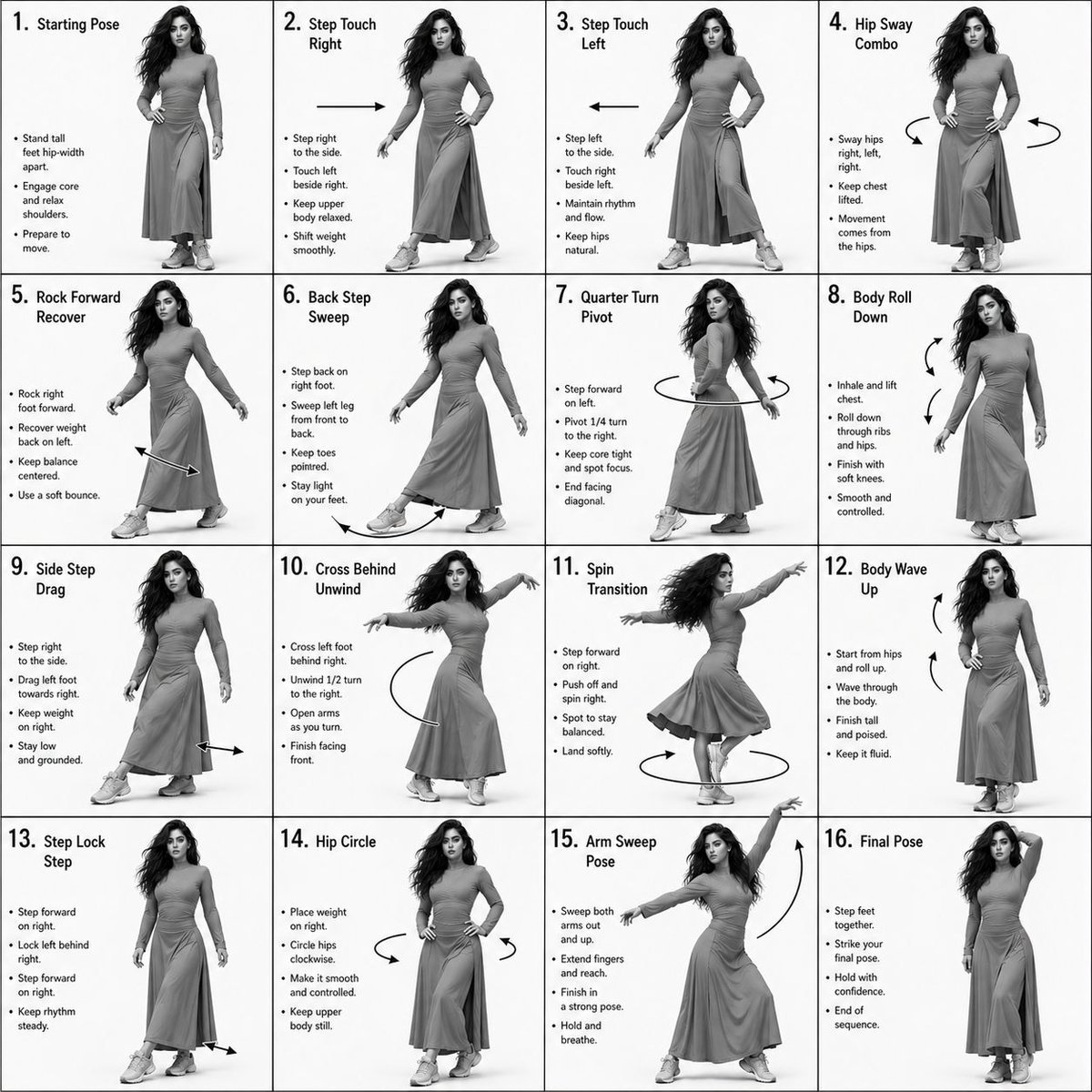
Choreography Instruction Sheet Generator

Red Satin Slip Dress Bathroom Flash Photo Prompt
Browse template categories
China Country Profile Infographic questions
How do I use the China Country Profile Infographic template?
Add your photo if the template asks for one, edit the prompt if you like — the template's model and format are already selected — and press Generate. Your version opens in PicX Studio.
Can I customize the China Country Profile Infographic template?
Yes. You can change the subject, setting, lighting, mood, format, and available model controls before creating your image.
Is the China Country Profile Infographic template free?
Opening and editing this template is free. Generating uses credits, shown on the Generate button when you are signed in.
Which AI model should I use?
Start with GPT Image 2, which is the model associated with this template. You can compare another compatible model for a different finish.
Looking for something else? Browse all templates.

Your photo, any look
Thousands of ready templates for every top image and video model, from one credit balance.