How do I use the Technical Isometric Teardown Infographic template?
Choose the primary action to open PicX Studio with the available template settings. Review the model and format, personalize the creative direction, and generate when ready.
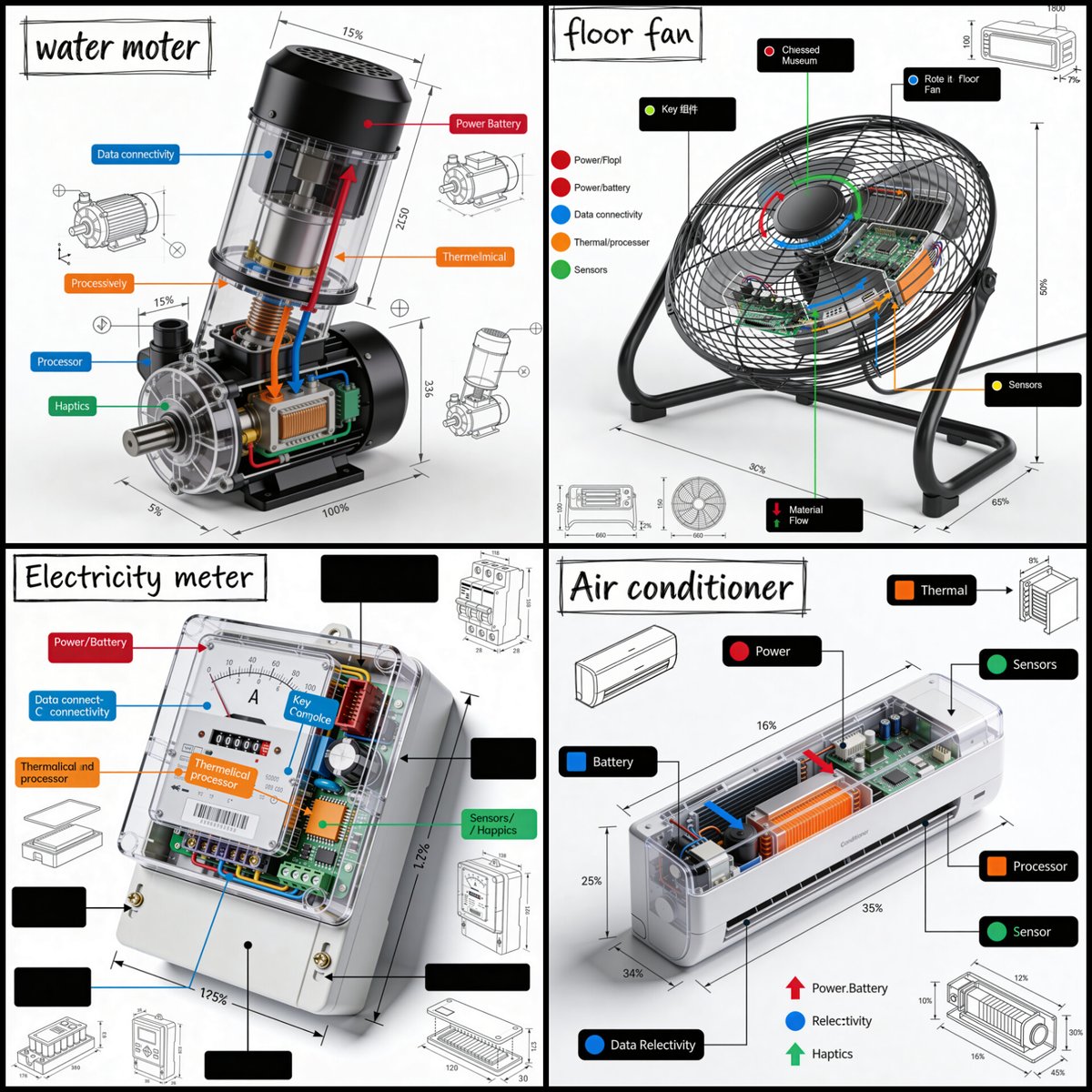
Generates professional engineering-style isometric infographics with hand-drawn annotations, color-coded callouts, and technical diagrams of any object. Change the subject, setting, or lighting one variable at a time.
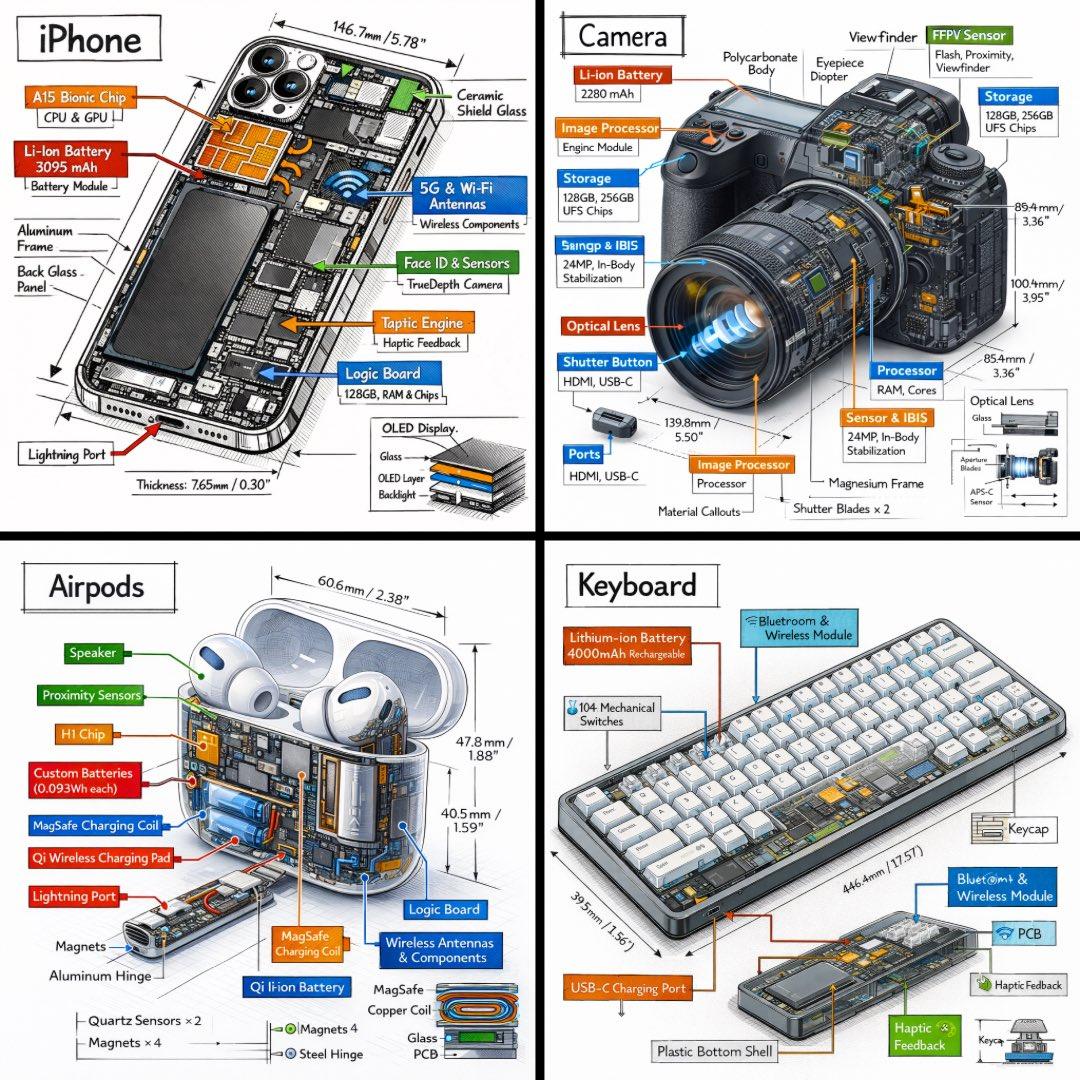
Generate a technical infographic of {argument name="object" default="OBJECT"} rendered from a {argument name="viewpoint" default="45-degree isometric 3D viewpoint"}, with the object slightly tilted to expose depth and three-dimensional structure. Blend a photorealistic render of the object with hand-drawn black ink technical annotations on a clean pure-white background. Include: - Color-coded callout boxes labeling each key component - Transparent / cutaway sections that reveal internal parts - Precise measurements, dimensions, and scale markers - Material descriptions and quantity counts - Color-coded directional arrows for function and flow: RED for power/battery, BLUE for data/connectivity, ORANGE for thermal/processor, GREEN for sensors/haptics - Simple schematics or cross-section diagrams where useful Place the "{argument name="object" default="OBJECT"}" title inside a hand-sketched technical frame in the top-left corner. Style: black architectural-pen linework, sketchy yet precise; the object remains fully visible; vibe of a professional engineering teardown or museum exhibit. Clean layout with balanced negative space. Perspective: 45-degree isometric tilt that dramatically reveals depth, dimension, and internal architecture, like a product engineering manual. Color usage: roughly 10-15% accent density, black dominant, white background. Output: 1080x1080, ultra-crisp, optimized for social feeds.
Choose the primary action to open PicX Studio with the available template settings. Review the model and format, personalize the creative direction, and generate when ready.
Yes. You can change the subject, setting, lighting, mood, format, and available model controls before creating your image.
This template is free to open and customize. Generation usage is shown in PicX Studio before you create.
Start with GPT Image 2, which is the model associated with this template. You can compare another compatible model for a different finish.
© 2026 PicX Studio. All rights reserved.

Follow a topic to a crawlable collection of related PicX Studio templates.
43,474 public templates available. Verified via the PicX Studio public templates API; refreshed hourly.
![Isometric Vehicle Teardown Infographic Template — Create a technical infographic of [VEHICLE] with a 45-degree isometric 3D perspective showing the device sligh](/_next/image?url=https%3A%2F%2Fcdn.picxstudio.com%2Fuploads%2Fmeigen_aecaabc87fba_8dcefeb1-b8c3-4cae-8a57-853d0433c54e.jpg&w=828&q=100)
![Technical infographic of with a 45-degree isometric 3D perspective — Create a technical infographic of [OBJECT] with a 45-degree isometric 3D perspective showin](https://images.meigen.ai/tweets/2024375445345779759/0.jpg)
![Technical infographic of with a 45-degree isometric 3D perspective — Create a technical infographic of [OBJECT] with a 45-degree isometric 3D perspective, sligh](https://images.meigen.ai/tweets/2019103270447505848/0.jpg)
![Isometric Brand Store Diorama — Present a clear, 45° top-down isometric miniature 3D cartoon diorama of the [BRAND], with soft refin…](/_next/image?url=https%3A%2F%2Fcdn.picxstudio.com%2Fuploads%2Fmeigen_18578a8c7cb6_25c7ccef-837d-4949-99fb-d6321dc5c72c.jpg&w=828&q=100)

![Technical infographic of with a 45-degree isometric 3D perspective — Create a technical infographic of [OBJECT] with a 45-degree isometric 3D perspective showin](https://images.meigen.ai/tweets/2017928823497453789/0.jpg)

![gpt2-infographic-edu-visual-dance-movement-reference-sheet — [STYLE]
monochromatic grayscale illustration, 3D rendered character, clean instructional reference](/_next/image?url=https%3A%2F%2Fcdn.picxstudio.com%2Fuploads%2Fp53_2bb2c20d_4a8a521c-3b90-453c-9df1-6e66a07a8380.jpg&w=828&q=100)
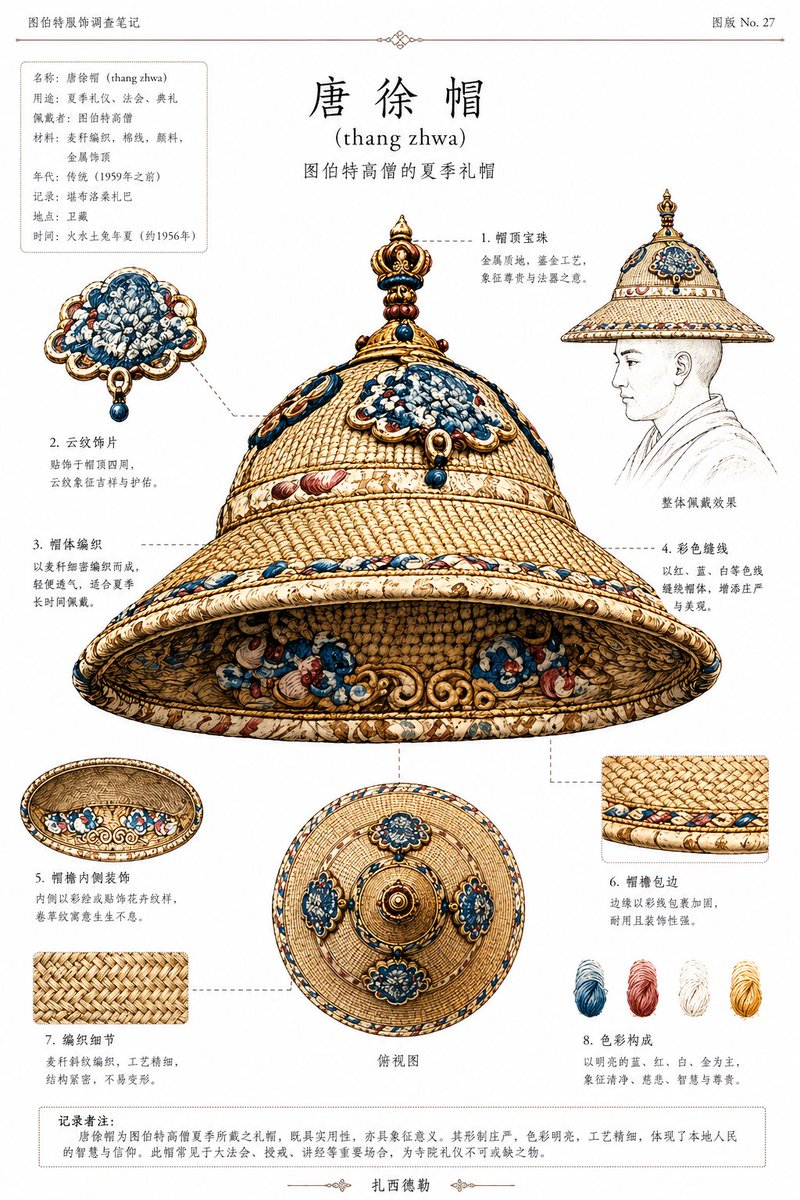
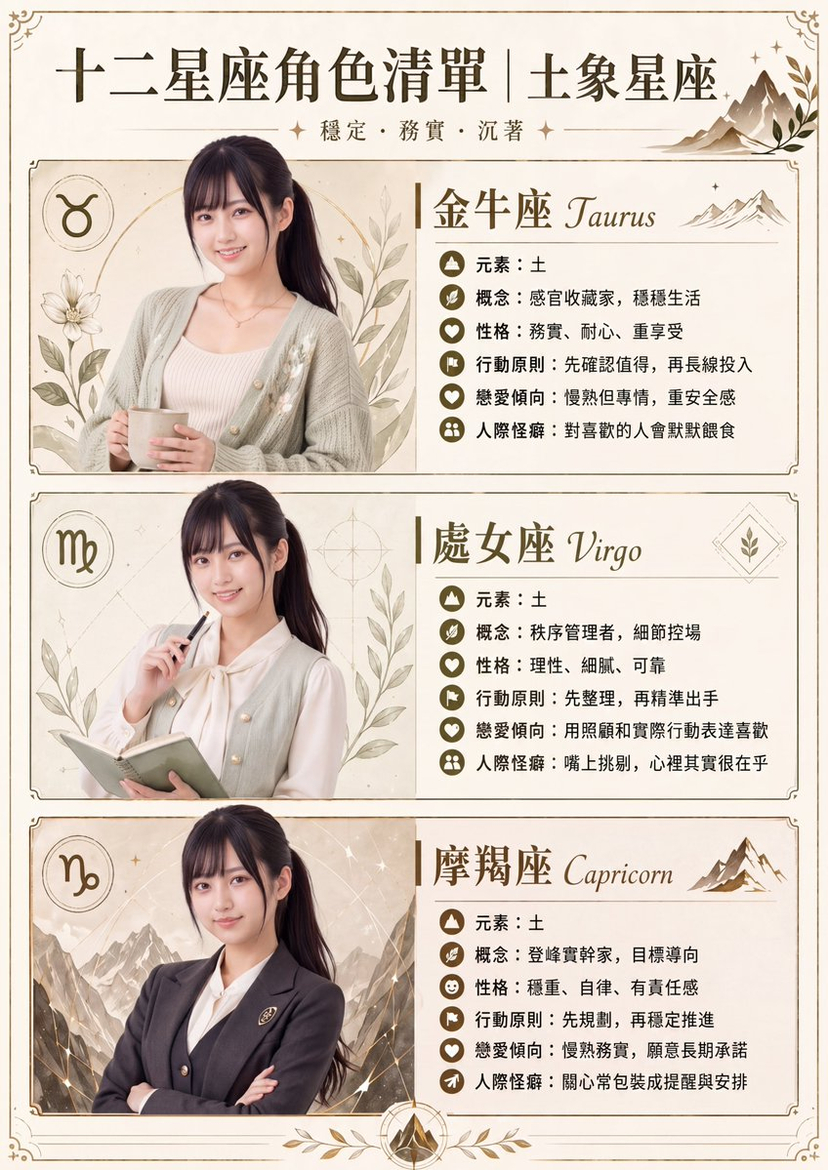
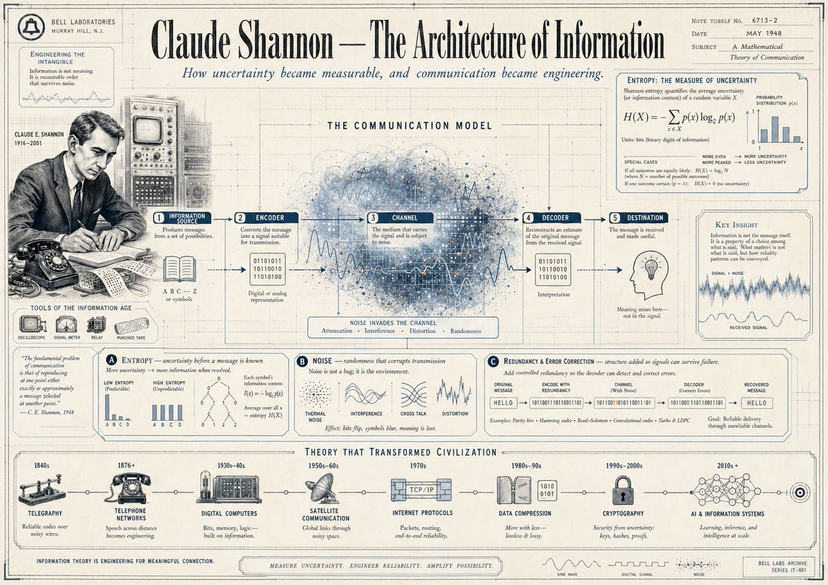
![Technical infographic of with a 45-degree isometric 3D perspective — Create a technical infographic of [OBJECT] with a 45-degree isometric 3D perspective showin](https://images.meigen.ai/tweets/2027042348207599633/0.jpg)
![Technical infographic of with a 45-degree isometric 3D perspective — Create a technical infographic of [VEHICLE] with a 45-degree isometric 3D perspective showi](https://images.meigen.ai/tweets/2048733383140712808/0.jpg)
![Japan Travel Brochure Poster — Create a vertical vintage travel-brochure infographic poster titled “[COUNTRY/DESTINATION]: [TAGLINE]”, using a warm parchment-pa](/_next/image?url=https%3A%2F%2Fcdn.picxstudio.com%2Fuploads%2Fp0_982bf820-bb34-4c43-8a6d-42d799d7282b.jpg&w=828&q=100)

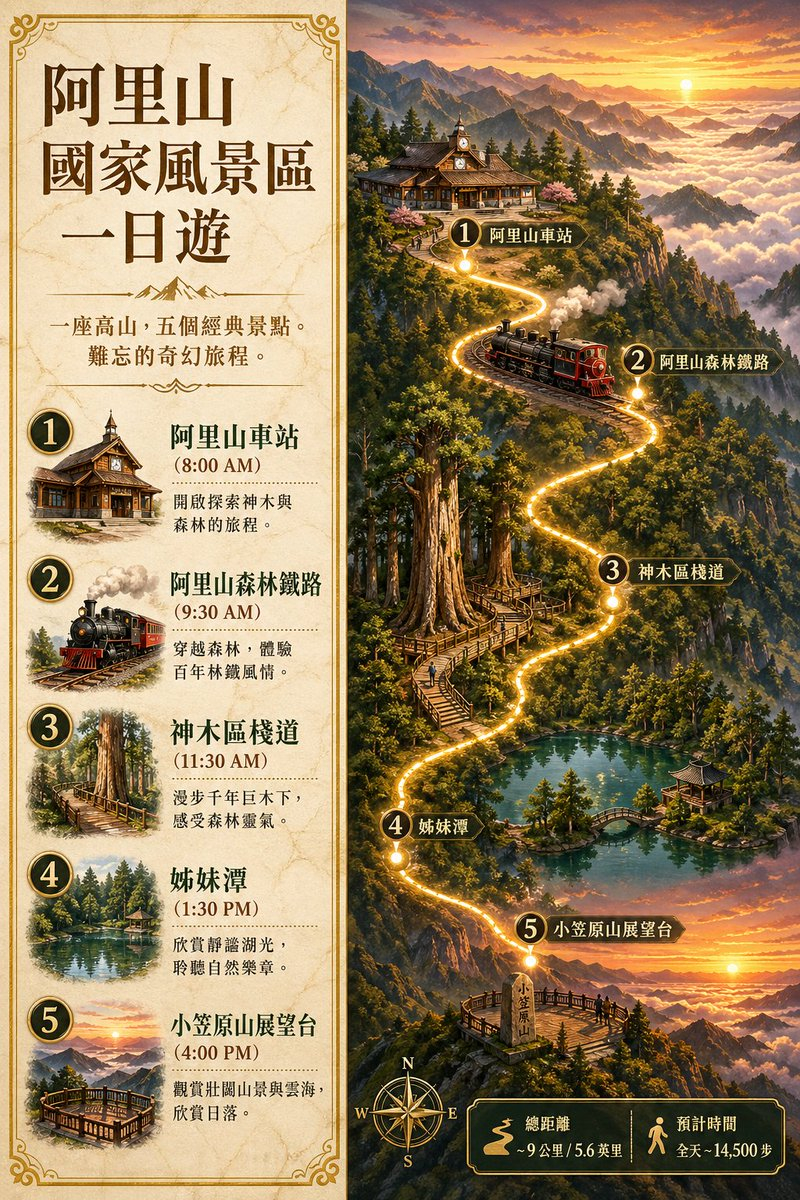


![Minimalist Flat Vector Travel Poster — Premium minimalist flat-vector travel poster for {argument name="city name" default="[CITY_NAME]"}, 3:4 vertical format.](https://cms-assets.youmind.com/media/1787917359711_3ug846_HQX205cbMAA6F6S-300x400.jpg)



























![Surreal Mixed-Media Glitch Portrait Prompt — A surreal mixed-media portrait of {argument name="person" default="[PERSON]"}, set against a clean, plain white bac](https://pbs.twimg.com/media/G9MzFxGW0AAfDrh.jpg)


![Whimsical Flat Illustration Generator — “Create a whimsical, playful illustration featuring {argument name="character subject" default="[CHARACTER / SUBJECT]"}](https://pbs.twimg.com/media/HAtIgUqacAA9JQe.jpg)