
NEONVEIL AR Photo Zone
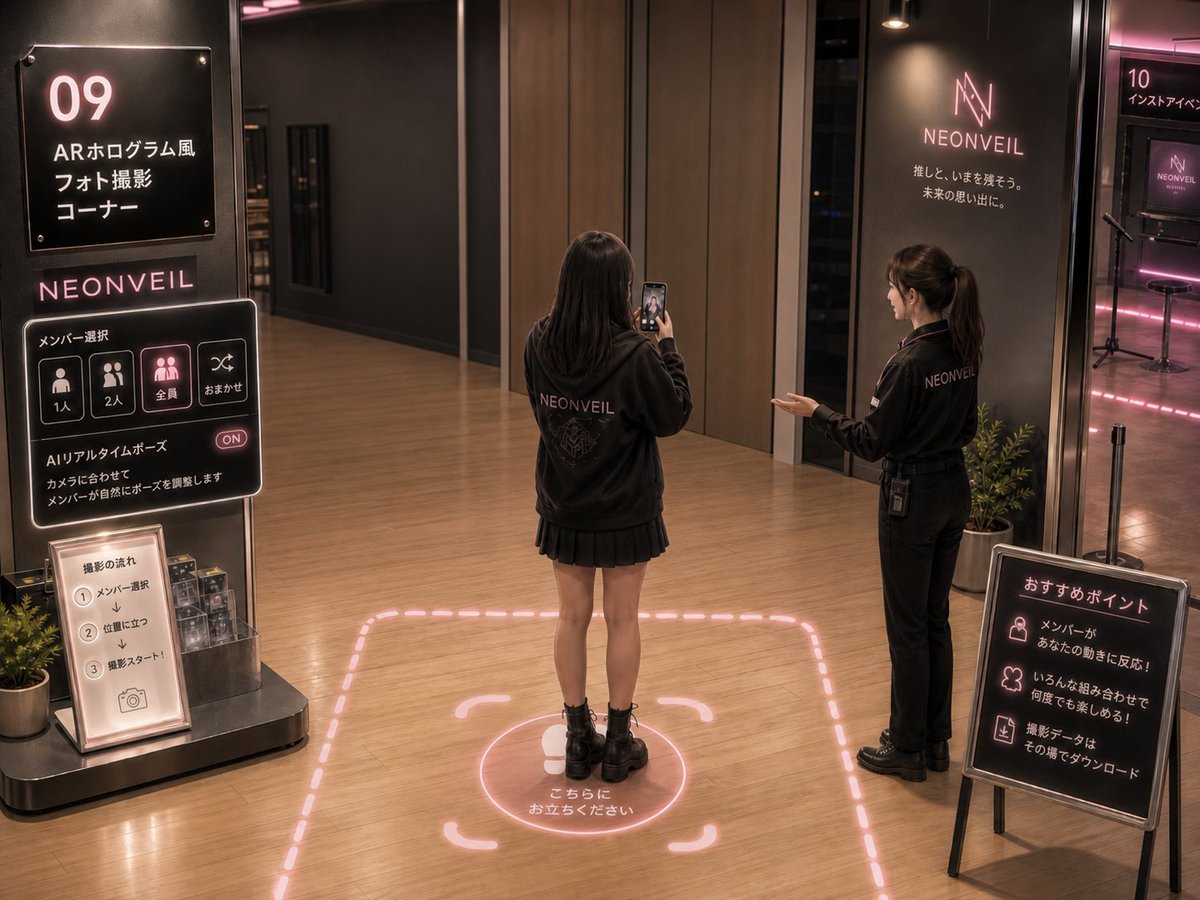
A photorealistic concept scene for an idol pop-up shop AR hologram photo corner with neon signage, visitor interaction, and instructional displays.
- Prompt included
- Model and format preset
- Free template
The prompt behind this image
Copy the exact prompt behind NEONVEIL AR Photo Zone, or open it in the studio and make it yours.
- Type
- photorealistic futuristic idol pop-up shop concept render
- Scene
- A warm, upscale indoor retail event space for a fictional idol group AR photo zone, shot from a slightly elevated wide angle with realistic lighting, wood flooring, dark charcoal walls, glass partitions, pink neon accents, and polished commercial interior design.
- Brand › Name
- {argument name="brand name" default="NEONVEIL"}
- Brand › Style
- minimal luxury idol fandom branding, glowing pink-white neon logo, black signage, subtle cyber aesthetic
- Main Subjects › Count
- 2
- Main Subjects › People
- one female visitor seen from behind standing inside the AR photo zone, wearing an oversized black NEONVEIL hoodie, black pleated mini skirt, black ankle boots, holding a smartphone vertically to take a photo, one female staff member on the right wearing a black NEONVEIL work jacket and black pants with a radio clipped at the waist, gesturing toward the photo zone; face softly anonymized
- Layout › Left Installation › Position
- left foreground
- Layout › Left Installation › Count
- 3
- Layout › Left Installation › Items › 0 › Description
- large black vertical sign with glowing white and pink text
- Layout › Left Installation › Items › 0 › Visible Text
- 09, ARホログラム風, フォト撮影, コーナー
- Layout › Left Installation › Items › 1 › Description
- interactive black neon control panel branded NEONVEIL
- Layout › Left Installation › Items › 1 › Visible Text
- NEONVEIL, メンバー選択, 1人, 2人, 全員, おまかせ, AIリアルタイムポーズ, ON, カメラに合わせてメンバーを撮影します, メンバーが自然にポーズを提案します
- Layout › Left Installation › Items › 1 › Button Count
- 4
- Layout › Left Installation › Items › 1 › Buttons
- 1人, 2人, 全員, おまかせ
- Layout › Left Installation › Items › 2 › Description
- small illuminated instruction stand below the panel
- Layout › Left Installation › Items › 2 › Visible Text
- 撮影の流れ, 1 メンバー選択, 2 位置に立つ, 3 撮影スタート!
- Layout › Left Installation › Items › 2 › Step Count
- 3
- Layout › Left Installation › Items › 2 › Steps
- select a member, stand in position, start shooting
- Layout › Floor Ar Zone › Position
- center foreground
- Layout › Floor Ar Zone › Description
- pink neon dashed rectangular boundary projected on the wooden floor, with rounded AR corner brackets, a circular standing marker under the visitor, a simple foot icon, and Japanese instruction text
- Layout › Floor Ar Zone › Visible Text
- こちらにお立ちください
- Layout › Right Signage › Position
- right foreground
- Layout › Right Signage › Count
- 1
- Layout › Right Signage › Description
- freestanding black recommendation sign with pink neon icons and white Japanese text
Raw JSON
{"type":"photorealistic futuristic idol pop-up shop concept render","scene":"A warm, upscale indoor retail event space for a fictional idol group AR photo zone, shot from a slightly elevated wide angle with realistic lighting, wood flooring, dark charcoal walls, glass partitions, pink neon accents, and polished commercial interior design.","brand":{"name":"{argument name=\"brand name\" default=\"NEONVEIL\"}","style":"minimal luxury idol fandom branding, glowing pink-white neon logo, black signage, subtle cyber aesthetic"},"main_subjects":{"count":2,"people":["one female visitor seen from behind standing inside the AR photo zone, wearing an oversized black NEONVEIL hoodie, black pleated mini skirt, black ankle boots, holding a smartphone vertically to take a photo","one female staff member on the right wearing a black NEONVEIL work jacket and black pants with a radio clipped at the waist, gesturing toward the photo zone; face softly anonymized" ]},"layout":{"left_installation":{"position":"left foreground","count":3,"items":[{"description":"large black vertical sign with glowing white and pink text","visible_text":["09","ARホログラム風","フォト撮影","コーナー"]},{"description":"interactive black neon control panel branded NEONVEIL","visible_text":["NEONVEIL","メンバー選択","1人","2人","全員","おまかせ","AIリアルタイムポーズ","ON","カメラに合わせてメンバーを撮影します","メンバーが自然にポーズを提案します"],"button_count":4,"buttons":["1人","2人","全員","おまかせ"]},{"description":"small illuminated instruction stand below the panel","visible_text":["撮影の流れ","1 メンバー選択","2 位置に立つ","3 撮影スタート!"],"step_count":3,"steps":["select a member","stand in position","start shooting"]}]},"floor_ar_zone":{"position":"center foreground","description":"pink neon dashed rectangular boundary projected on the wooden floor, with rounded AR corner brackets, a circular standing marker under the visitor, a simple foot icon, and Japanese instruction text","visible_text":"こちらにお立ちください"},"right_signage":{"position":"right foreground","count":1,"description":"freestanding black recommendation sign with pink neon icons and white Japanese text","visible_text":["おすすめポイント","メンバーがあなたの動きに反応!","いろんな組み合わせで何度でも楽しめる!","撮影データはその場でダウンロード"],"point_count":3,"points":["member reacts to your movements","enjoy many combinations repeatedly","download shooting data on the spot"]},"background":{"count":2,"areas":[{"description":"dark back wall with glowing NEONVEIL logo and tagline","visible_text":["NEONVEIL","推しと、いまを残そう。","未来の思い出に。"]},{"description":"adjacent room entrance on the far right labeled as another experience booth with pink neon lighting, monitor, stool, and microphone stands","visible_text":["10","インストアイベント"]}]}},"visual_style":{"rendering":"highly realistic architectural visualization, cinematic event photography, not anime, not illustration","lighting":"soft overhead spotlights mixed with pink neon glow reflected on the floor","colors":"black, charcoal gray, warm wood brown, muted pink neon, soft white text","camera":"wide 4:3 composition, eye-level to slightly high vantage, 24mm lens feel, deep focus","mood":"premium, immersive, fan-event technology showcase"},"customization":{"zone number":"{argument name=\"zone number\" default=\"09\"}","main sign title":"{argument name=\"main sign title\" default=\"ARホログラム風 フォト撮影 コーナー\"}","floor instruction":"{argument name=\"floor instruction\" default=\"こちらにお立ちください\"}","tagline":"{argument name=\"tagline\" default=\"推しと、いまを残そう。未来の思い出に。\"}"},"negative_prompt":"avoid cartoon style, avoid cluttered crowds, avoid low-resolution text, avoid messy unreadable signage, avoid exaggerated sci-fi, avoid empty sterile showroom"}How to use NEONVEIL AR Photo Zone in 3 steps
- 1Upload ImagePNG, JPG or paste
Add your photo
Upload the photo the template builds on. The prompt, model and format are already set.
- 2…a portrait of your subject in softgolden-hour light, 85mm…
Personalize
Edit the subject and creative details for your destination.
- 3Generate
Generate
Press Generate — your image is created in PicX Studio, so you can compare it with the original and refine one variable at a time.
More like this
Templates with the same subject, style or setup. Open one to see its prompt.
Tactical Duo in Burning War Zone
NEONVEIL Silver Vocalist Poster
NEONVEIL Mascot Manga Page
Overtime Zone Pachislot Machine
Cinematic Studio Portrait Lighting Setup
Fintech Crypto Dashboard UI Design
Photography Prompt #982
Grocery Aisle Disaster Film Photo

Ancient Temple Interior Contact Sheet

DHL Premium Logistics Campaign Poster
Moonlit Cat Princess Fairy-Tale Card
Intimate Cinematic Couple Portrait
Make it yours
NEONVEIL AR Photo Zone works as-is. These are the safest ways to change it without losing the look.
Swap the setting
Keep the rest of the prompt and replace the location block. The current setting is “2”.
Swap the light
One lighting change is enough to compare takes. Current light: “soft overhead spotlights mixed with pink neon glow reflected on the floor”.
Change one field
Copy a single group, rewrite it, and generate again so you can see what that field is doing.
| If the result… | Why | Fix |
|---|---|---|
| The result drifts from the preview | Too many fields changed at once. | Reuse NEONVEIL AR Photo Zone as-is first, then change one group — subject, light, or setting. |
| GPT Image 2 ignores part of the JSON | Some models flatten or skip nested keys. | Keep the same values and paste them as a short paragraph instead. |
More GPT Image 2 templates
Other prompts made for GPT Image 2.

Six VTuber Japanese Logo Sheet

Realistic Portrait of Woman and Deer

The Vista Modular Condo Poster

AI Model Routing Comparison Infographic

2.5D Anime Art Board

Isometric Productivity Desk Scene

New York Double Exposure Poster

Four-Panel AI Landscape Comparison

Japanese Tatami Lifestyle Magazine Cover

NESCAFÉ Coffee Map Poster
More image prompts
Fresh picks from across the catalog.
High-Fashion Urban Gangster Editorial Portrait
Gpt2 Infographic Edu Visual Good Bath Day Editorial Poster
Gritty Post-Apocalyptic Survivor Scene
Faceless Emo Selfies with Atmosphere
Anime Live2D Turnaround Chat Screenshot
Night Street Portrait with Flash Prompt
Pink Princess Idol Character Collage
Macro Detail Portrait with Glasses and Skin Texture Prompt
Luxury Lifestyle Portrait Prompt for Nano Banana Pro
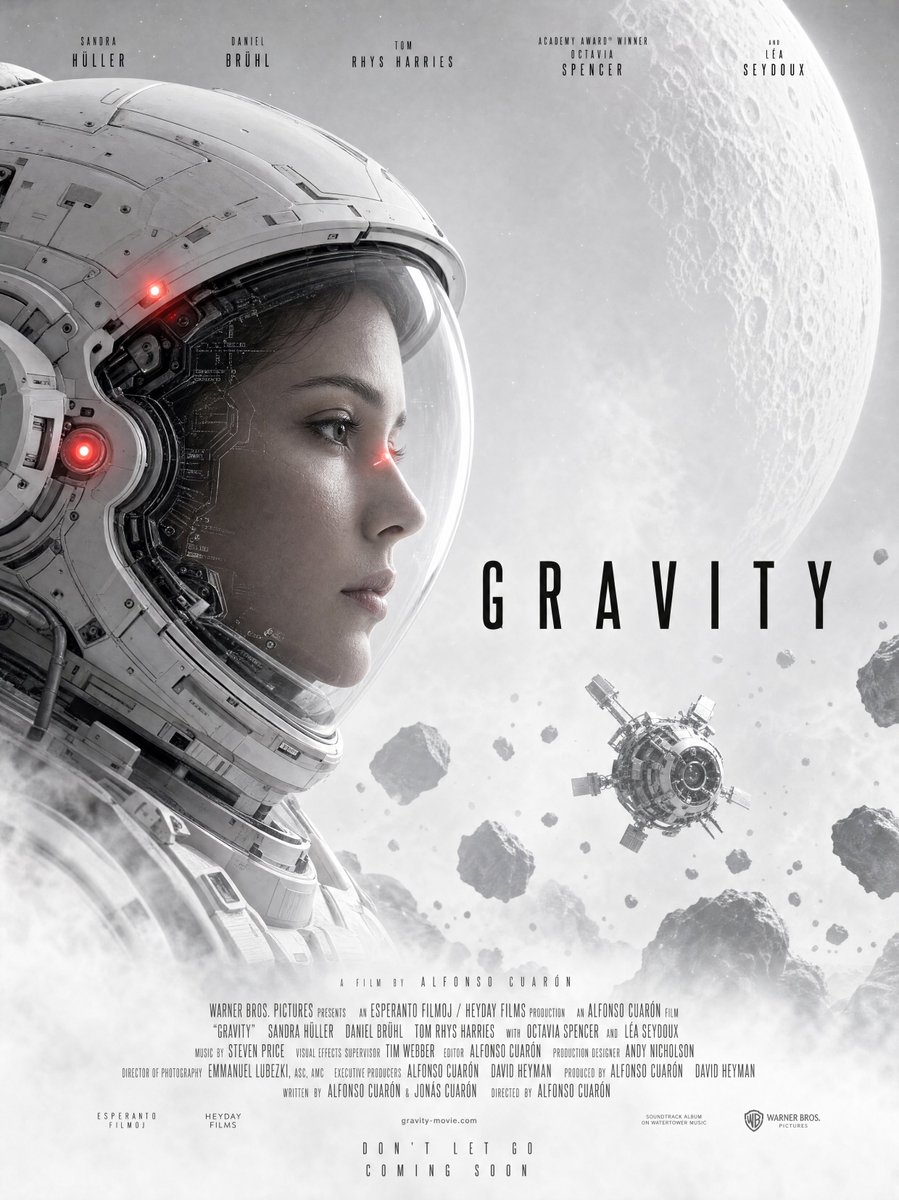
Gravity-Style Space Movie Poster
Browse template categories
NEONVEIL AR Photo Zone questions
How do I use the NEONVEIL AR Photo Zone template?
Add your photo if the template asks for one, edit the prompt if you like — the template's model and format are already selected — and press Generate. Your version opens in PicX Studio.
Can I customize the NEONVEIL AR Photo Zone template?
Yes. You can change the subject, setting, lighting, mood, format, and available model controls before creating your image.
Is the NEONVEIL AR Photo Zone template free?
Opening and editing this template is free. Generating uses credits, shown on the Generate button when you are signed in.
Which AI model should I use?
Start with GPT Image 2, which is the model associated with this template. You can compare another compatible model for a different finish.
Looking for something else? Browse all templates.

Your photo, any look
Thousands of ready templates for every top image and video model, from one credit balance.