How do I use the NOVALITH SaaS Pitch Deck Grid template?
Choose the primary action to open PicX Studio with the available template settings. Review the model and format, personalize the creative direction, and generate when ready.
Generates a polished 3x3 Japanese B2B SaaS presentation overview for a fictional data prediction platform.
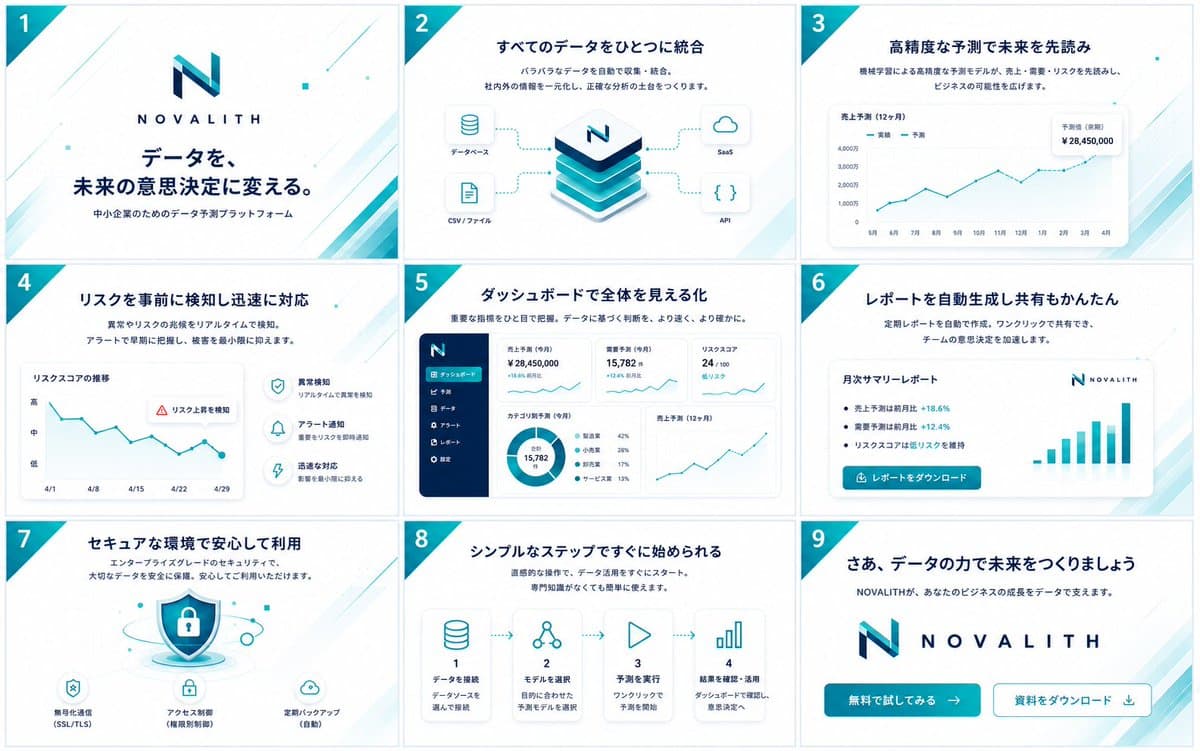
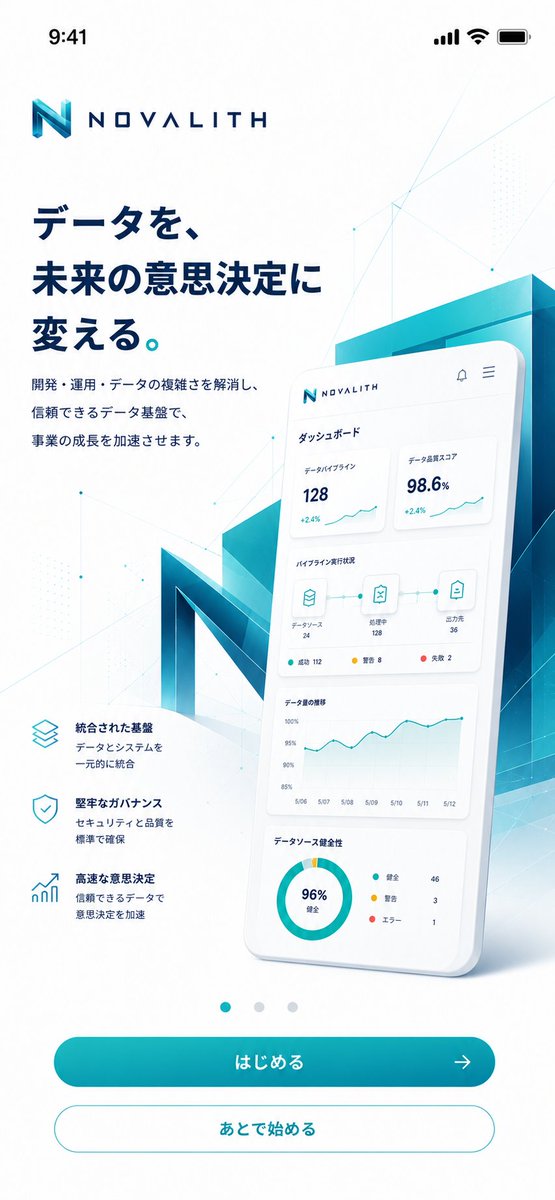
Goal: Create a clean, high-end Japanese B2B SaaS pitch deck / service concept board for {argument name="service name" default="NOVALITH"}, showing exactly 9 widescreen slides arranged in a 3 by 3 grid as if previewing an LP, mobile top, banner, and presentation materials. Canvas: One landscape image containing 9 separate 16:9 slide thumbnails, evenly spaced with thin pale borders. White background, navy and teal corporate palette, light cyan diagonal line accents, subtle geometric dots, and a teal triangular corner ribbon on the upper-left of every slide containing the slide number 1 through 9 in white. Visual style: Modern Japanese startup / enterprise SaaS design, polished vector UI, minimal gradients, soft shadows, rounded cards, thin teal data lines, navy headings, plenty of whitespace. Use a stylized geometric N logo in teal and navy, with spaced uppercase wordmark {argument name="service name" default="NOVALITH"}. No people or photos; use only icons, charts, dashboards, and abstract product visuals. Text language: All visible slide copy should be in Japanese. Use crisp, presentation-ready typography with bold navy headlines and smaller explanatory subtext. Slide count and layout details: Include exactly 9 slides: 1. Cover slide. Large NOVALITH logo centered above the headline 「データを、未来の意思決定に変える。」 and subheading 「中小企業のためのデータ予測プラットフォーム」. Decorative teal diagonal accents in the corners. 2. Data integration slide. Headline 「すべてのデータをひとつに統合」 with short subtext about automatically collecting and integrating scattered data. Center shows a stacked isometric database/platform cube with the N logo on top. Four connected input/output cards: 「データベース」, 「CSV / ファイル」, 「SaaS」, 「API」. 3. Forecasting slide. Headline 「高精度な予測で未来を先読み」. Large line chart card titled 「売上予測(12ヶ月)」 with legend 「実績」 and 「予測」, months along the x-axis, an upward teal trend line, and a floating KPI card reading 「予測値(来期)¥28,450,000」. 4. Risk detection slide. Headline 「リスクを事前に検知し迅速に対応」. Left chart card titled 「リスクスコアの推移」 showing a declining zigzag teal line with dates 4/1 to 4/29 and y-axis levels 高, 中, 低. Add a warning callout 「リスク上昇を検知」. Right side has exactly 3 feature rows with circular icons: anomaly detection, alert notification, and rapid response. 5. Dashboard slide. Headline 「ダッシュボードで全体を見える化」. Show a full SaaS dashboard screenshot: dark navy left sidebar with logo and exactly 6 menu items, and a main area with KPI cards, a donut chart, and a sales forecast line chart. Visible KPI examples include 「売上予測(今月)¥28,450,000」, 「需要予測(今月)15,782」, and 「リスクスコア 24/100」. 6. Automated report slide. Headline 「レポートを自動生成し共有もかんたん」. Center a white report card titled 「月次サマリーレポート」 with bullet points showing positive percentages such as +18.6% and +12.4%, a NOVALITH logo in the corner, a teal bar chart on the right, and a teal button labeled 「レポートをダウンロード」. 7. Security slide. Headline 「セキュアな環境で安心して利用」. Central shield-and-padlock illustration with floating security particles. Bottom has exactly 3 security feature icons and labels: 「暗号化通信(SSL/TLS)」, 「アクセス制御(権限分割)」, and 「定期バックアップ(自動)」. 8. Simple steps slide. Headline 「シンプルなステップですぐに始められる」. Show exactly 4 horizontally connected step cards with dotted arrows: step 1 database icon 「データを接続」, step 2 node/network icon 「モデルを選択」, step 3 play icon 「予測を実行」, step 4 bar-chart icon 「結果を確認・活用」. Each card includes a short explanatory line underneath. 9. Closing CTA slide. Headline 「さあ、データの力で未来をつくりましょう」 with subtext 「NOVALITHが、あなたのビジネスの成長をデータで支えます。」. Large centered logo and wordmark. Bottom has exactly 2 call-to-action buttons: filled teal button 「無料で試してみる →」 and outlined button 「資料をダウンロード ↓」. Constraints: Maintain consistent brand colors, logo, spacing, slide numbering, and diagonal teal corner motif across all 9 slides. The overall image should look like a single polished overview sheet of presentation thumbnails, not isolated full-screen slides. Avoid extra slides, extra buttons, stock photos, watermarks, or unrelated text.
Choose the primary action to open PicX Studio with the available template settings. Review the model and format, personalize the creative direction, and generate when ready.
Yes. You can change the subject, setting, lighting, mood, format, and available model controls before creating your image.
This template is free to open and customize. Generation usage is shown in PicX Studio before you create.
Start with GPT Image 2, which is the model associated with this template. You can compare another compatible model for a different finish.
© 2026 PicX Studio. All rights reserved.

Follow a topic to a crawlable collection of related PicX Studio templates.