How do I use the SIGHT Magazine Editorial Cover template?
Edit the prompt in the box under the preview — the template's model and format are already selected — and press Generate. Your version appears right on this page.
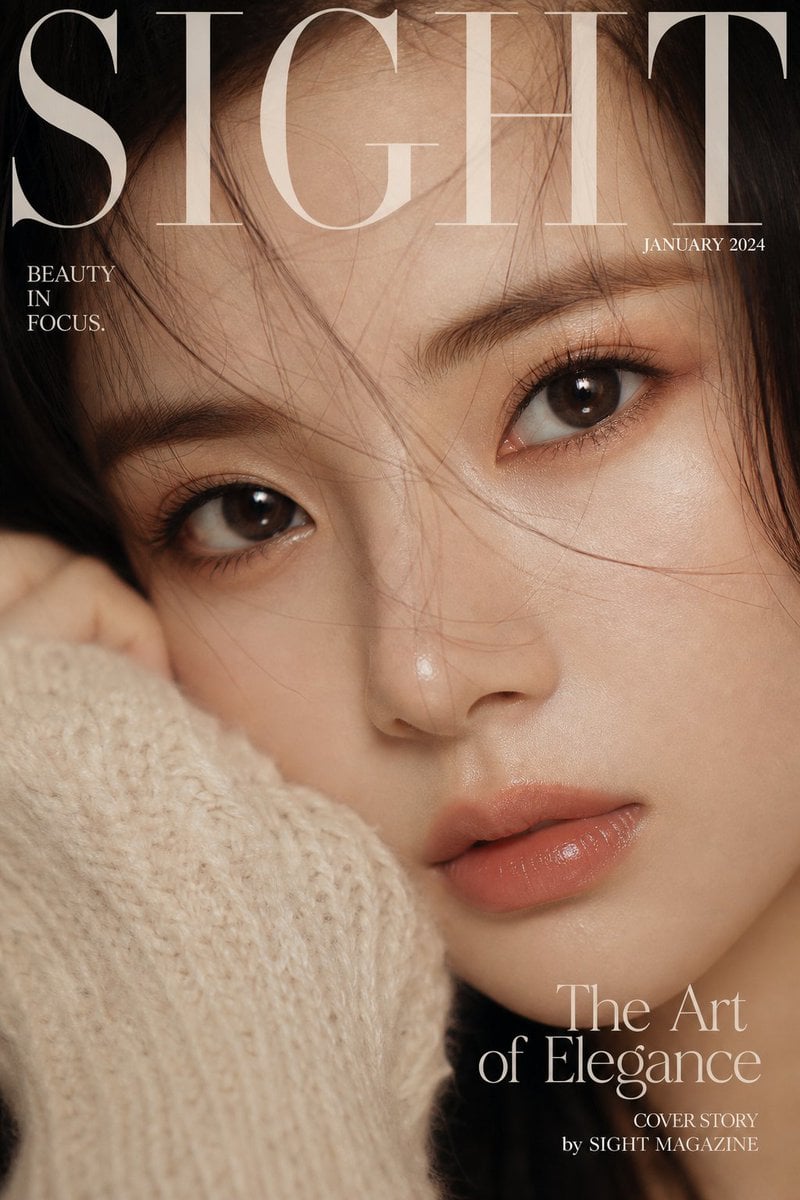
A high-fashion magazine cover prompt titled 'SIGHT', featuring a macro portrait of an Asian woman with luxury black-and-gold lighting.

Create a luxury magazine cover portrait titled "{argument name="title" default="SIGHT"}". Show an elegant {argument name="ethnicity" default="Asian"} woman with a calm, powerful gaze in an extreme close-up, with her face filling almost the entire frame and a slightly cropped composition that adds tension. Prioritize razor-sharp eyes, visible pores, natural skin texture, a soft glow, and subtly glossy lips. Use cinematic beauty lighting with a diffused soft key light, controlled highlights, and gentle shadows. Keep the background dark with a {argument name="aesthetic" default="black-and-gold luxury mood"}. Styling should stay minimal with clean high-fashion makeup. Integrate elegant serif cover typography and a modern magazine-style layout. Macro-lens detail, shallow depth of field, photorealistic finish, glossy premium editorial feel, vertical 9:16.
Create a luxury magazine cover portrait titled "{argument name="title" default="SIGHT"}". Show an elegant {argument name="ethnicity" default="Asian"} woman with a calm, powerful gaze in an extreme close-up, with her face filling almost the entire frame and a slightly cropped composition that adds tension. Prioritize razor-sharp eyes, visible pores, natural skin texture, a soft glow, and subtly glossy lips. Use cinematic beauty lighting with a diffused soft key light, controlled highlights, and gentle shadows. Keep the background dark with a {argument name="aesthetic" default="black-and-gold luxury mood"}. Styling should stay minimal with clean high-fashion makeup. Integrate elegant serif cover typography and a modern magazine-style layout. Macro-lens detail, shallow depth of field, photorealistic finish, glossy premium editorial feel, vertical 9:16.
Edit the prompt in the box under the preview — the template's model and format are already selected — and press Generate. Your version appears right on this page.
Yes. You can change the subject, setting, lighting, mood, format, and available model controls before creating your image.
Opening and editing this template is free. Generating uses credits, shown on the Generate button when you are signed in.
Start with GPT Image 2, which is the model associated with this template. You can compare another compatible model for a different finish.
Follow a topic to a crawlable collection of related PicX Studio templates.