How do I use the Pixar-Style AI Web Design Sprint Poster template?
Choose the primary action to open PicX Studio with the available template settings. Review the model and format, personalize the creative direction, and generate when ready.
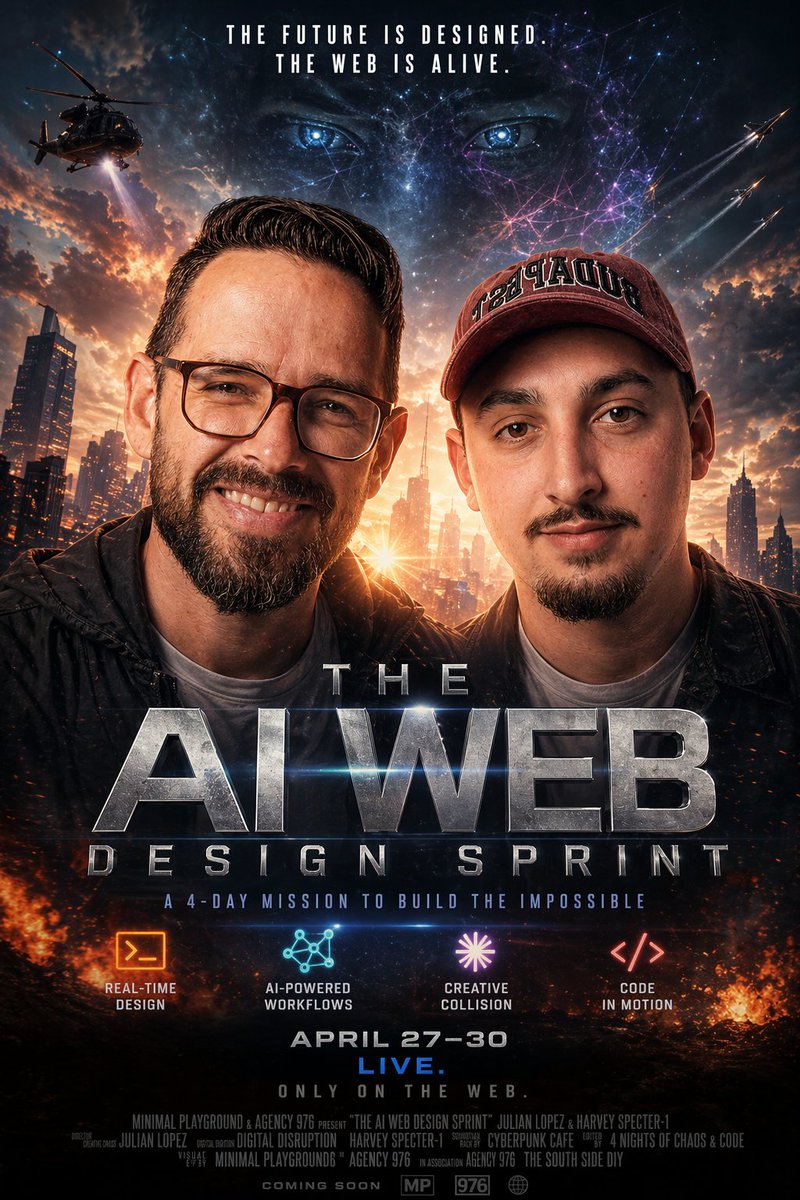
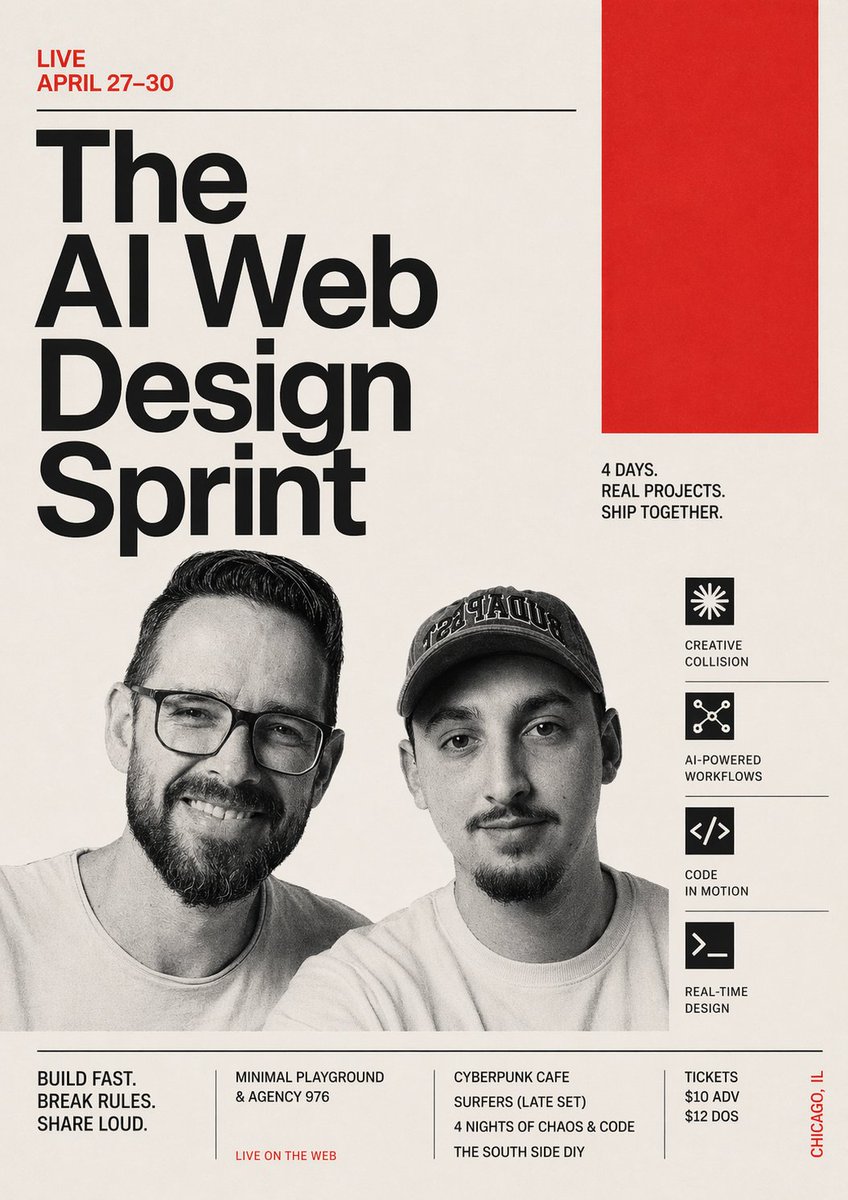
A cinematic animated-style event poster for a web design sprint, ideal for promoting hackathons, creative coding meetups, or startup workshops. Change the subject, setting, or lighting one variable at a time.
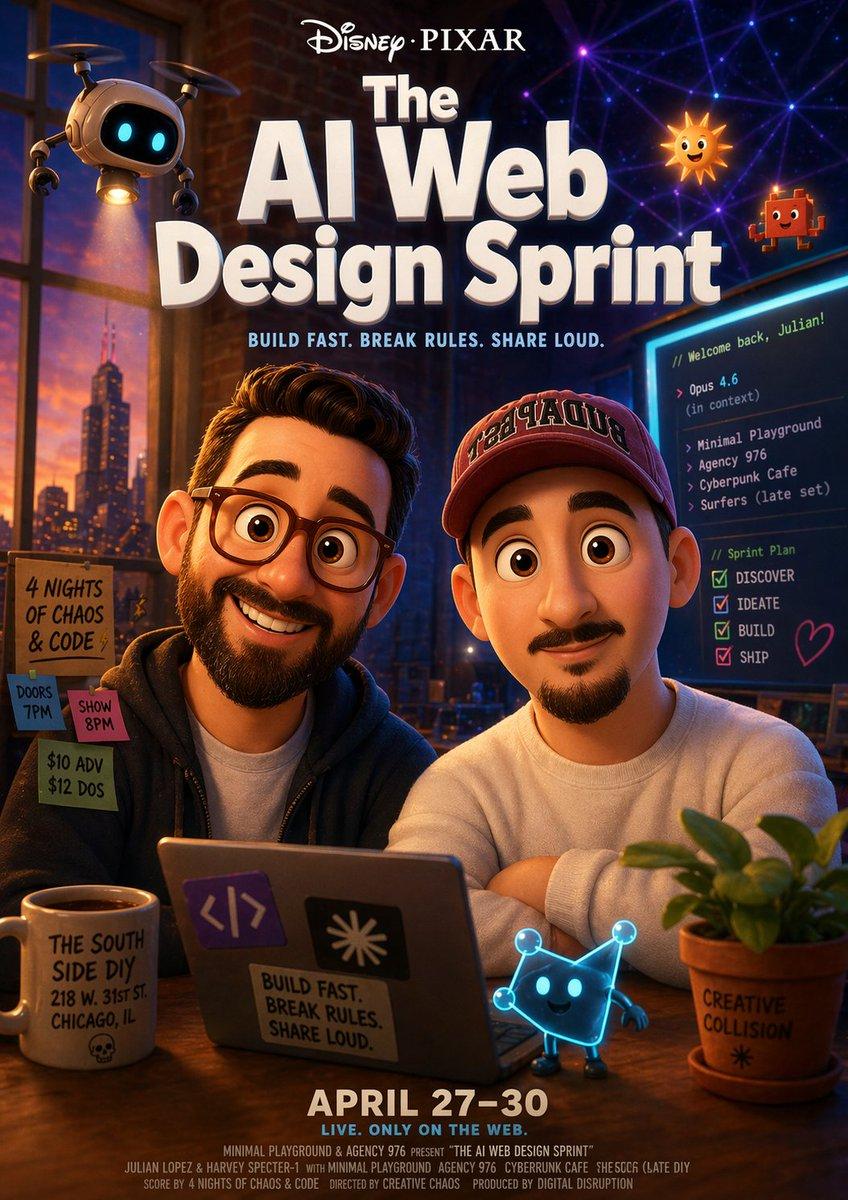
A stylized cinematic poster for a creative coding event, designed like a Disney-Pixar-inspired animated movie one-sheet. Vertical composition, warm cozy interior at night with a large loft window on the left showing a city skyline at sunset, exposed brick walls, and a neon-lit creative studio atmosphere. At the top center, big glossy dimensional typography reads "Disney•PIXAR" above the main title "The AI Web Design Sprint" in huge bold white 3D letters. Directly underneath, smaller bright text reads "BUILD FAST. BREAK RULES. SHARE LOUD." In the center foreground, 2 adult men sit side by side at a wooden table with a laptop between them, casual startup-founder vibe, one in a dark hoodie and one in a light sweatshirt and baseball cap, both facing camera in a friendly promotional pose. Their faces should be generic and unobtrusive, with the emphasis on the event-poster composition rather than portrait realism. The laptop lid has 3 visible stickers: a purple code-brackets sticker, a black sticker with a white burst symbol, and a rectangular slogan sticker reading "BUILD FAST. BREAK RULES. SHARE LOUD." Around the scene, include 4 whimsical animated mascot elements: a small hovering robot drone lamp in the upper left with glowing blue eyes and a cone of warm light shining downward; a smiling cartoon sun icon in the upper right; a tiny red pixel character floating nearby; and a glowing blue cat-like digital mascot standing on the table in front of the laptop. On the right side, a vertical monitor displays a dark coding interface with readable text including "// Welcome back, Julian!", "Opus 4.6", "Minimal Playground", "Agency 976", "Cyberpunk Cafe", "Surfers (late set)", and a checklist titled "Sprint Plan" with 4 items: "DISCOVER", "IDEATE", "BUILD", "SHIP". On the left side, a hand-lettered paper signboard contains 4 notices pinned together: "4 NIGHTS OF CHAOS & CODE", "DOORS 7PM", "SHOW 8PM", and "$10 ADV / $12 DOS". In the lower left foreground, a white coffee mug reads "THE SOUTH SIDE DIY 218 W. 31ST ST. CHICAGO, IL" with a small skull icon. In the lower right foreground, a terracotta plant pot with green leaves reads "CREATIVE COLLISION". At the bottom center, large bold text reads "APRIL 27–30" and below it "LIVE. ONLY ON THE WEB." Add a tiny line of faux credits along the bottom edge in classic movie-poster style, referencing names like Julian Lopez and Harvey Specter, projects such as Minimal Playground, Agency 976, Cyberpunk Cafe, and Surfers, and a playful production credit. Use dramatic warm-orange and cool-blue lighting, polished animated-film rendering, soft depth of field, glossy surfaces, rich contrast, highly detailed poster design, charming tech startup energy, and a premium event-advertisement finish.
Choose the primary action to open PicX Studio with the available template settings. Review the model and format, personalize the creative direction, and generate when ready.
Yes. You can change the subject, setting, lighting, mood, format, and available model controls before creating your image.
This template is free to open and customize. Generation usage is shown in PicX Studio before you create.
Start with GPT Image 2, which is the model associated with this template. You can compare another compatible model for a different finish.
© 2026 PicX Studio. All rights reserved.

Follow a topic to a crawlable collection of related PicX Studio templates.
43,474 public templates available. Verified via the PicX Studio public templates API; refreshed hourly.
![Japan Travel Brochure Poster — Create a vertical vintage travel-brochure infographic poster titled “[COUNTRY/DESTINATION]: [TAGLINE]”, using a warm parchment-pa](/_next/image?url=https%3A%2F%2Fcdn.picxstudio.com%2Fuploads%2Fp0_982bf820-bb34-4c43-8a6d-42d799d7282b.jpg&w=828&q=100)
![Pixar Style Reimagined Poster — Pixar-style movie poster reimagining of the TV show {argument name="tv show" default="[TV SHOW]"}. Feature the main cast as char](https://cms-assets.youmind.com/media/1782121957472_2h5232_HLWemJGXwAAifWS-300x375.jpg)






![Minimalist Flat Vector Travel Poster — Premium minimalist flat-vector travel poster for {argument name="city name" default="[CITY_NAME]"}, 3:4 vertical format.](https://cms-assets.youmind.com/media/1787917359711_3ug846_HQX205cbMAA6F6S-300x400.jpg)





























![Character Archive — Blueprint Concept Sheet — A character concept sheet of a [character], featuring detailed front, back, and side views, along with close-up sk](/_next/image?url=https%3A%2F%2Fcdn.picxstudio.com%2Fuploads%2Fcharacter-archive-blueprint_bfd5779a-687e-4233-83b2-2ae86a20e679.jpg&w=828&q=100)