How do I use the Ethereal Portrait Floating in Water template?
Choose the primary action to open PicX Studio with the available template settings. Review the model and format, personalize the creative direction, and generate when ready.
A highly detailed structured prompt for generating a magical and serene portrait of a person floating on a dark lake with water lilies.
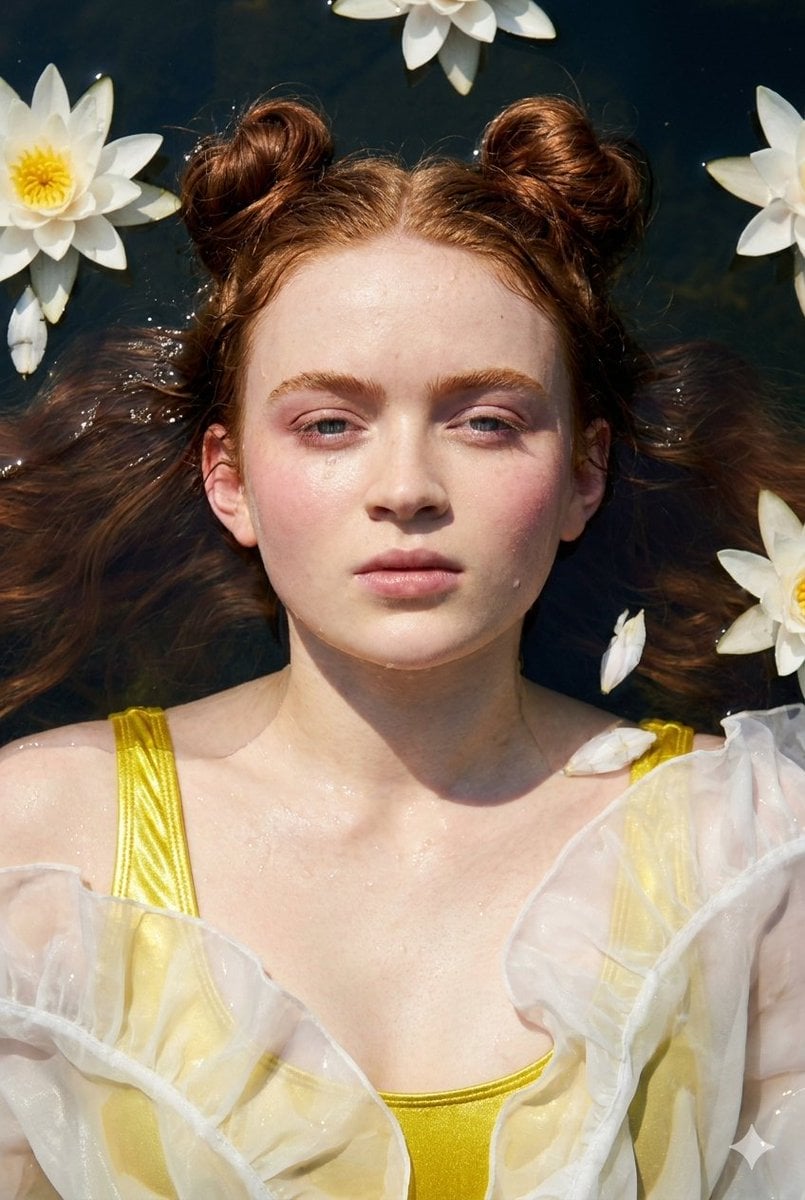
{ "type": "image_prompt", "description": { "subject": { "identity": "{argument name="name" default="[NAME]"}", "appearance": { "expression": "Serene expression", "hair": { "style": "Two buns on top of the head", "details": "Long loose and flowing strands" }, "makeup": { "style": "Soft makeup", "blush": "Delicate pink blush" }, "skin": { "texture": "Natural wet texture", "details": [ "Visible water droplets", "Radiant natural glow" ] } } }, "clothing": { "outfit": "{argument name="outfit" default="Vibrant metallic yellow swimsuit"}", "additional_elements": [ "White flowing ruffled fabric attached around the hips", "Fabric floating gracefully in the water" ] }, "pose": { "body_position": "Lying on her back floating on the water surface", "arms": "Arms relaxed at the sides with slightly open hands", "legs": "Right knee slightly bent over the left leg", "head": "Face directed straight upward toward the camera" }, "environment": { "location": "{argument name="location" default="Dark and clear lake"}", "elements": [ "White water lilies", "Scattered white flower petals on the water surface" ] }, "lighting": { "type": "Natural late-morning sunlight", "characteristics": [ "Soft and bright lighting", "Strong specular reflections on metallic fabric", "Highlights on hair", "Highlights on wet skin", "Deep rich shadows in the dark water" ] }, "mood": [ "Serene", "Ethereal", "Magical", "Peaceful" ], "technical": { "composition": { "camera_angle": "Top-down overhead shot", "framing": "Waist-up composition including surrounding nature" }, "camera_settings": { "lens": "35mm", "aperture": "f/5.6", "iso": "200", "shutter_speed": "1/500s", "filter": "Circular Polarizer (CPL)" }, "quality": { "resolution": "High photographic resolution", "focus": "Sharp focus on the eyes", "details": [ "Wet skin textures clearly visible", "Metallic fabric texture captured accurately", "Strong light and shadow contrast" ] }, "aspect_ratio": "9:16" } } }
Choose the primary action to open PicX Studio with the available template settings. Review the model and format, personalize the creative direction, and generate when ready.
Yes. You can change the subject, setting, lighting, mood, format, and available model controls before creating your image.
This template is free to open and customize. Generation usage is shown in PicX Studio before you create.
Start with Nano Banana 2, which is the model associated with this template. You can compare another compatible model for a different finish.
Follow a topic to a crawlable collection of related PicX Studio templates.