How do I use the Aiko 3D Character Sheet template?
Choose the primary action to open PicX Studio with the available template settings. Review the model and format, personalize the creative direction, and generate when ready.
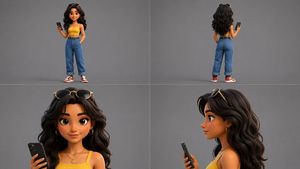
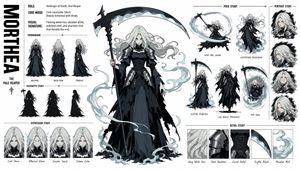
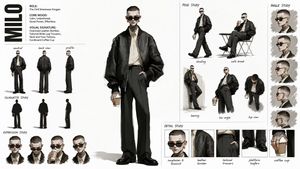
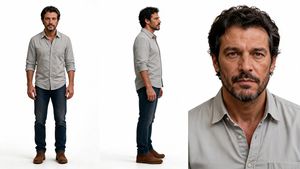
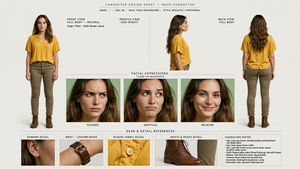
Creates a polished wide 3D character reference sheet for a cute stylized child character with multiple views, outfit callouts, and color swatches.
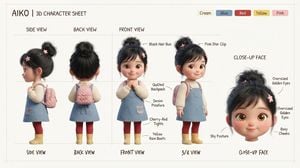
Goal: Create a clean 3D character design sheet for a cute stylized toddler girl named {argument name="character name" default="AIKO"}, presented like a professional toy/animation reference board. Canvas: Wide horizontal character sheet on a warm off-white background with faint grey guide lines, thin section dividers, and a subtle hand-drawn annotation feel. Use soft studio lighting, high-quality 3D render style, rounded childlike proportions, plush toy/Pixar-inspired realism, and gentle pastel colors. Header: Top left text reads “{argument name="character name" default="AIKO"} | 3D CHARACTER SHEET”. Top right include exactly 5 small rounded color swatches labeled: Cream, Blue, Red, Yellow, Pink. Layout: Show exactly 5 character views across the sheet: 1 side view on the far left, 1 back view left-center, 2 front-area full-body views in the middle (one straight front pose and one 3/4 pose), and 1 close-up face view on the far right. Above the full-body columns place neat uppercase labels “SIDE VIEW”, “BACK VIEW”, and “FRONT VIEW”. Along the bottom, use handwritten-style captions: “SIDE VIEW”, “BACK VIEW”, “FRONT VIEW”, “3/4 VIEW”, and “CLOSE-UP FACE”. Subject details: The character is a shy, sweet young girl with oversized golden-brown eyes, rosy cheeks, tiny smile, small nose, rounded face, and black hair gathered into a messy high bun with side bangs. Hair accessories: pink star clips. Outfit: cream ribbed long-sleeve sweater under a light blue denim pinafore dress with a small front pocket and embroidered patch detail, cherry-red tights, yellow rain boots, and a quilted pink backpack. The far-left side view shows her profile and backpack straps; the back view clearly shows the quilted backpack and rear of the bun; the front view shows hands clasped shyly; the 3/4 view shows the backpack and outfit volume; the close-up face is a large floating head cropped at the neck. Annotations: Add thin curved callout arrows and handwritten labels pointing to exactly 9 details: “Black Hair Bun”, “Pink Star Clip”, “Quilted Backpack”, “Denim Pinafore”, “Cherry-Red Tights”, “Yellow Rain Boots”, “Shy Posture”, “Oversized Golden Eyes”, and “Rosy Cheeks”. Keep labels legible, black or dark brown, placed around the figures without clutter. Constraints: No extra characters, no scenery, no watermark, no logo, no photorealistic adult proportions. Maintain a tidy concept-art sheet composition with consistent scale between full-body views and a larger close-up face.
Choose the primary action to open PicX Studio with the available template settings. Review the model and format, personalize the creative direction, and generate when ready.
Yes. You can change the subject, setting, lighting, mood, format, and available model controls before creating your image.
This template is free to open and customize. Generation usage is shown in PicX Studio before you create.
Start with GPT Image 2, which is the model associated with this template. You can compare another compatible model for a different finish.
Follow a topic to a crawlable collection of related PicX Studio templates.