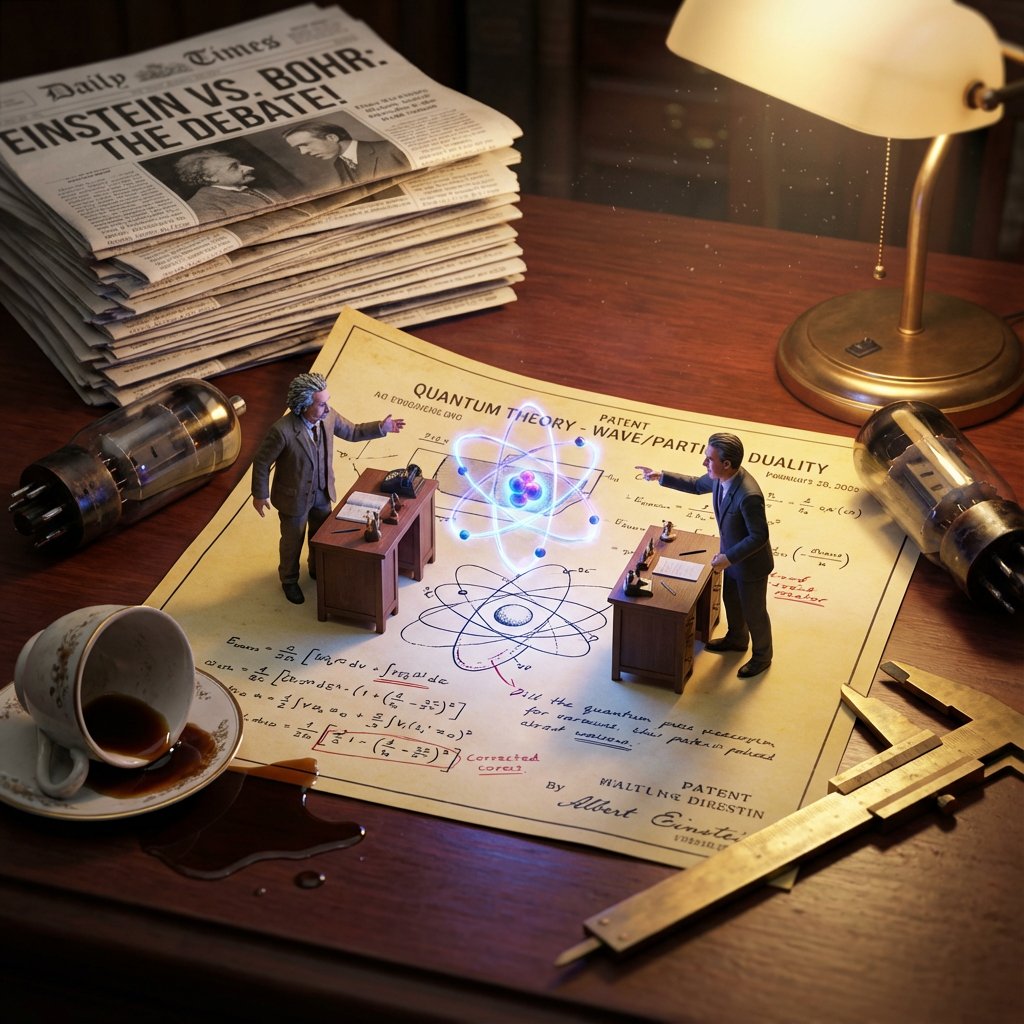
How do I use the Macro Diorama Historical Rivalry (Science Wars) template?
Choose the primary action to open PicX Studio with the available template settings. Review the model and format, personalize the creative direction, and generate when ready.
A complex, multi-phase prompt designed to generate a hyper-detailed macro diorama image illustrating a historical or modern rivalry (e.g., Elon Musk vs. Change the subject, setting, or lighting one variable at a time.

<instructions> Input: Invention/Rivalry = {argument name="invention/rivalry" default="[User Choice]"} Phase 1: Chronological Profiling Ancient (Pre-500 AD): Stone/Papyrus, Oil Lamps. Labeling = Carved symbols or scroll signatures. Renaissance (1400-1600): Parchment, Candlelight. Labeling = Wax seals, hand-lettered envelopes, book spines. Industrial (1800-1940): Blueprints, Gaslight. Labeling = Typed Patent headers, Business Cards, Newspaper Headlines. Modern (1950-Present): Circuit diagrams, Neon. Labeling = ID Badges, Magazine covers, Computer login screens. Phase 2: Goal: A hyper-detailed Macro Diorama where the environment identifies the rivals. 1. The Stage (The Document): The ground is the primary design medium of the era (Clay Tablet, Parchment, Blueprint, or CAD Printout). The Invention:A 3D Prototype is rising from the center, separating the two figures. 2. The Living Miniatures: Two tiny, hyper-realistic figurines (The Rivals) interact with the invention. They are dressed strictly in period-accurate clothing. 3. The Identity Anchors (CRITICAL - Labeling): Instruction: You must seamlessly integrate readable text into the "Giant" props near each figure to identify them to the viewer. Prop A (Near Rival 1): Place a "Giant" personal item with their name visible. (e.g., A letter addressed to "Mr. T. Edison", a book titled "By C. Darwin", or a security badge reading "S. Jobs"). Prop B (Near Rival 2):Do the same for the second figure. (e.g., A Patent application signed "Nikola Tesla", or a court summons for "Mark Zuckerberg"). Context: These items must look like they were carelessly left on the desk, not floating labels. 4. The "Giant" Atmosphere: The Tools: Giant-scale era-appropriate tools (Chisels, Quills, Soldering Irons) tower over the figures. The Clutter: Period-specific debris (Marble dust, Ink spills, Burnt fuses, Empty soda cans). 5. Technical Specs: Lighting: Era-appropriate source (Fire vs. Filament vs. LED). Perspective:Tilt-shift macro photography (45-degree angle). focus on the miniatures. Output: ONE image, 4:5 aspect ratio, photorealistic historical macro photography with legible environmental text. </instructions>
Choose the primary action to open PicX Studio with the available template settings. Review the model and format, personalize the creative direction, and generate when ready.
Yes. You can change the subject, setting, lighting, mood, format, and available model controls before creating your image.
This template is free to open and customize. Generation usage is shown in PicX Studio before you create.
© 2026 PicX Studio. All rights reserved.

Start with Nano Banana 2, which is the model associated with this template. You can compare another compatible model for a different finish.
Follow a topic to a crawlable collection of related PicX Studio templates.
43,474 public templates available. Verified via the PicX Studio public templates API; refreshed hourly.

![Editorial Concept Study Product Design — [BRAND NAME] editorial photograph of a unique functional object conceptualized by the brand. Invent…](/_next/image?url=https%3A%2F%2Fcdn.picxstudio.com%2Fuploads%2Fmirror_77cffdd4-75b0-4069-963b-ab70c3b5edee.jpg&w=828&q=100)
![Exploded Mechanics Product Macro Campaign — Create an exploded product with inner mechanics [product], high-end product advertising, white seamless background,](/_next/image?url=https%3A%2F%2Fcdn.picxstudio.com%2Fuploads%2Fmeigen_b78883f3cfcc_6422efa5-5e5b-4a13-aa00-aa65996e48a8.jpg&w=828&q=100)
![Isometric Brand Store Diorama — Present a clear, 45° top-down isometric miniature 3D cartoon diorama of the [BRAND], with soft refin…](/_next/image?url=https%3A%2F%2Fcdn.picxstudio.com%2Fuploads%2Fmeigen_18578a8c7cb6_25c7ccef-837d-4949-99fb-d6321dc5c72c.jpg&w=828&q=100)

![Firefly Pixar Spill — Nano Banana Pro — Prompt Studio: Fun Prompt with Nano Banana Pro in Firefly Boards
Pixar-style cinematic macro shot in a cozy [LOCATION]](/_next/image?url=https%3A%2F%2Fcdn.picxstudio.com%2Fuploads%2Falla1_1d20598b-6f80-45e3-931b-e644f9b33daf.jpg&w=828&q=100)
![Extreme close-up macro of miniature city diorama on a solid base, held — Extreme close-up macro of miniature city diorama [CITY, COUNTRY] on a solid base, held](https://images.meigen.ai/tweets/2007777809712976297/0.jpg)




![Magazine Brand Concept Product Photography — [BRAND NAME] high-end glossy concept art magazine editorial photograph of a unique unexpected functi…](/_next/image?url=https%3A%2F%2Fcdn.picxstudio.com%2Fuploads%2Fmirror_8885eb8c-24cd-420e-b981-20ae3af2665b.jpg&w=828&q=100)

![Naive doodle-style subject illustration — A doodle-style {argument name="subject" default="[subject]"}, naive lines, humorous shape exaggeration](https://pbs.twimg.com/media/G6Wl2YxbsAARB2b.jpg)