How do I use the Japanese Pro Wrestling Magazine Cover template?
Choose the primary action to open PicX Studio with the available template settings. Review the model and format, personalize the creative direction, and generate when ready.
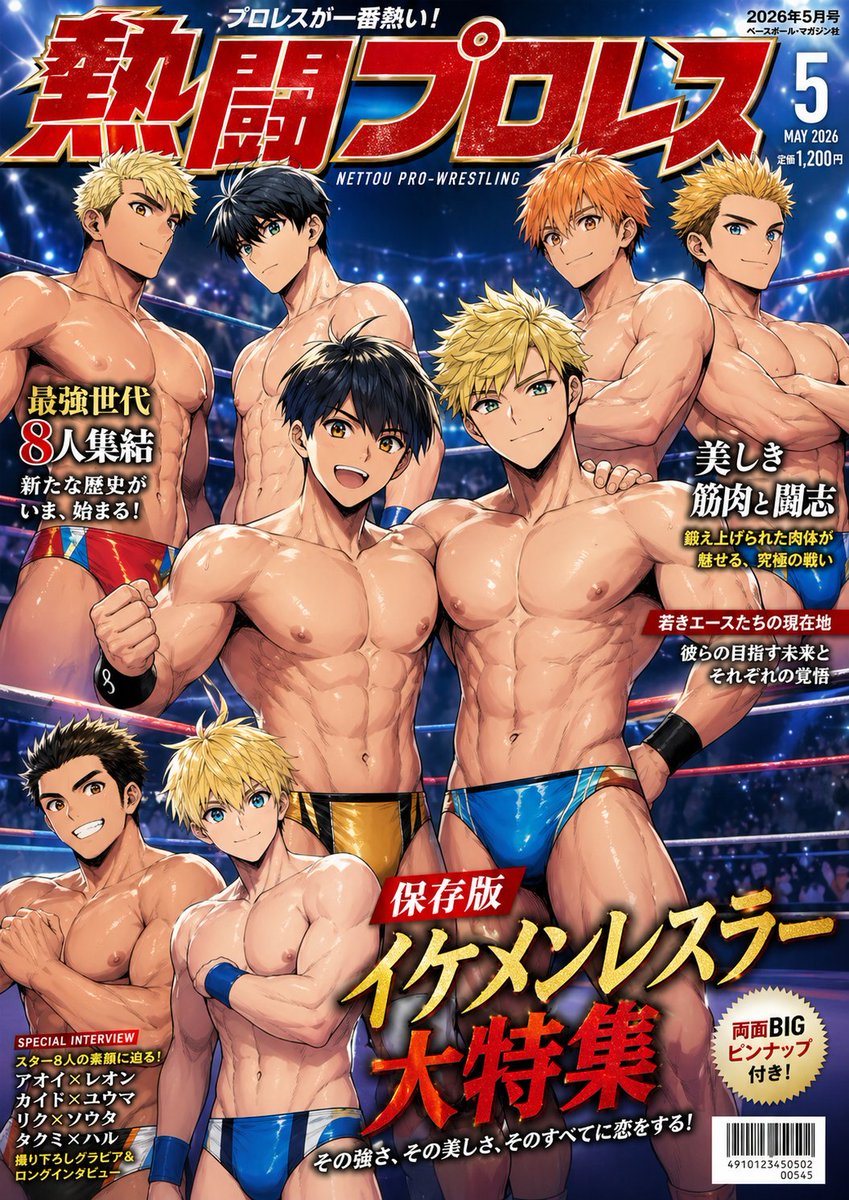
A flashy illustrated Japanese wrestling magazine cover featuring eight muscular male wrestlers, dramatic arena lighting, and dense authentic editorial typography for sports or entertainment cover art. (free to use) — Free AI image template on PicX Studio.
Create a glossy Japanese pro-wrestling magazine cover illustration in a dramatic seinen-anime style. Vertical full-cover composition, packed and high-energy, showing exactly 8 handsome male wrestlers inside a wrestling ring arena under blue-white stadium lights, with blurred audience bokeh in the background and visible red ring ropes crossing behind them. All 8 men are adults with extremely muscular, bodybuilder-level physiques, oiled shiny skin, defined abs, pecs, arms, and shoulders, posed like a special feature lineup for a sports magazine. Arrange them in layered groups: 4 wrestlers across the upper half and 4 across the lower half, with 2 central foreground champions dominating the middle. The central left foreground wrestler has short black hair, a confident serious expression, a clenched right fist, and metallic black-and-gold trunks. The central right foreground wrestler has short spiky blond hair, a stoic expression, one hand on his hip, and metallic bright blue trunks. Around them, place 6 additional wrestlers with varied hair colors and styles including bleached blond, black with long bangs, orange spiky hair, and dark brown spiky hair; all wear colorful pro-wrestling trunks in red, blue, gold, or multicolor patterns, with some wrist tape or wristbands, and all are shirtless. Emphasize glossy highlights, magazine-retouched skin, heroic anatomy, and slightly exaggerated masculine beauty. Use a bold commercial cover design with oversized Japanese masthead text at the top reading {argument name="magazine title" default="熱闘プロレス"} in huge red letters with gold edging and white highlights, plus a smaller English subtitle beneath it reading "NETTOU PRO-WRESTLING". Add a top catchphrase in Japanese above the title: "プロレスが一番熱い!". In the upper right corner, include a blue issue box with white text showing {argument name="issue date" default="2026年5月号"}, a large numeral {argument name="issue number" default="5"}, the English month-year "MAY 2026", and small pricing text "定価1,200円". Place bold feature cover lines around the wrestlers in authentic Japanese magazine typography: on the left, large yellow-white text "最強世代 8人集結" with smaller lines "新たな歴史が いま、始まる!"; on the right, large white text "美しき筋肉と闘志" with smaller yellow and white subhead lines; another red label with white text reading "若きエースたちの現在地" and smaller white text beneath it; a lower-left black box headed "SPECIAL INTERVIEW" in English with multiple stacked Japanese interviewee names; a cream circular burst on the lower right reading "両面BIG ピンナップ付き!". Across the lower center, add the main feature title in explosive oversized Japanese lettering: a red ribbon label "保存版" above giant gold and red text {argument name="main headline" default="イケメンレスラー大特集"}, with a smaller white tagline below: "その強さ、その美しさ、そのすべてに恋をする!". Add a barcode in the bottom right corner with small numeric text beneath it. Overall look: premium Japanese sports-entertainment magazine cover, polished, flashy, energetic, intense, glamorous, crowded but readable, with accurate Japanese text rendering and authentic editorial hierarchy.
Use Japanese Pro Wrestling Magazine Cover to plan an AI image around gpt-image-2 generation, themes such as en and gpt-image-2. Match the preview's composition first, then personalize the subject, setting, and mood for your own project.
Use the primary action to load the template settings in PicX Studio.
Adjust the subject and creative details for your destination.
Create the image, compare the result with the preview, and refine one variable at a time.
A continuous mix — similar concepts first, woven with same-model prompts and fresh picks from the catalog.
Choose the primary action to open PicX Studio with the available template settings. Review the model and format, personalize the creative direction, and generate when ready.
Yes. You can change the subject, setting, lighting, mood, format, and available model controls before creating your image.
This template is free to open and customize. Generation usage is shown in PicX Studio before you create.
Start with gpt-image-2, which is the model associated with this template. You can compare another compatible model for a different finish.
Follow a topic to a crawlable collection of related PicX Studio templates.
39,157 public templates available. Verified via the PicX Studio public templates API; refreshed hourly.
A continuous mix — similar concepts first, woven with same-model prompts and fresh picks from the catalog.