How do I use the Smartphone Mirror Selfie Elevator Scene template?
Choose the primary action to open PicX Studio with the available template settings. Review the model and format, personalize the creative direction, and generate when ready.
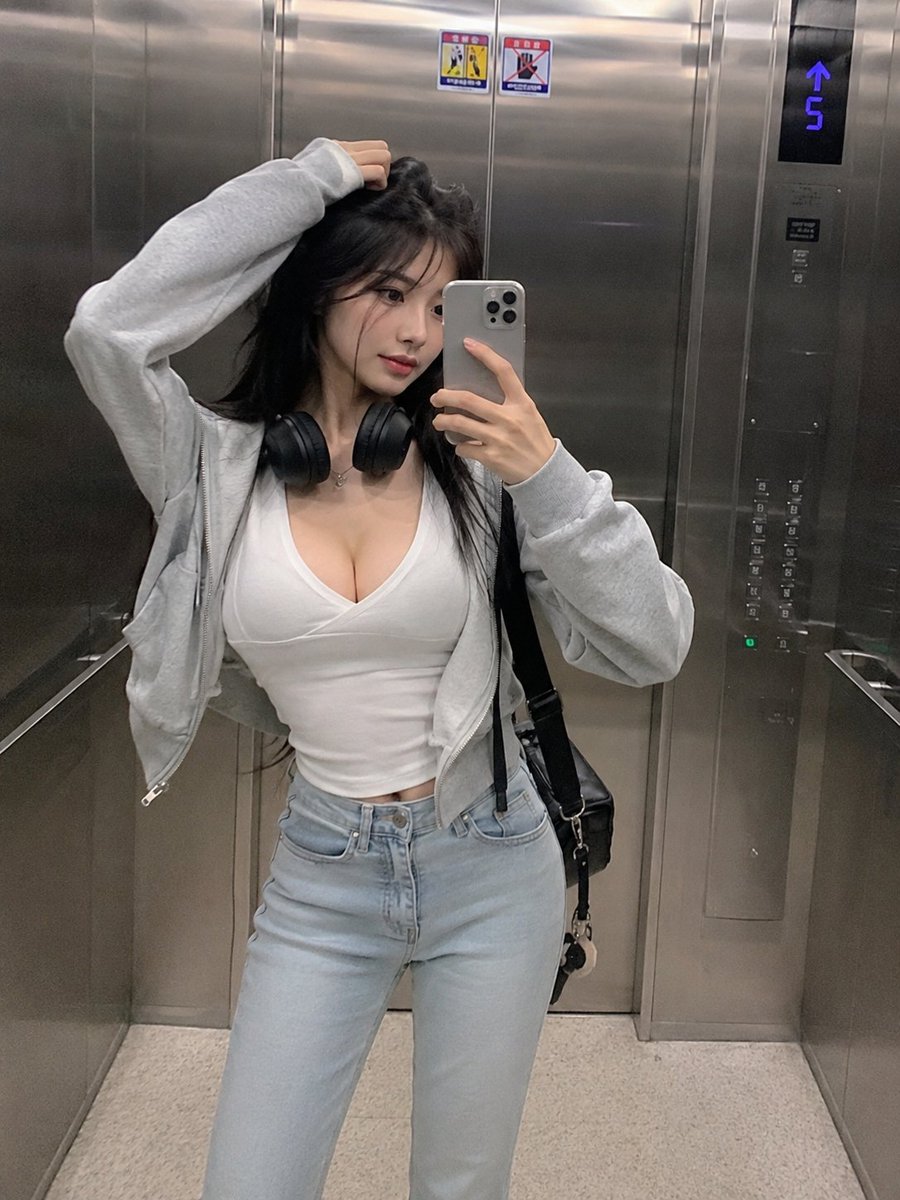
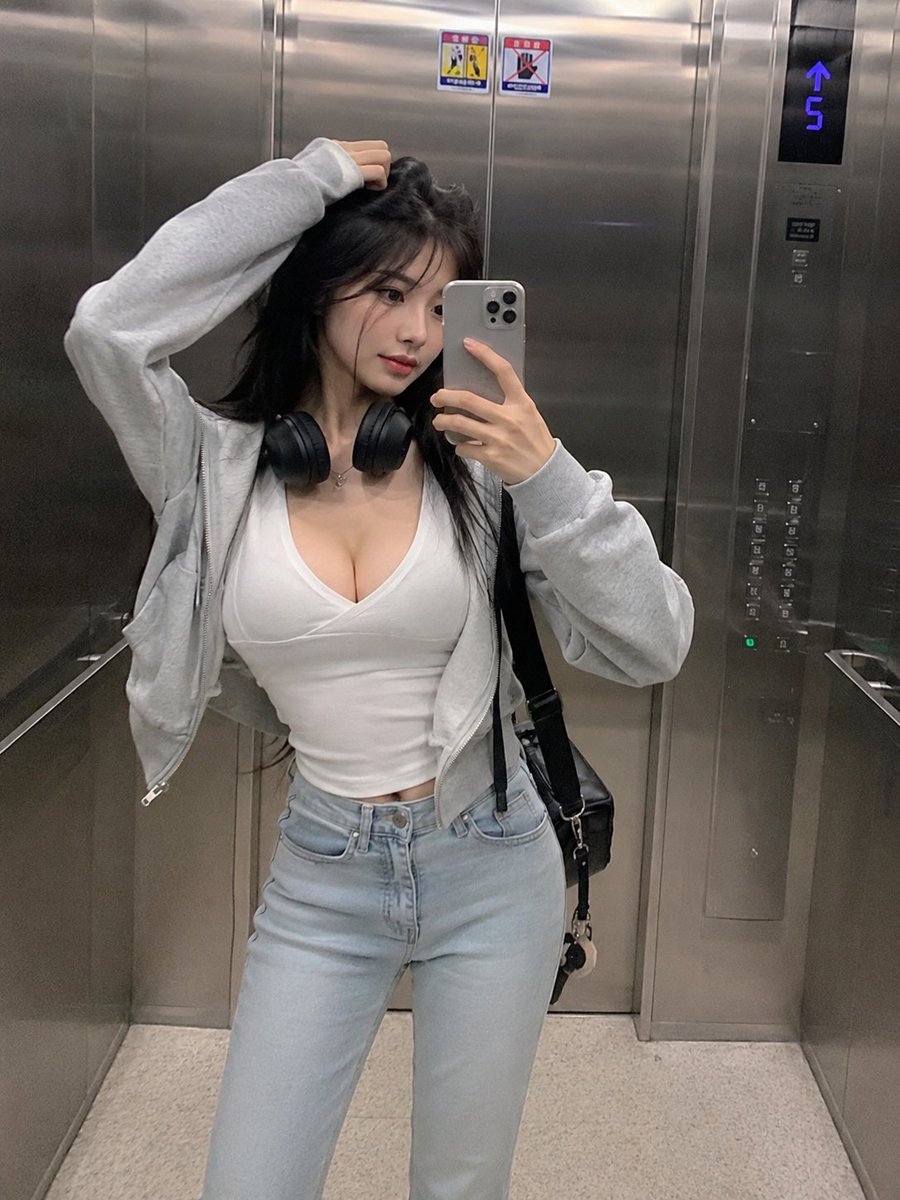
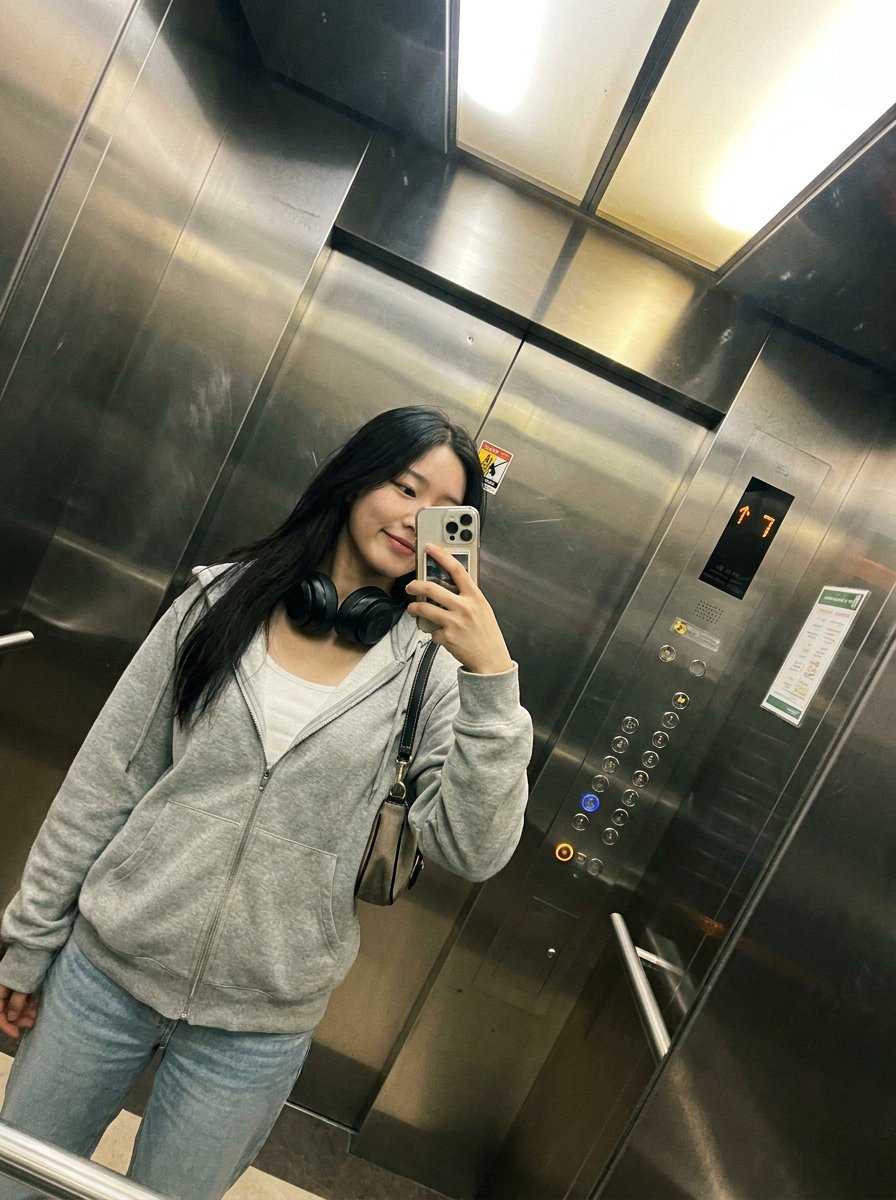
A detailed JSON-structured prompt for generating a realistic, candid smartphone mirror selfie of a Korean woman in a modern elevator. (free to use) — Free AI image template on PicX Studio.
{ "objective": "Generate a realistic smartphone-style mirror selfie of an {argument name="subject" default="extremely beautiful slender Korean woman"} inside an {argument name="location" default="elevator"} with a natural, candid aesthetic.", "scene": { "location": "modern metallic elevator interior", "environment_details": [ "stainless steel reflective walls", "visible elevator control panel with glowing floor indicator", "subtle reflections and fingerprints on metal surfaces", "tight enclosed vertical framing" ] }, "subject": { "description": "extremely beautiful slender Korean woman", "body_type": "slim, elegant proportions", "hair": "long straight dark hair, slightly tousled", "skin": "natural skin texture, not overly polished", "expression": "soft confident expression, relaxed and slightly serious", "pose": "holding smartphone for mirror selfie, one hand lifting or touching her hair" }, "outfit": { "top": "low-cut fitted white top", "outerwear": "light gray zip-up hoodie, casually worn open", "bottom": "light blue high-waisted jeans", "accessories": [ "black over-ear headphones around neck", "minimal jewelry", "casual shoulder bag" ] }, "camera_style": { "type": "smartphone front camera", "aesthetic": "{argument name="style" default="candid, slightly grainy, realistic"}", "quality": "lower resolution, subtle noise, no over-processing", "framing": "vertical 3:4, full body or mid-thigh crop", "angle": "slightly tilted natural selfie angle" }, "lighting": { "type": "soft indoor fluorescent elevator lighting", "effect": "even lighting with mild metallic reflections, no dramatic shadows" }, "mood": "casual everyday moment, effortless beauty, urban lifestyle", "negative_prompt": [ "studio lighting", "overly smooth skin", "high fashion photoshoot", "fantasy elements", "unrealistic proportions", "extra limbs", "heavy filters" ] }
Use Smartphone Mirror Selfie Elevator Scene to plan an AI image around gpt-image-2 generation, themes such as en and gpt-image-2. Match the preview's composition first, then personalize the subject, setting, and mood for your own project.
Use the primary action to load the template settings in PicX Studio.
Adjust the subject and creative details for your destination.
Create the image, compare the result with the preview, and refine one variable at a time.
A continuous mix — similar concepts first, woven with same-model prompts and fresh picks from the catalog.
Choose the primary action to open PicX Studio with the available template settings. Review the model and format, personalize the creative direction, and generate when ready.
Yes. You can change the subject, setting, lighting, mood, format, and available model controls before creating your image.
This template is free to open and customize. Generation usage is shown in PicX Studio before you create.
Start with gpt-image-2, which is the model associated with this template. You can compare another compatible model for a different finish.
Follow a topic to a crawlable collection of related PicX Studio templates.
39,157 public templates available. Verified via the PicX Studio public templates API; refreshed hourly.
A continuous mix — similar concepts first, woven with same-model prompts and fresh picks from the catalog.