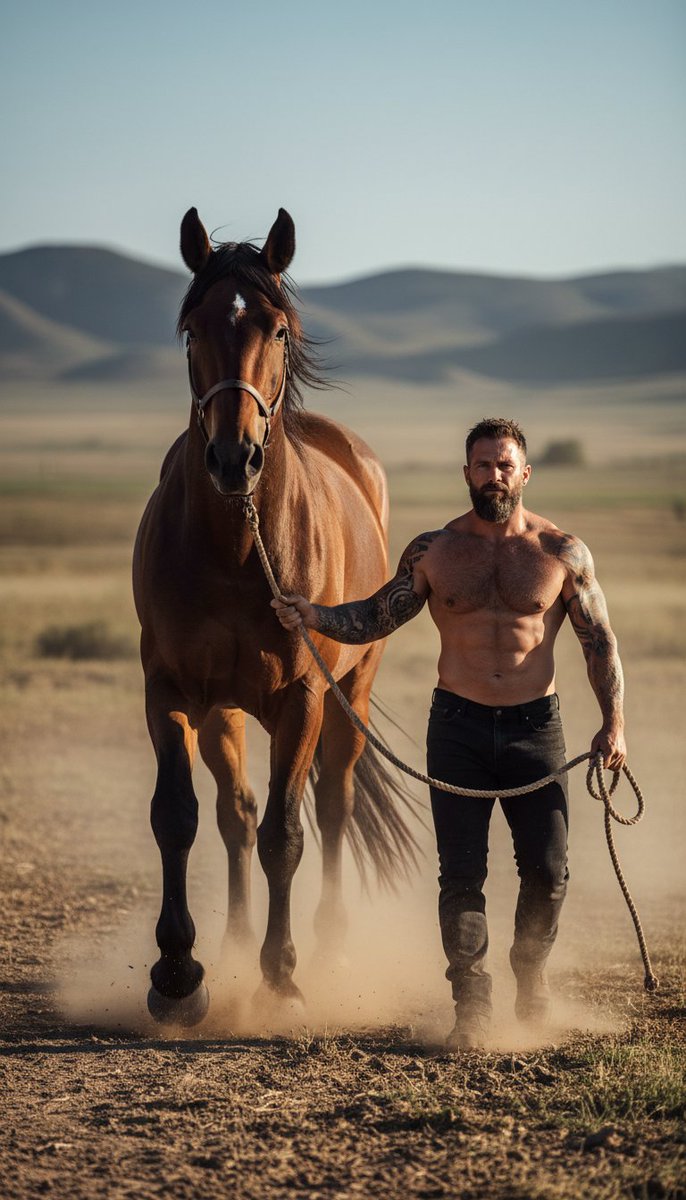
Hyper-realistic cinematic photograph of man and powerful horse
A hyper-realistic cinematic color photograph of a powerful, athletic man walking through a wide open rugged landscape beside an exceptionally tall, powerful horse. The horse is noticeably larger than average, long-legged, heavy-boned, and imposing, with a deep chest, thick neck, broad shoulders, and clearly defined muscle structure beneath its coat. Its presence feels dominant and majestic, yet calm and controlled. The man holds a thick rope lead in his hand, the rope showing natural weight, tension, and slight sway as they walk in sync.\n\nThe man is topless, revealing a dense, naturally muscular upper body with realistic proportions: thick veiny arms, pronounced triceps and deltoids, broad shoulders, and subtle asymmetry created by real motion. Muscle compression, tendon tension, and skin stretch are visible and believable. Tattoos on the upper arm and forearm appear authentic, aged, and embedded naturally into the skin, deforming correctly with movement.\n\nHe walks forward with grounded confidence and quiet authority, posture relaxed but commanding, as if fully accustomed to handling such a powerful animal. His expression is calm, hardened, and focused, eyes looking ahead or slightly downward, never at the camera. Facial features are rugged and masculine with a strong jawline, thick uneven beard, realistic pores, fine lines, and a light sheen of sweat. Hair is dark, imperfect, and lightly disturbed by wind.\n\nThe horse walks slightly ahead or shoulder-to-shoulder with him, reinforcing its size and power. Its anatomy is accurate and lifelike, hooves kicking up dust with each step. Dust clouds rise around their legs, catching sunlight in soft golden particles. Wind moves through the scene, lifting dust, mane hair, loose rope fibers, and subtly brushing across the man’s skin, adding authentic motion.\n\nThe environment is a vast, open landscape — dry earth, rolling terrain, distant hills, sparse vegetation — grounded and real, never stylized. The color palette is cinematic but natural: warm earth tones, sunlit browns, muted greens, realistic sky blues, and gentle highlight roll-off. No oversaturation, no fantasy hues. Lighting feels like late afternoon or golden hour, directional and organic, sculpting muscle and form while preserving shadow detail.\n\nCaptured like a high-end documentary or editorial photograph using a full-frame camera with a fast prime lens. Natural depth of field, subtle motion blur in legs, dust, and rope, realistic film grain, optical imperfections, and imperfect focus falloff. The image feels candid, powerful, and timeless — not posed, not staged.\n\nAnti-AI realism emphasis: believable scale difference, real anatomy, authentic motion physics, natural dust behavior, organic color grading, imperfect lighting, realistic skin and hair texture.",
"negative_prompt": "AI-generated look, CGI animals, fantasy horse, exaggera

















![Minimalist Flat Vector Travel Poster — Premium minimalist flat-vector travel poster for {argument name="city name" default="[CITY_NAME]"}, 3:4 vertical format.](https://cms-assets.youmind.com/media/1787917359711_3ug846_HQX205cbMAA6F6S-300x400.jpg)