How do I use the Anonymized Fantasy Cosplay Selfie template?
Choose the primary action to open PicX Studio with the available template settings. Review the model and format, personalize the creative direction, and generate when ready.
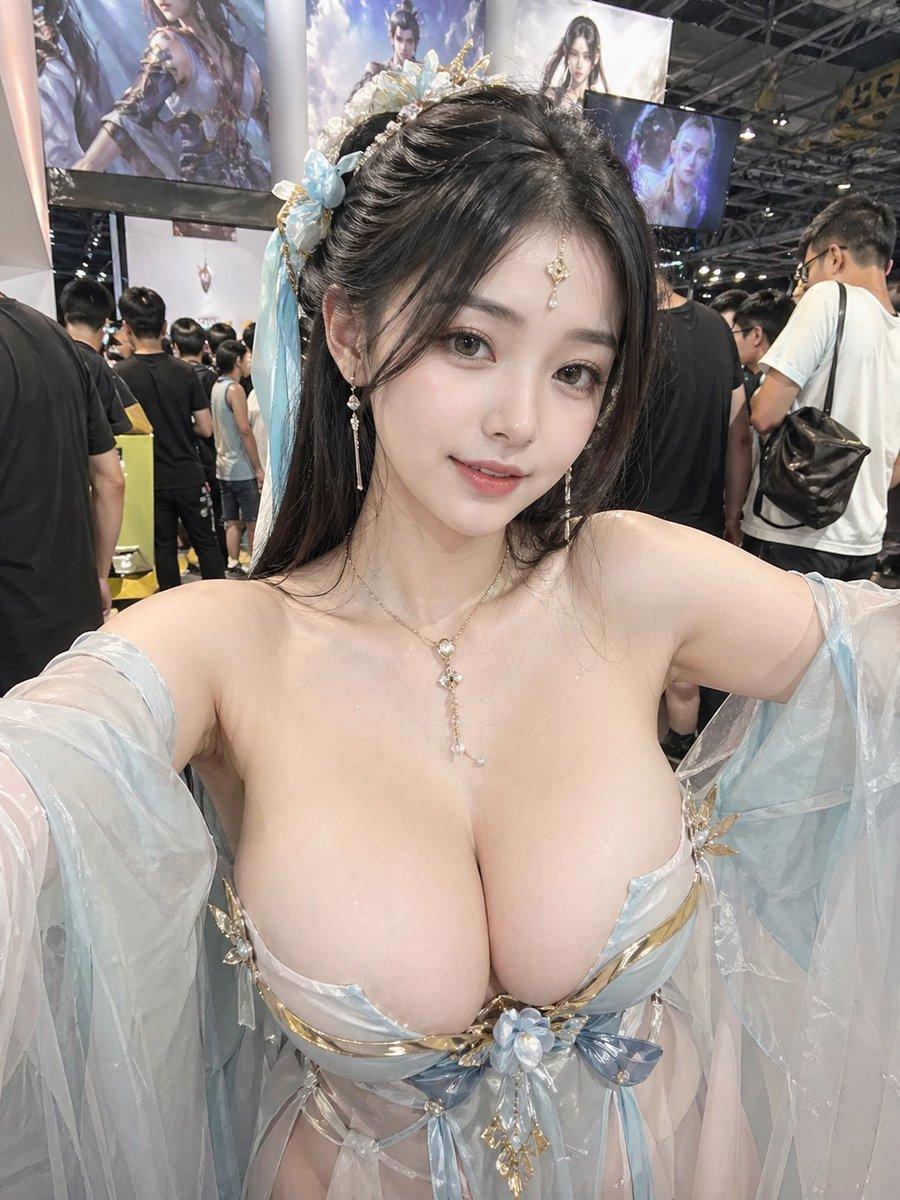
A realistic convention selfie of an adult cosplayer in an ornate pale-blue fantasy costume with her face censored for privacy. (free to use) — Free AI image template on PicX Studio.
Create a highly realistic vertical 3:4 smartphone selfie photo of an adult female cosplayer at a crowded game/anime convention booth, shot from slightly above chest height with both arms extended toward the camera. She wears an ornate ethereal fantasy costume in {argument name="costume colors" default="pale icy blue, white, silver, and gold"}: a low-cut sculptural bodice with metallic gold trim, translucent flowing gauze sleeves, layered sheer fabric, and a central blue flower ornament. Include exactly 6 prominent costume/accessory elements: 1 floral-and-gold hairpiece with pale blue ribbons on the left side of her dark hair, 1 pair of dangling pearl-like earrings, 1 delicate necklace with a long crystal pendant, 1 ornate structured bodice, 2 translucent sleeve drapes, and 1 central flower-and-gold chest ornament. Her face is deliberately anonymized by a large opaque square censor block in {argument name="censor block color" default="warm gray-brown"}, covering the entire face from forehead to chin while leaving the hair and accessories visible. The background is a busy indoor expo hall with harsh overhead lighting, ceiling trusses, many attendees in casual clothing, and exactly 3 visible large fantasy character displays/posters behind her: one tall illustrated banner on the upper left, one bright central fantasy banner, and one smaller dark blue screen/poster on the upper right. Use natural smartphone flash/ambient lighting, realistic skin texture, shallow depth of field, candid convention atmosphere, no text overlay, no watermark.
Use Anonymized Fantasy Cosplay Selfie to plan an AI image around gpt-image-2 generation, themes such as en and gpt-image-2. Match the preview's composition first, then personalize the subject, setting, and mood for your own project.
Use the primary action to load the template settings in PicX Studio.
Adjust the subject and creative details for your destination.
Create the image, compare the result with the preview, and refine one variable at a time.
A continuous mix — similar concepts first, woven with same-model prompts and fresh picks from the catalog.
Choose the primary action to open PicX Studio with the available template settings. Review the model and format, personalize the creative direction, and generate when ready.
Yes. You can change the subject, setting, lighting, mood, format, and available model controls before creating your image.
This template is free to open and customize. Generation usage is shown in PicX Studio before you create.
Start with gpt-image-2, which is the model associated with this template. You can compare another compatible model for a different finish.
A continuous mix — similar concepts first, woven with same-model prompts and fresh picks from the catalog.
Follow a topic to a crawlable collection of related PicX Studio templates.
36,410 public templates available. Verified via the PicX Studio public templates API; refreshed hourly.