How do I use the Pink Gyaru Figurine Street Photo template?
Choose the primary action to open PicX Studio with the available template settings. Review the model and format, personalize the creative direction, and generate when ready.
Generates a photorealistic full-body anime schoolgirl figurine posed with a jeweled selfie stick on a sunny Japanese shopping street. Change the subject, setting, or lighting one variable at a time.
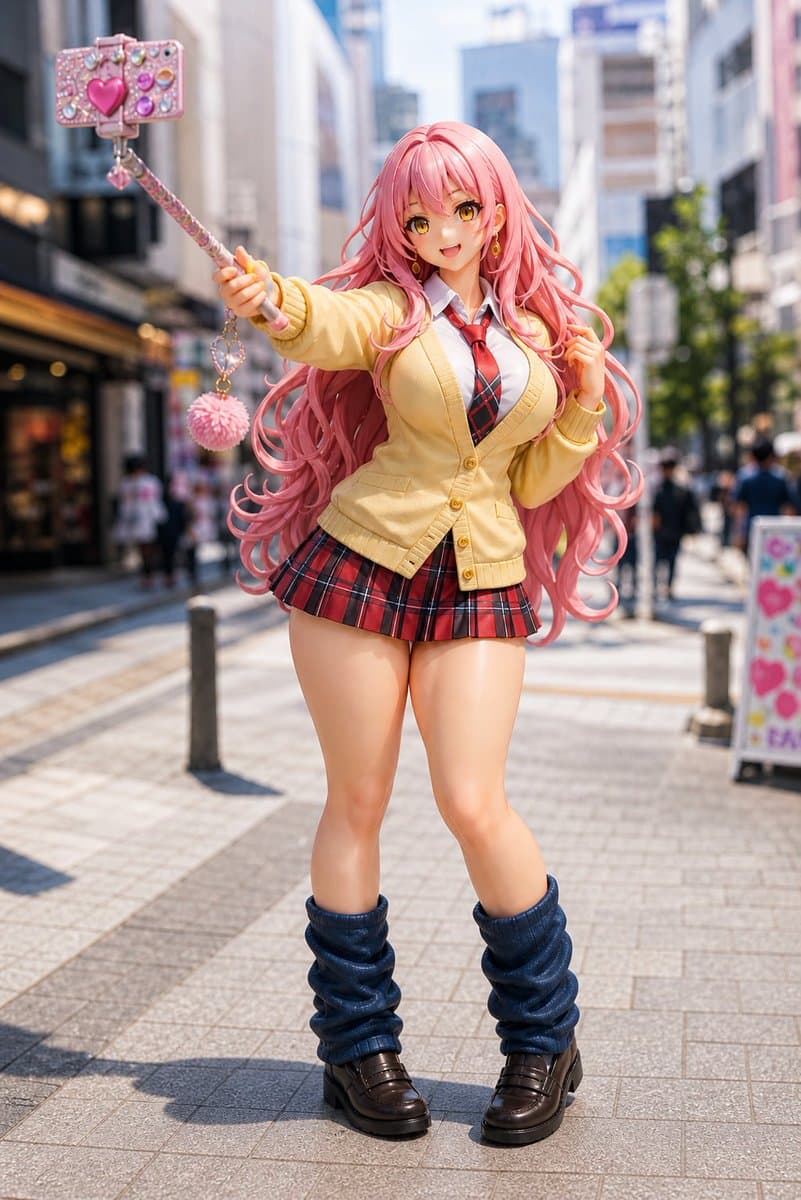
Create a full-body, photorealistic image of a life-size anime-style PVC figurine of a cheerful gyaru schoolgirl standing on a sunny modern Japanese shopping street, with shallow depth of field and blurred pedestrians/buildings in the background. The character has very long, voluminous, wavy {argument name="hair color" default="pastel pink"} hair flowing around her shoulders and down past her waist, glossy plastic skin, exaggerated doll-like proportions, and a deliberately obscured face covered by a smooth square blur matching skin tones. She wears a Japanese school uniform consisting of exactly 6 visible outfit pieces: a white collared shirt, a red-and-black striped necktie, a pale yellow buttoned cardigan, a short red-and-black plaid pleated skirt, loose dark navy leg warmers, and chunky dark brown loafers. Pose her confidently facing the camera, one arm extended upward and outward holding a decorated selfie stick, the other hand lightly touching her hair. Include exactly 4 visible phone/accessory elements on the selfie stick: a jewel-covered pink smartphone case, a large glossy heart decoration, a dangling small heart charm, and a fluffy pink pom-pom keychain. Use bright midday sunlight, crisp shadows on the paved pedestrian walkway, realistic urban bokeh, high-detail figure texture, glossy toy-like finish, fashion doll photography, 85mm lens look, vertical composition, centered subject, vibrant kawaii colors, and a playful Harajuku/Shibuya street atmosphere. Customize the character as {argument name="character style" default="pink-haired gyaru schoolgirl figurine"} in {argument name="location" default="a Japanese city shopping street"} with {argument name="lighting" default="bright sunny midday lighting"}.
Choose the primary action to open PicX Studio with the available template settings. Review the model and format, personalize the creative direction, and generate when ready.
Yes. You can change the subject, setting, lighting, mood, format, and available model controls before creating your image.
This template is free to open and customize. Generation usage is shown in PicX Studio before you create.
Start with GPT Image 2, which is the model associated with this template. You can compare another compatible model for a different finish.
© 2026 PicX Studio. All rights reserved.

Follow a topic to a crawlable collection of related PicX Studio templates.
43,474 public templates available. Verified via the PicX Studio public templates API; refreshed hourly.












![Minimalist Flat Vector Travel Poster — Premium minimalist flat-vector travel poster for {argument name="city name" default="[CITY_NAME]"}, 3:4 vertical format.](https://cms-assets.youmind.com/media/1787917359711_3ug846_HQX205cbMAA6F6S-300x400.jpg)




















![Genspark Product Photography Prompt Template — [{argument name="製品名" default="製品名"}]のスタジオ撮影。柔らかな影とグラデーション背景に囲まれた[{argument name="背景" default="…](https://pbs.twimg.com/media/G72JjGdaMAURlfP.jpg)






![Miniature Realism Prompt for Restoration Scene — Tiny [{argument name="subject" default="WORKERS"}] sitting, resting, or packing up beside a perfectl…](https://pbs.twimg.com/media/G9BA7DDb0AEJkiH.jpg)


![Soccer Ball Facial Impact Transformation — Transform [SUBJECT IMAGE] into a candid action portrait captured at the exact moment a {argument nam…](https://cms-assets.youmind.com/media/1781427850645_28xii3_HKrrZAsXEAABD7t.jpg)