How do I use the Double Exposure Ocean Portrait template?
Choose the primary action to open PicX Studio with the available template settings. Review the model and format, personalize the creative direction, and generate when ready.
A detailed prompt for creating an ethereal double-exposure portrait blending an ocean sunset with a female profile, mimicking medium format film.
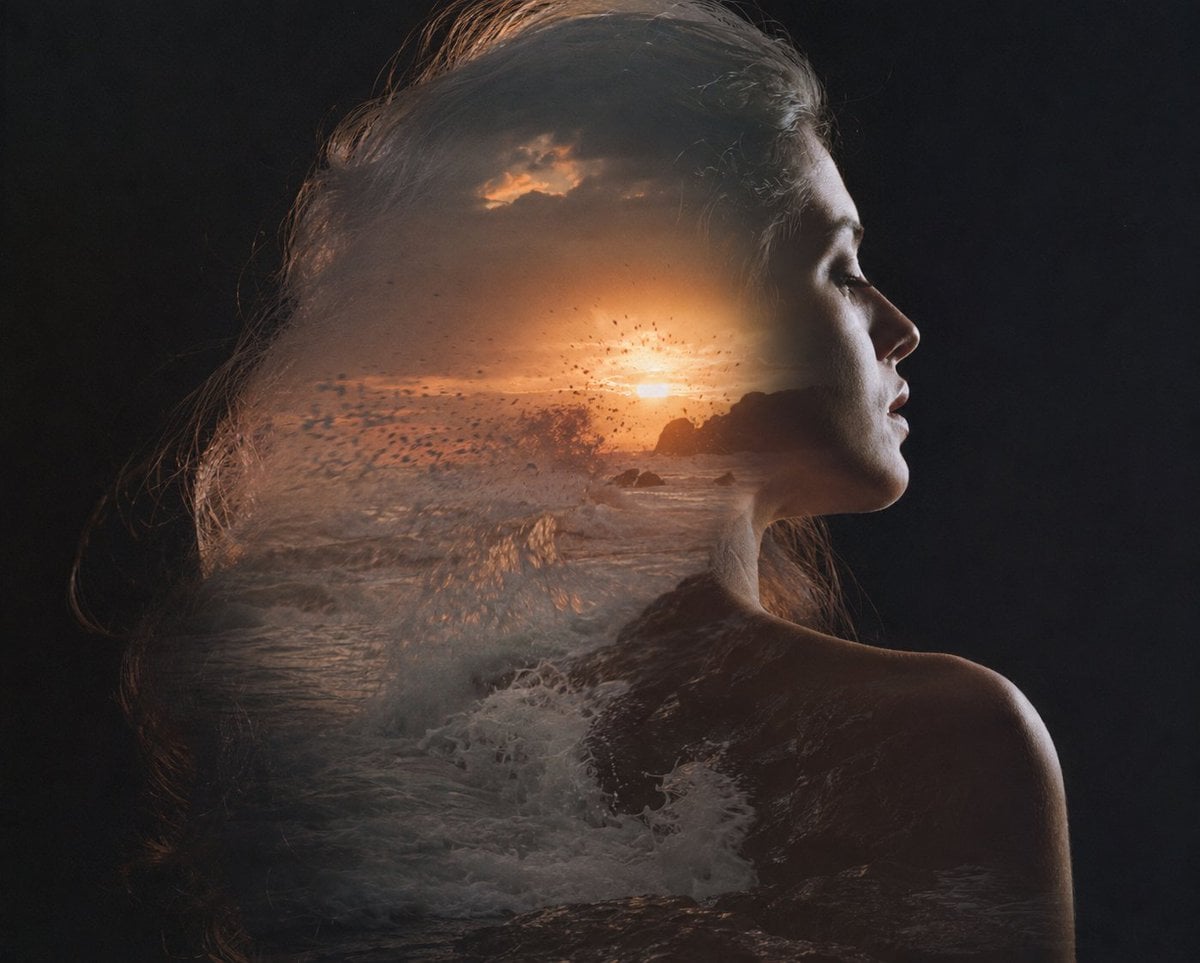
Double exposure portrait on medium format film, meticulously crafted as an in-camera analog composite with two balanced exposures: first exposure captures powerful ocean waves crashing against a rugged rocky shoreline during golden hour, luminous sunset light casting warm amber and soft rose highlights through sea spray; second exposure features an elegant woman with long flowing dark hair in clean side profile, posed against a deep black seamless studio backdrop with subtle rim lighting defining her silhouette. The seascape organically fills and contours her hair, shoulders, and upper torso, blending naturally into her form so that waves become strands of motion and emotion, with foam, spray, and shoreline textures merging into her profile. Emphasize graceful composition, emotional depth, and visual poetry—romantic, painterly, melancholic, cinematic. Soft yet detailed tonal transitions, rich film grain, gentle halation, nuanced shadow depth, luminous highlights, dreamy analog imperfections, medium-format shallowness, and exquisite layered transparency. Shot on Pentax 67 with Portra 800 pushed +1 stop, each exposure metered at −1 EV for balanced density and preserved highlights. Fine art editorial aesthetic, timeless, ethereal, moody, sophisticated, museum-quality photographic print.
Choose the primary action to open PicX Studio with the available template settings. Review the model and format, personalize the creative direction, and generate when ready.
Yes. You can change the subject, setting, lighting, mood, format, and available model controls before creating your image.
This template is free to open and customize. Generation usage is shown in PicX Studio before you create.
Start with GPT Image 2, which is the model associated with this template. You can compare another compatible model for a different finish.
Follow a topic to a crawlable collection of related PicX Studio templates.