How do I use the Cinematic Bed Jump Photo template?
Choose the primary action to open PicX Studio with the available template settings. Review the model and format, personalize the creative direction, and generate when ready.
A photorealistic cinematic hotel-room action scene of two people jumping on a messy bed, useful for generating energetic lifestyle photography. Change the subject, setting, or lighting one variable at a time.
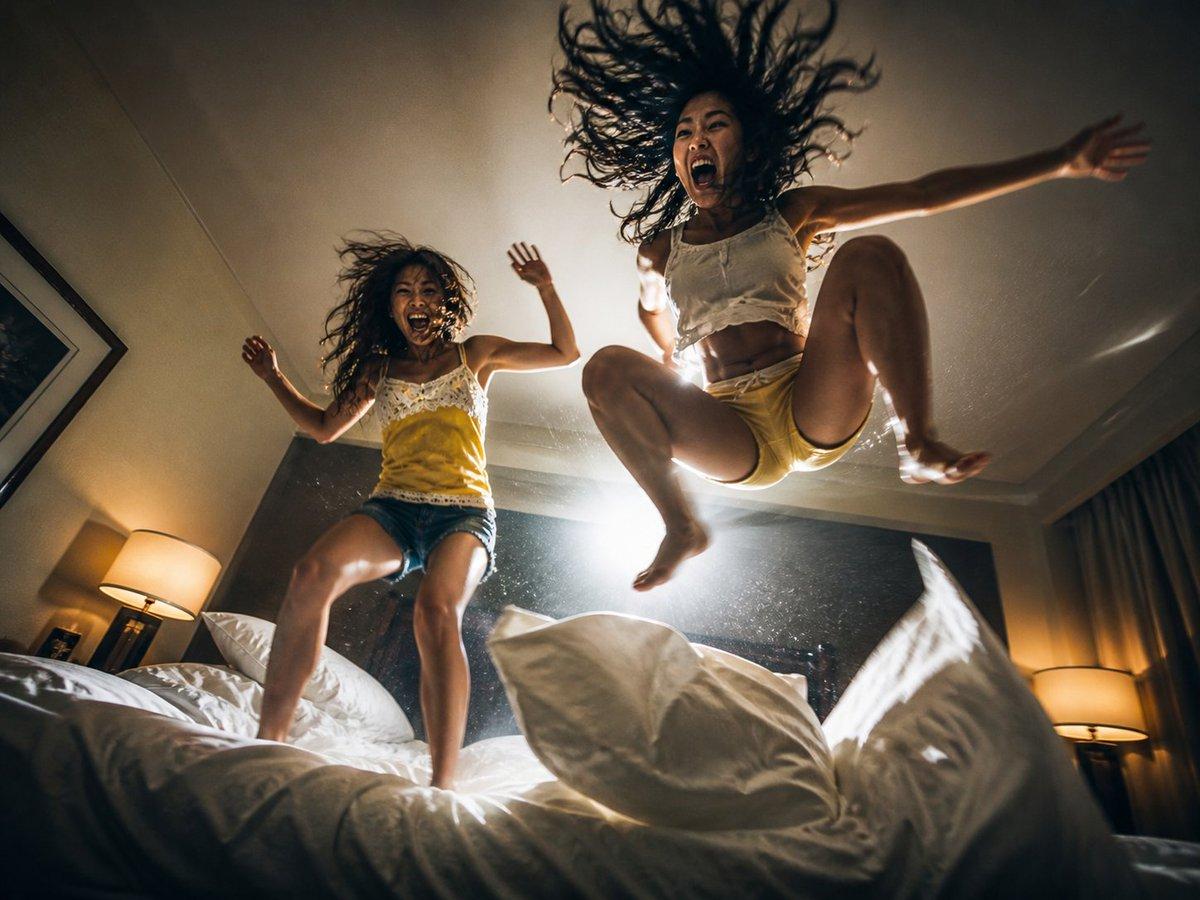
Create a cinematic ultra-wide low-angle action photograph inside a dimly lit {argument name="room type" default="hotel bedroom"}, looking up from the surface of a messy white bed as {argument name="number of people" default="two"} energetic {argument name="subjects" default="young women"} jump high above the mattress. The larger subject on the right is frozen midair with knees bent, arms spread wide, bare feet visible, long dark hair flinging upward in wild strands, wearing a white sleeveless cropped top and pale yellow shorts. The smaller subject on the left is also jumping on the bed with arms raised, messy dark hair in motion, wearing a yellow camisole with white lace trim and blue denim shorts. Keep both faces indistinct or softly obscured by motion and shadow while emphasizing body movement, flying hair, and playful energy. Use dramatic warm hotel lighting: a bright backlight behind the jumpers creates glowing rim light, lens flare, dust particles in the air, and strong silhouettes; bedside lamps glow warmly on both sides, with curtains on the right, a framed picture on the left wall, dark headboard, rumpled white sheets, and large pillows in the foreground. Make the camera feel very close to the bed with a 24mm wide-angle perspective, dynamic diagonal composition, slight fisheye distortion, shallow depth of field, high ISO film grain, realistic skin tones, crisp fabric texture, motion blur on hair and limbs, and a spontaneous candid snapshot mood. Style: {argument name="visual style" default="photorealistic cinematic editorial photography"}, warm shadows, high contrast, chaotic joyful atmosphere, no text, no watermark.
Choose the primary action to open PicX Studio with the available template settings. Review the model and format, personalize the creative direction, and generate when ready.
Yes. You can change the subject, setting, lighting, mood, format, and available model controls before creating your image.
This template is free to open and customize. Generation usage is shown in PicX Studio before you create.
Start with GPT Image 2, which is the model associated with this template. You can compare another compatible model for a different finish.
© 2026 PicX Studio. All rights reserved.

Follow a topic to a crawlable collection of related PicX Studio templates.
43,474 public templates available. Verified via the PicX Studio public templates API; refreshed hourly.












![Minimalist Flat Vector Travel Poster — Premium minimalist flat-vector travel poster for {argument name="city name" default="[CITY_NAME]"}, 3:4 vertical format.](https://cms-assets.youmind.com/media/1787917359711_3ug846_HQX205cbMAA6F6S-300x400.jpg)




























![Golden Hour Food Advertisement Prompt — “Luxury golden-hour styled hero shot of [{argument name="food item" default="FOOD"}] bathed in warm directional sunlight](https://pbs.twimg.com/media/G_CBWNUWEAA2pCv.jpg)



![Custom Character Latte Art Generation Prompt — [キャラクター設定部分]
※以下の【 】内を書き換えてください
【キャラクターの外見的特徴】:
(例:ウィンクをして笑っている、明るい茶色のロングヘアのアニメ風の少女)
{argument name="キャラクターの外見的特](https://pbs.twimg.com/media/G-ONAG1bcAApk2a.jpg)