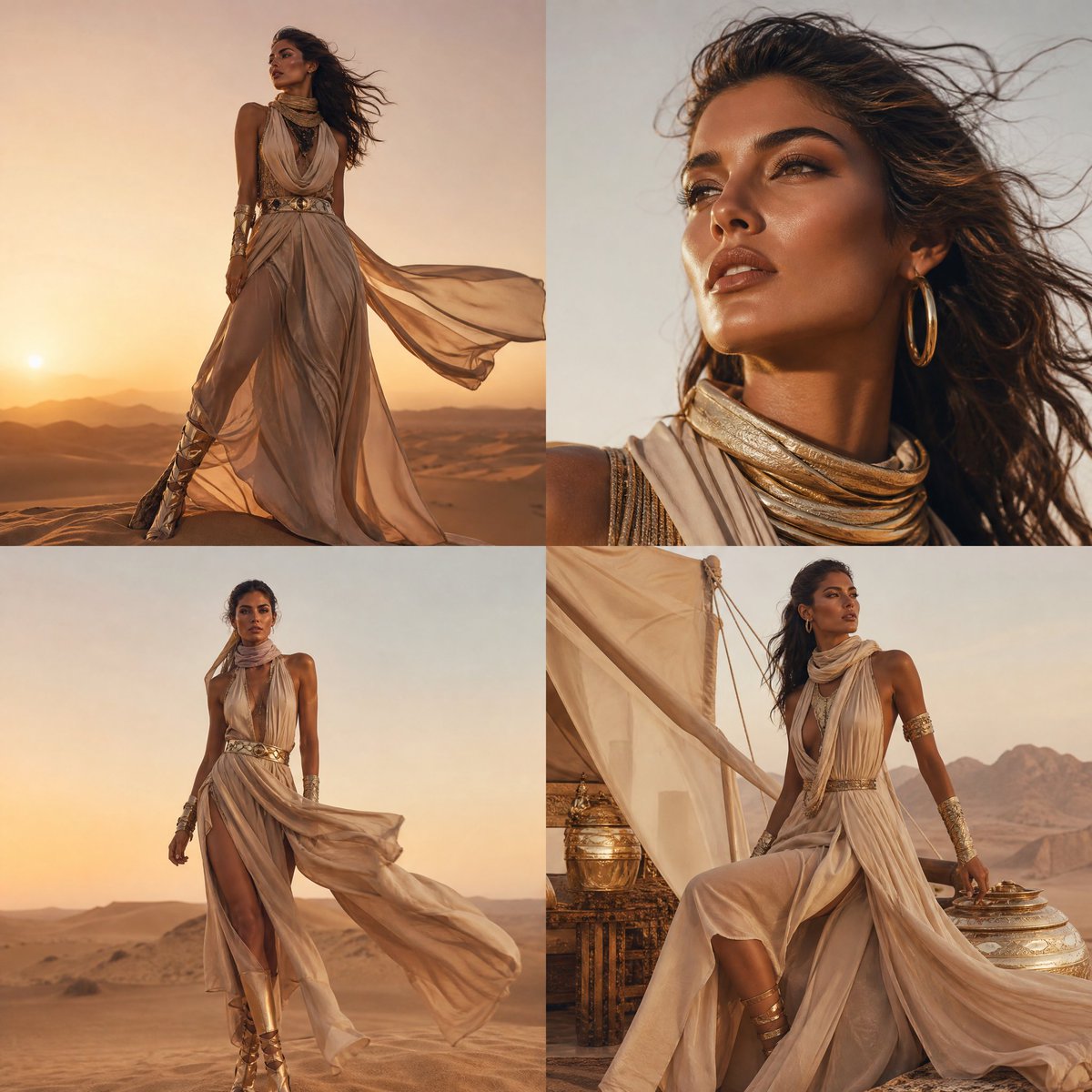
How do I use the Sydney Sweeney Night Out Quad-Panel Prompt template?
Choose the primary action to open PicX Studio with the available template settings. Review the model and format, personalize the creative direction, and generate when ready.
A JSON prompt designed to generate a four-panel image grid of Sydney Sweeney in a black silk slip dress at an upscale, candlelit restaurant. It specifies the subject's appearance, the rustic-chic environment, warm lighting, and defines the perspective and mood for each of the four panels. (free to use) — Free AI image template on PicX Studio.
{ "document_metadata": { "file_name": "20260131_215121.jpg", "subject_identity": "Sydney Sweeney", "theme": "Elegant Night Out / Golden Hour Aesthetic", "total_panels": 4 }, "visual_description": { "subject_details": { "hair": "Blonde, wavy, center-parted, voluminous style", "makeup": "Natural/Dewy look, nude lipstick, subtle eyeliner", "attire": { "style": "Minimalist Silk Slip Dress", "color": "Ebony Black", "fabric_texture": "High-shine satin", "neckline": "Deep V-neck with thin spaghetti straps" } }, "environment_details": { "setting": "Rustic-chic upscale restaurant", "architecture": "Exposed stone brick walls", "decor": "Classic candlelit ambiance", "table_setting": [ "White linen tablecloths", "Clear crystal wine glasses", "Stainless steel cutlery", "Pillar candles in cylindrical glass protectors" ] } }, "panel_breakdown": { "top_left": { "perspective": "Full frontal", "focal_point": "Subject's face and torso", "hand_position": "Hands gently interlocked at waist height", "vibe": "Poised and welcoming" }, "top_right": { "perspective": "Frontal tilted", "action": "Adjusting hair with left hand", "gaze": "Looking away from camera (candid style)", "vibe": "Effortless and casual" }, "bottom_left": { "perspective": "Left side profile", "action": "Hand resting on lower back/hip", "silhouette": "Emphasizing the curve and dress fit", "vibe": "Confident and high-fashion" }, "bottom_right": { "perspective": "Over-the-shoulder / Rear view", "action": "Looking back at the lens", "focus": "Back design of the dress", "vibe": "Sophisticated and mysterious" } }, "technical_aspects": { "lighting_type": "Warm incandescent / Candlelight glow", "color_palette": ["#000000 (Black)", "#E5C100 (Warm Gold)", "#F5F5F5 (White)", "#8B4513 (Wood/Stone)"], "depth_of_field": "Shallow (subject is sharp, background is softly blurred)" } }
Use Sydney Sweeney Night Out Quad-Panel Prompt to plan an AI image around nano-banana-2 generation. Match the preview's composition first, then personalize the subject, setting, and mood for your own project.
Use the primary action to load the template settings in PicX Studio.
Adjust the subject and creative details for your destination.
Create the image, compare the result with the preview, and refine one variable at a time.
A continuous mix — similar concepts first, woven with same-model prompts and fresh picks from the catalog.
Choose the primary action to open PicX Studio with the available template settings. Review the model and format, personalize the creative direction, and generate when ready.
Yes. You can change the subject, setting, lighting, mood, format, and available model controls before creating your image.
This template is free to open and customize. Generation usage is shown in PicX Studio before you create.
Start with nano-banana-2, which is the model associated with this template. You can compare another compatible model for a different finish.
Follow a topic to a crawlable collection of related PicX Studio templates.
39,155 public templates available. Verified via the PicX Studio public templates API; refreshed hourly.
A continuous mix — similar concepts first, woven with same-model prompts and fresh picks from the catalog.