How do I use the Anime Guitar Idol Contact Sheet template?
Choose the primary action to open PicX Studio with the available template settings. Review the model and format, personalize the creative direction, and generate when ready.
Generates a vintage framed anime concert contact sheet with one main idol guitarist portrait and six numbered alternate thumbnails. Change the subject, setting, or lighting one variable at a time.
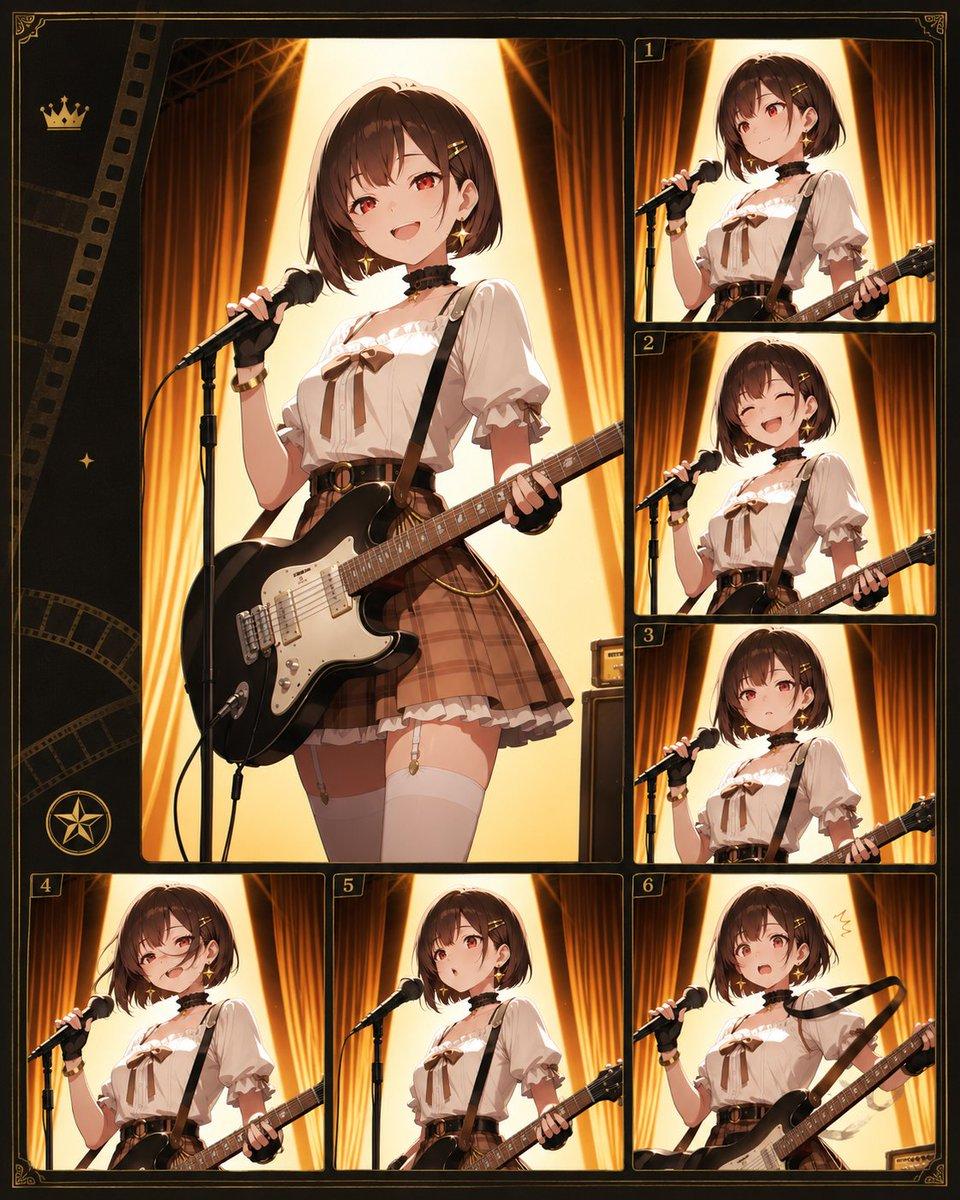
Goal: Create an ornate anime-style character contact sheet / film proof layout featuring {argument name="character name" default="Akari"}, a young female rock idol guitarist on a warm theater stage, with her face intentionally obscured by a soft square blur in every panel. Canvas: Vertical 4:5 poster, dark black-brown background with thin antique gold borders, decorative corner flourishes, subtle film-strip motifs along the left side, a small crown icon near the upper left, a small sparkle icon, and a circular star emblem near the lower left. Use a polished cinematic anime illustration style with warm amber lighting. Layout: Use exactly 7 image panels. Panel 1 is a large dominant portrait panel occupying the upper-left and center-left area. The other 6 panels are smaller alternate crops arranged as thumbnails: three stacked vertically on the right labeled 1, 2, 3, and three along the bottom labeled 4, 5, 6. Each panel has a thin gold frame, rounded corners, and small gold number plaques on the numbered thumbnails. Keep the layout slightly like a vintage film contact sheet or idol photo selection board. Subject details: The same character appears in all 7 panels. She has {argument name="hair color" default="short chestnut-brown bob hair"} with small hair clips, a black lace choker, earrings, and a cute stage outfit: ivory puff-sleeve blouse with ruffles and a brown ribbon bow at the chest, black suspenders, brown plaid high-waisted mini skirt with belt, white thigh-high stockings, and subtle gold accessories. She holds a {argument name="guitar color" default="black electric guitar with white pickguard"} on a shoulder strap and stands at a microphone on a stand. Her pose varies slightly across panels: holding the mic, gripping the guitar neck, angled toward the viewer, and performing as if singing. Background and lighting: In every panel, place her on a stage with tall golden curtains, strong vertical warm spotlight beams behind her, glowing amber backlight, and a few visible stage equipment details such as an amplifier at the edge. The atmosphere should feel like a dramatic live concert photo shoot. Panel count and visible elements: Include exactly 7 repeated character images total: 1 large main image plus 6 smaller numbered thumbnails labeled 1, 2, 3, 4, 5, and 6. Include exactly 1 crown icon, 1 circular star emblem, and decorative film-strip graphics on the left border. Constraints: Keep all text limited to the small numbers 1 through 6 only; do not add captions, logos, watermarks, or extra labels. Maintain consistent character design across all panels while allowing slightly different crops and poses. Use warm gold, black, cream, and brown as the main palette. The face must remain anonymized with a soft square blur in each panel.
Choose the primary action to open PicX Studio with the available template settings. Review the model and format, personalize the creative direction, and generate when ready.
Yes. You can change the subject, setting, lighting, mood, format, and available model controls before creating your image.
This template is free to open and customize. Generation usage is shown in PicX Studio before you create.
Start with GPT Image 2, which is the model associated with this template. You can compare another compatible model for a different finish.
© 2026 PicX Studio. All rights reserved.

Follow a topic to a crawlable collection of related PicX Studio templates.
43,474 public templates available. Verified via the PicX Studio public templates API; refreshed hourly.












![Minimalist Flat Vector Travel Poster — Premium minimalist flat-vector travel poster for {argument name="city name" default="[CITY_NAME]"}, 3:4 vertical format.](https://cms-assets.youmind.com/media/1787917359711_3ug846_HQX205cbMAA6F6S-300x400.jpg)





















![Face-to-Career Matching Composite Image Generator — {
"referenced_image_ids": ["<PASTE_INPUT_IMAGE_ID_HERE>"],
"size": "1024x1536",
"n": 1,
"prompt": "C](https://pbs.twimg.com/media/G96NyG-WoAA1YQk.jpg)





![Slow Motion Pour Food Photography Prompt for Nano Banana 2 — [DISH] at the precise moment of a dramatic [LIQUID] pour in ultra high-speed photography, liquid ca](https://pbs.twimg.com/media/HEbyM0QaUAAm4Pv.jpg)