How do I use the Cozy Bedroom Candid with Cat template?
Choose the primary action to open PicX Studio with the available template settings. Review the model and format, personalize the creative direction, and generate when ready.
Generates a photorealistic anonymized bedroom lifestyle portrait with warm lighting, casual clothing, and a sleeping orange cat. Change the subject, setting, or lighting one variable at a time.
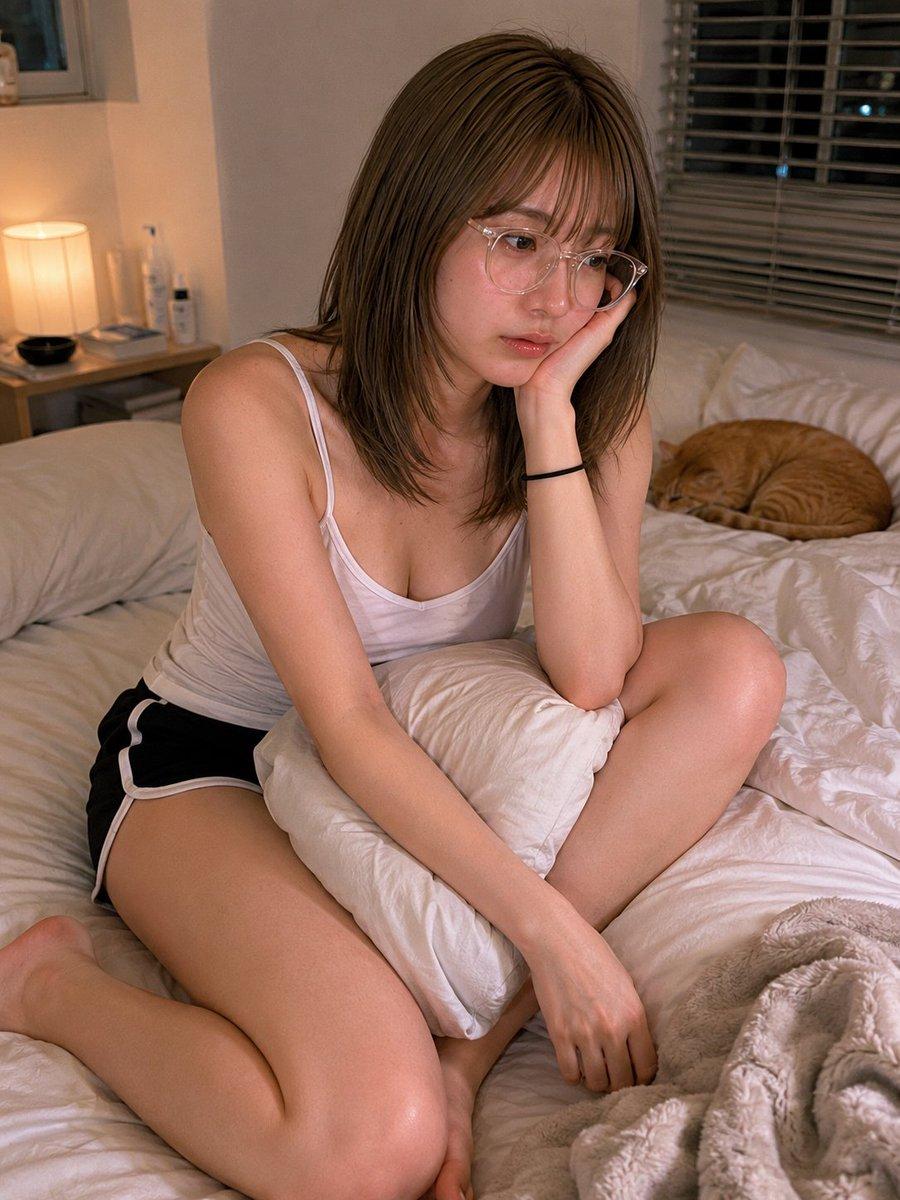
Create a realistic indoor lifestyle photograph in a cozy bedroom at night: an adult woman with {argument name="hair color" default="shoulder-length light brown hair"} sits casually on a messy white bed, posed with one knee bent forward and one leg folded to the side, leaning on her left hand with her elbow on a white pillow while her right arm rests down across the bedding. She wears a fitted white camisole tank top with thin straps, black athletic shorts with white trim, and a simple black hair tie on one wrist; a partial glimpse of eyeglass frames is visible at the edge of her face. Her face is intentionally anonymized by a centered solid square censor block in a muted brown skin-tone color, covering the entire facial area. In the background, include exactly 5 notable bedroom elements: a warm bedside table lamp glowing on the left, a small bedside table with toiletry bottles, a window with horizontal blinds behind her, rumpled white pillows and duvet across the bed, and one orange tabby cat curled up asleep on the right side of the bed. Use warm tungsten lighting mixed with soft dim ambient window light, natural skin texture, shallow depth of field, candid smartphone-photo realism, vertical 4:5 composition, intimate but non-explicit mood, no text, no watermark, no extra people.
Choose the primary action to open PicX Studio with the available template settings. Review the model and format, personalize the creative direction, and generate when ready.
Yes. You can change the subject, setting, lighting, mood, format, and available model controls before creating your image.
This template is free to open and customize. Generation usage is shown in PicX Studio before you create.
Start with GPT Image 2, which is the model associated with this template. You can compare another compatible model for a different finish.
© 2026 PicX Studio. All rights reserved.

Follow a topic to a crawlable collection of related PicX Studio templates.
43,474 public templates available. Verified via the PicX Studio public templates API; refreshed hourly.














![Minimalist Flat Vector Travel Poster — Premium minimalist flat-vector travel poster for {argument name="city name" default="[CITY_NAME]"}, 3:4 vertical format.](https://cms-assets.youmind.com/media/1787917359711_3ug846_HQX205cbMAA6F6S-300x400.jpg)



















![92-premium-marketing-shots-with-nano-banana — A high-end editorial photo of a [PRODUCT] placed flat on a [TEXTURED SURFACE], captured from a direct top-down vie](/_next/image?url=https%3A%2F%2Fcdn.picxstudio.com%2Fuploads%2Fpost92_img0_cd84004d-5efa-40c5-abdf-947da0ba10f5.jpg&w=828&q=100)







![Classical Realism Oil Painting Portrait Prompt — An oil painting portrait of a young girl [Use the uploaded image as reference] in classical realism…](https://pbs.twimg.com/media/HCWLgAcWUAAtJTv.jpg)