How do I use the Dreamy Overhead Swimsuit Portrait template?
Choose the primary action to open PicX Studio with the available template settings. Review the model and format, personalize the creative direction, and generate when ready.
This generates a soft, cinematic top-down fashion portrait of an anonymous woman in green water, ideal for editorial, moodboard, or nostalgic film-style imagery. Change the subject, setting, or lighting one variable at a time.
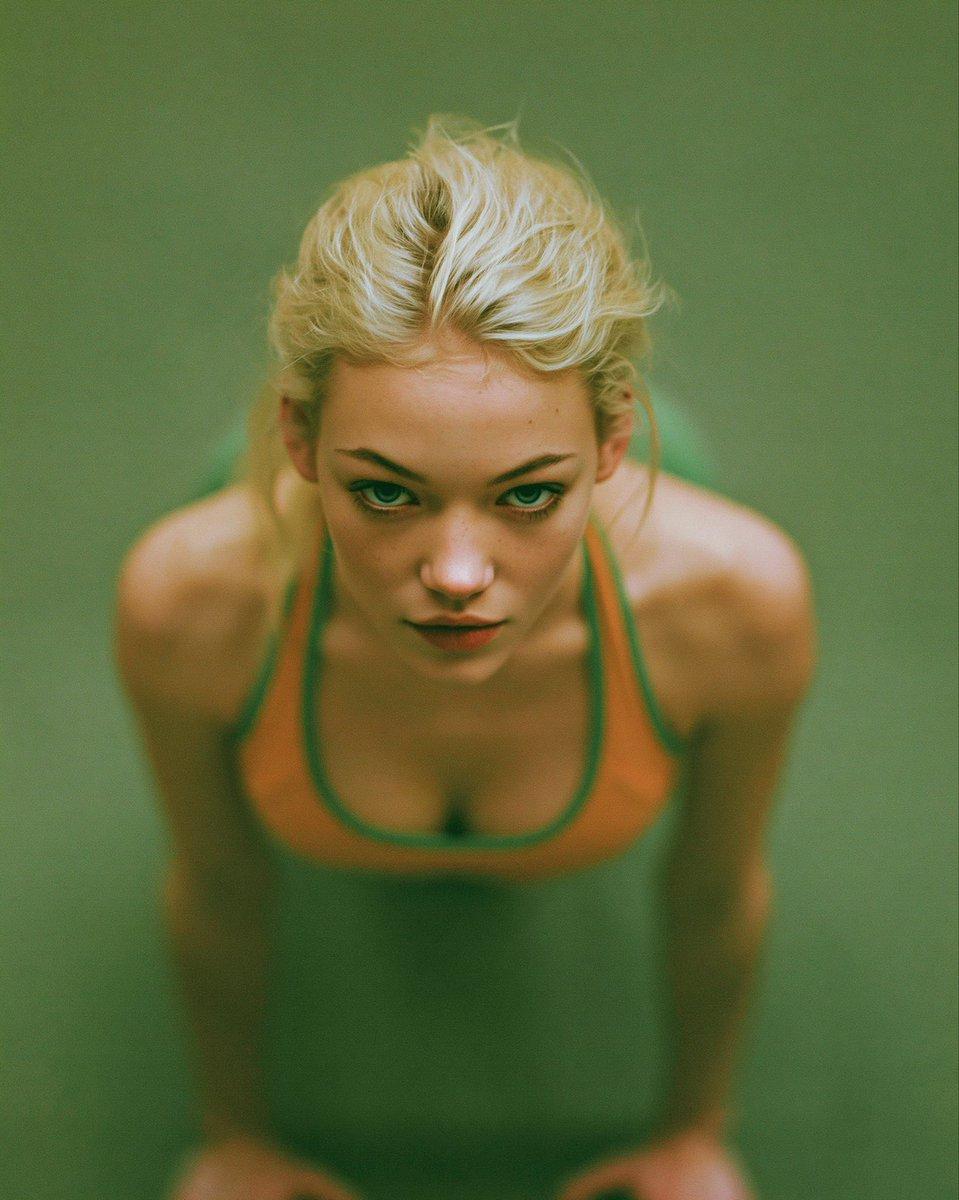
A moody, soft-focus overhead portrait of a young woman standing in still green water, shot from directly above with her head bowed slightly toward the camera. She has pale platinum-blonde hair pulled back into a loose, slightly messy updo with wispy strands and a visible center part. Her face is obscured and not visible, creating an anonymous editorial feel. She wears a one-piece swimsuit with a deep scoop neckline, in {argument name="swimsuit color" default="muted olive green"} with contrasting {argument name="trim color" default="burnt orange"} edging around the straps and neckline. Her shoulders and upper chest emerge above the waterline, with her arms descending straight down along her sides and the lower hands faintly visible near the bottom corners. Use a tight vertical composition centered on the torso and head, with the body symmetrical in frame against a uniform {argument name="water color" default="murky green"} background. Render it as a dreamy analog-fashion photograph with heavy blur, shallow detail, soft grain, low contrast, muted tones, subtle vignetting, and a nostalgic 35mm film look. The lighting is diffuse and overcast, with no hard shadows, emphasizing a melancholic, intimate, minimalist mood.
Choose the primary action to open PicX Studio with the available template settings. Review the model and format, personalize the creative direction, and generate when ready.
Yes. You can change the subject, setting, lighting, mood, format, and available model controls before creating your image.
This template is free to open and customize. Generation usage is shown in PicX Studio before you create.
Start with GPT Image 2, which is the model associated with this template. You can compare another compatible model for a different finish.
© 2026 PicX Studio. All rights reserved.

Follow a topic to a crawlable collection of related PicX Studio templates.
43,474 public templates available. Verified via the PicX Studio public templates API; refreshed hourly.




![118-google-nano-banana-pro-skincare-product- — A professional skincare shot of a [product container] with [cap/lid], labeled [brand, product, descriptor, volume](/_next/image?url=https%3A%2F%2Fcdn.picxstudio.com%2Fuploads%2Fpost118_img0_332898b8-29ea-42a9-87ab-9ed746a3f944.jpg&w=828&q=100)



![69-untitled — FORMAT: 15s / 145 BPM / 14 SHOTS
SUBJECT: @[image1]
WARDROBE: Clean modern outfit
ENVIRONMENT: Street / indoor transitions
MOOD: Discovery → contr](/_next/image?url=https%3A%2F%2Fcdn.picxstudio.com%2Fuploads%2Fpost69_img0_d45faecf-38c3-4bcb-81a4-f6eb1cf42bb2.jpg&w=828&q=100)















![Minimalist Flat Vector Travel Poster — Premium minimalist flat-vector travel poster for {argument name="city name" default="[CITY_NAME]"}, 3:4 vertical format.](https://cms-assets.youmind.com/media/1787917359711_3ug846_HQX205cbMAA6F6S-300x400.jpg)