

How do I use the Nico Robin Library Cosplay Portrait template?
Choose the primary action to open PicX Studio with the available template settings. Review the model and format, personalize the creative direction, and generate when ready.
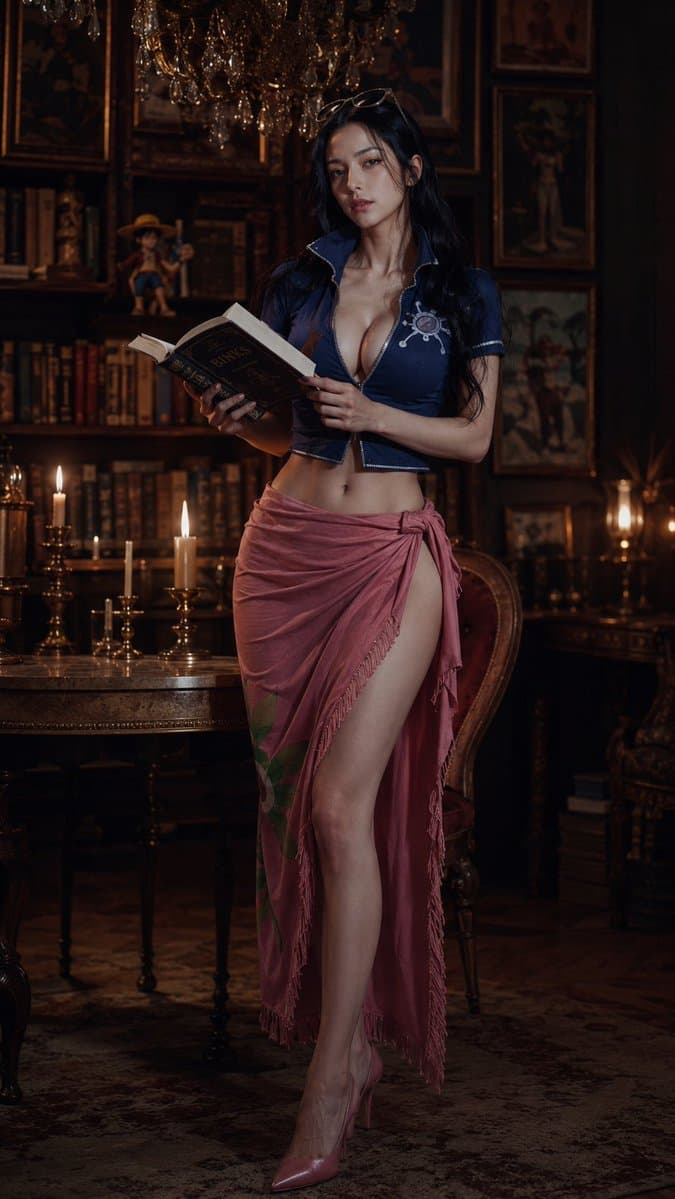
Generates a cinematic photorealistic full-body cosplay portrait of Nico Robin in a candlelit antique library for fashion or character-inspired imagery. (free to use) — Free AI image template on PicX Studio.
Create a photorealistic full-body fashion cosplay portrait of {argument name="character name" default="Nico Robin"} as an elegant adult woman standing in a dark antique library. She has very long {argument name="hair color" default="black"} wavy hair, sunglasses resting on top of her head, a confident relaxed posture, and is holding one open antique book with both hands as if reading. Her outfit is a deep navy cropped short-sleeve blouse with a wide popped collar, white trim, a small compass-like emblem on the chest, a plunging neckline, and a tied rose-pink sarong skirt with fringe and a high side slit revealing one leg, paired with glossy pink pointed high heels. The setting is a richly decorated old-world study with wooden bookshelves, framed classical paintings, an ornate chandelier overhead, a carved round wooden table, one upholstered chair, and warm candlelight; include exactly three visible lit candles on the table and one warm lamp or candle glow in the right background. Use moody cinematic lighting, warm amber highlights, deep shadows, shallow depth of field, luxurious vintage atmosphere, realistic skin texture, editorial photography composition, vertical 9:16 framing, full body visible from head to shoes, high detail, elegant and sensual but tasteful.
Use Nico Robin Library Cosplay Portrait to plan an AI image around gpt-image-2 generation, themes such as en and gpt-image-2. Match the preview's composition first, then personalize the subject, setting, and mood for your own project.
Use the primary action to load the template settings in PicX Studio.
Adjust the subject and creative details for your destination.
Create the image, compare the result with the preview, and refine one variable at a time.
A continuous mix — similar concepts first, woven with same-model prompts and fresh picks from the catalog.
Choose the primary action to open PicX Studio with the available template settings. Review the model and format, personalize the creative direction, and generate when ready.
Yes. You can change the subject, setting, lighting, mood, format, and available model controls before creating your image.
This template is free to open and customize. Generation usage is shown in PicX Studio before you create.
Start with gpt-image-2, which is the model associated with this template. You can compare another compatible model for a different finish.
A continuous mix — similar concepts first, woven with same-model prompts and fresh picks from the catalog.
Follow a topic to a crawlable collection of related PicX Studio templates.
36,410 public templates available. Verified via the PicX Studio public templates API; refreshed hourly.