How do I use the FN SCAR-L Tactical Spec Sheet template?
Choose the primary action to open PicX Studio with the available template settings. Review the model and format, personalize the creative direction, and generate when ready.
Generates a realistic military-style technical poster showing an FN SCAR-L rifle with labeled features, specifications, and modular conversion details. Change the subject, setting, or lighting one variable at a time.
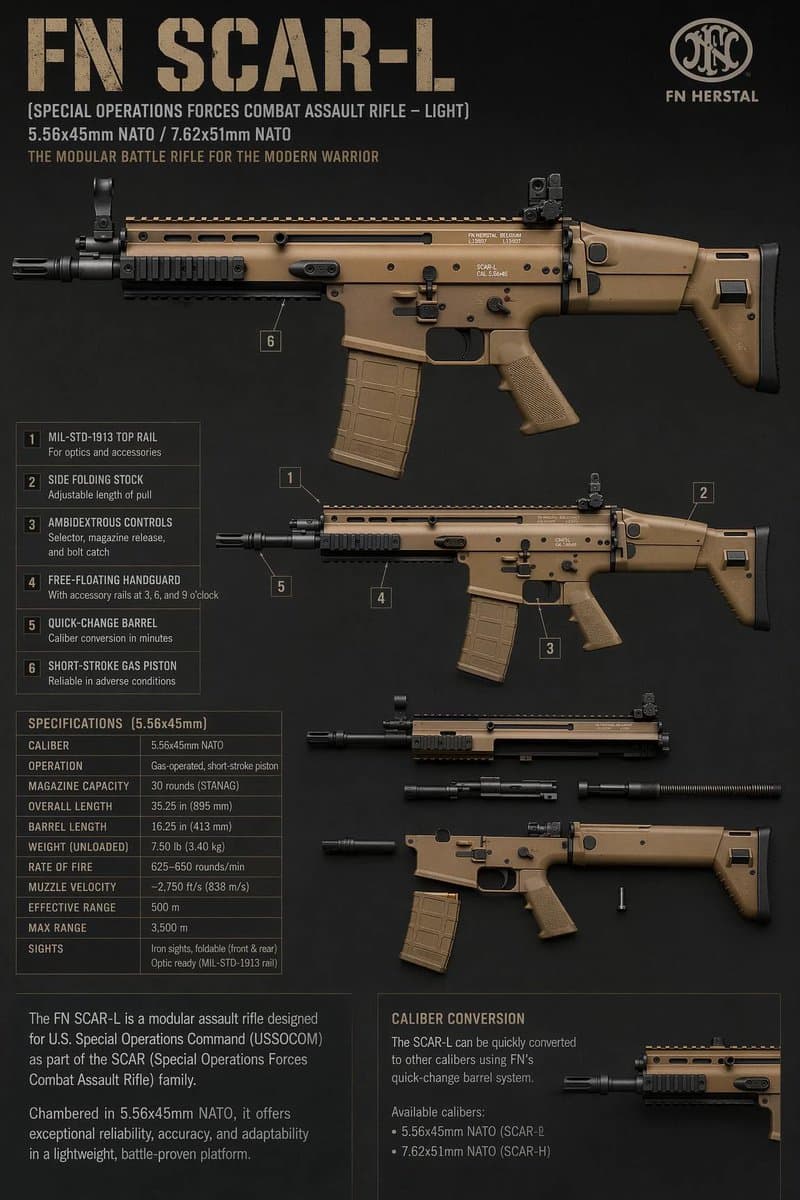
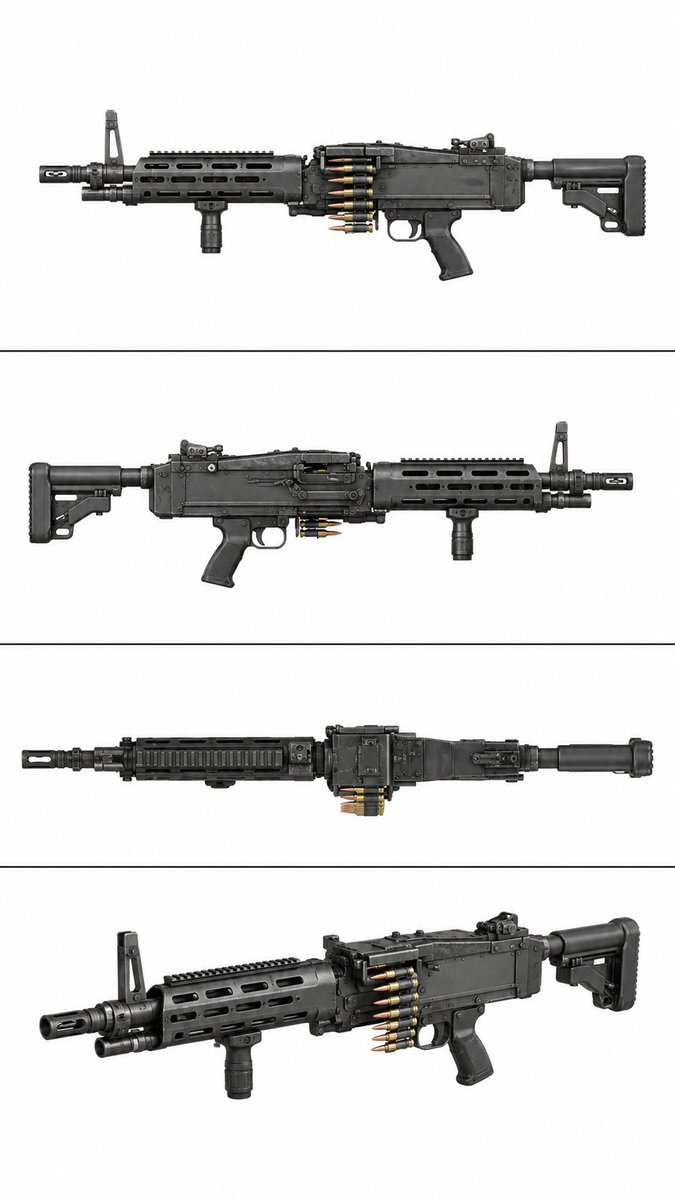
Goal: Create a dark tactical firearm character-sheet style technical poster for the {argument name="rifle model" default="FN SCAR-L"}, presented as a clean military product infographic. Canvas: Vertical 2:3 poster on a matte charcoal-black textured background, with worn tan stencil typography and thin muted-gray grid lines. Use realistic studio-rendered firearm illustrations in flat side profile, colored coyote tan and black, with subtle scratches, edge wear, and soft shadows. Header: At the top left, place a huge distressed stencil title reading “FN SCAR-L”. Beneath it, add three smaller lines: “[SPECIAL OPERATIONS FORCES COMBAT ASSAULT RIFLE – LIGHT]”, “{argument name="caliber line" default="5.56x45mm NATO / 7.62x51mm NATO"}”, and “{argument name="tagline" default="THE MODULAR BATTLE RIFLE FOR THE MODERN WARRIOR"}”. At the top right, include a circular FN monogram-style logo and the text “FN HERSTAL”. Main visual layout: Show exactly 4 firearm views/assemblies. 1) A large full-length left-facing side profile rifle spanning the upper half, dominant and highly detailed. 2) A smaller full rifle side profile beneath it on the right, used for numbered feature callouts. 3) A partially disassembled upper receiver and barrel assembly in the lower middle, with barrel components separated horizontally. 4) A lower receiver/stock assembly below it, with magazine removed and a small loose pin or screw nearby. Add one cropped rifle detail close-up at the bottom right inside the caliber conversion box. Feature callouts: Include exactly 6 numbered callouts with small square labels and fine leader lines pointing to rifle parts. The numbered list at left must read: 1 “MIL-STD-1913 TOP RAIL” with subtext “For optics and accessories”; 2 “SIDE FOLDING STOCK” with subtext “Adjustable length of pull”; 3 “AMBIDEXTROUS CONTROLS” with subtext “Selector, magazine release, and bolt catch”; 4 “FREE-FLOATING HANDGUARD” with subtext “With accessory rails at 3, 6, and 9 o’clock”; 5 “QUICK-CHANGE BARREL” with subtext “Caliber conversion in minutes”; 6 “SHORT-STROKE GAS PISTON” with subtext “Reliable in adverse conditions”. Specification table: Place a boxed table in the lower left titled “SPECIFICATIONS [5.56x45mm]”. Include exactly 10 rows: Caliber: 5.56x45mm NATO; Operation: Gas-operated, short-stroke piston; Magazine capacity: 30 rounds (STANAG); Overall length: 35.25 in (895 mm); Barrel length: 16.25 in (413 mm); Weight (unloaded): 7.50 lb (3.40 kg); Rate of fire: 625–650 rounds/min; Muzzle velocity: ~2,750 ft/s (838 m/s); Effective range: 500 m; Sights: Iron sights, foldable (front & rear), optic ready (MIL-STD-1913 rail). Bottom information panels: Add two boxed text panels along the bottom. Left panel: a short paragraph explaining that the FN SCAR-L is a modular assault rifle designed for U.S. Special Operations Command and chambered in 5.56x45mm NATO, emphasizing reliability, accuracy, adaptability, and lightweight battle-proven use. Right panel title: “CALIBER CONVERSION”, followed by text explaining quick conversion using FN’s quick-change barrel system and exactly 2 bullet calibers: “5.56x45mm NATO (SCAR-L)” and “7.62x51mm NATO (SCAR-H)”. Visual constraints: Keep all text in English, crisp and legible; use a professional weapon manual / defense catalog aesthetic; avoid people, hands, firing effects, flags, or clutter; maintain precise orthographic side views and a subdued black, tan, and gray color palette.
Choose the primary action to open PicX Studio with the available template settings. Review the model and format, personalize the creative direction, and generate when ready.
Yes. You can change the subject, setting, lighting, mood, format, and available model controls before creating your image.
This template is free to open and customize. Generation usage is shown in PicX Studio before you create.
Start with GPT Image 2, which is the model associated with this template. You can compare another compatible model for a different finish.
© 2026 PicX Studio. All rights reserved.

Follow a topic to a crawlable collection of related PicX Studio templates.
43,474 public templates available. Verified via the PicX Studio public templates API; refreshed hourly.


![Act as a Senior CGI Artist specializing in shrink wrap simulation and 3D — [BRAND NAME] + [COLOR]
Act as a Senior CGI Artist specializing in shrink wrap simula](https://images.meigen.ai/tweets/2039404183250522151/0.jpg)
![Act as a Senior CGI Artist and Brand Identity Director specializing — [BRAND NAME] + [COLOR]
Act as a Senior CGI Artist and Brand Identity Director specializin](https://images.meigen.ai/tweets/2039041297286053931/0.jpg)



![Act as a Senior Vector Graphic Designer specializing in Y2K Japanese — [BRAND NAME]
Act as a Senior Vector Graphic Designer specializing in Y2K Japanese street](https://images.meigen.ai/tweets/2040157426775724206/0.jpg)
![Act as a Senior CGI Artist and Brand Identity Director specializing — [BRAND NAME] + [METAL COLOR]
Act as a Senior CGI Artist and Brand Identity Director speci](https://images.meigen.ai/tweets/2045580765136920938/0.jpg)
![Movement Sheet - Dance Reference (Seedance 2.0) — [STYLE]
Monochrome grayscale illustration, 3D-rendered character, clean instructional reference sheet, white b](https://pbs.twimg.com/media/HGzSvcnboAA_bjD.jpg?name=orig)

![Act as a Senior Vector Graphic Designer specializing in Y2K Japanese — [BRAND NAME]
Act as a Senior Vector Graphic Designer specializing in Y2K Japanese street](https://images.meigen.ai/tweets/2040769988466733167/0.jpg)
![Act as a 3D Motion Graphics Director and CGI Type Artist specializing — [BRAND NAME] | [COLOR]
Act as a 3D Motion Graphics Director and CGI Type Artist special](https://images.meigen.ai/tweets/2044483455094845909/0.jpg)


![Minimalist Flat Vector Travel Poster — Premium minimalist flat-vector travel poster for {argument name="city name" default="[CITY_NAME]"}, 3:4 vertical format.](https://cms-assets.youmind.com/media/1787917359711_3ug846_HQX205cbMAA6F6S-300x400.jpg)