How do I use the Storm Mage Ultimate Attack Storyboard template?
Choose the primary action to open PicX Studio with the available template settings. Review the model and format, personalize the creative direction, and generate when ready.
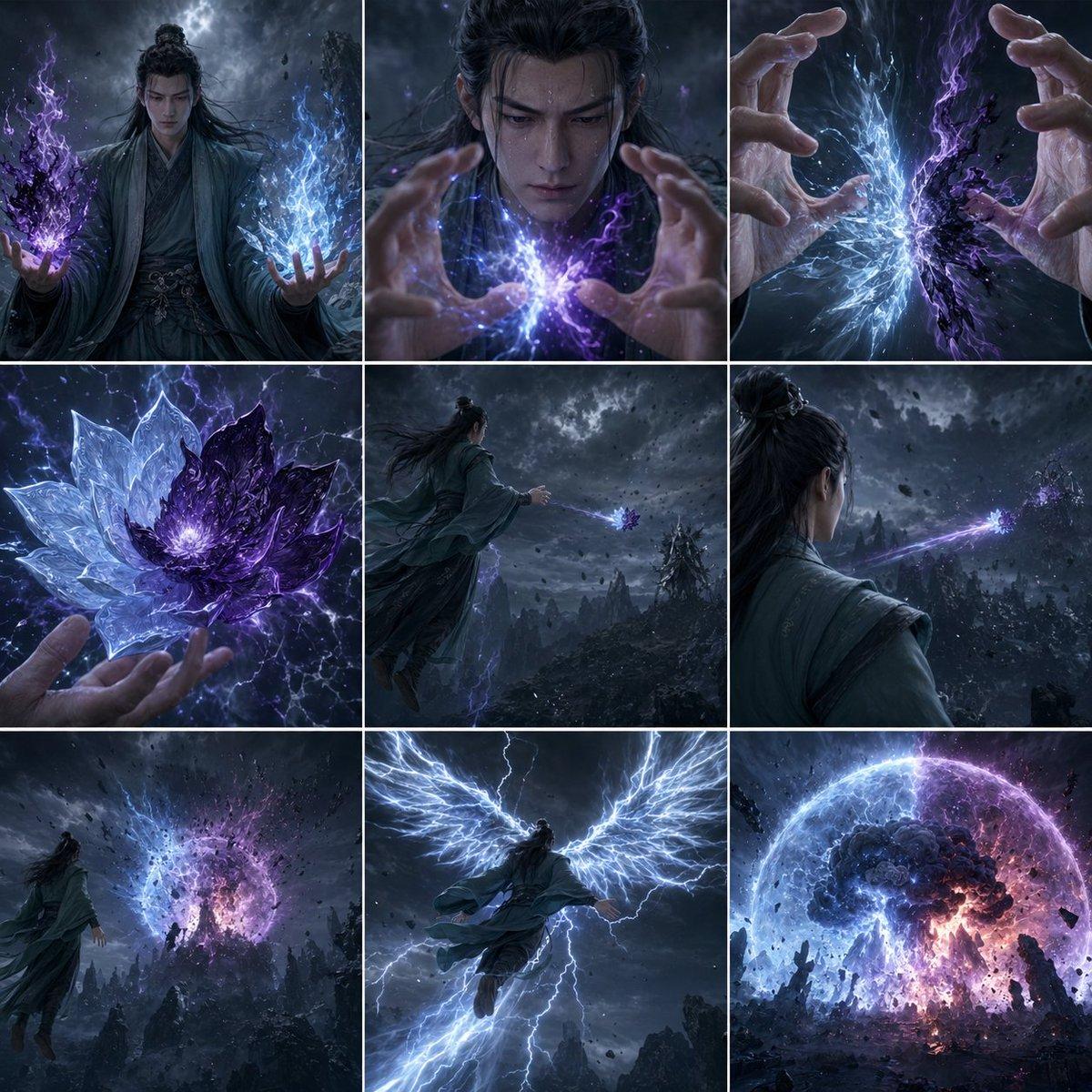
A 9-panel cinematic fantasy storyboard showing a robed cultivator forging a blue-and-purple lotus spell and unleashing it in a catastrophic mountain-shattering attack, ideal for action concept art or animation planning. (free to use) — Free AI image template on PicX Studio.
{"type":"cinematic fantasy storyboard grid","style":"dark xianxia-inspired high fantasy, ultra-detailed, dramatic storm lighting, blue and violet energy effects, realistic fabric and hands, moody volumetric clouds, sharp magical particles, widescreen film stills arranged in a square 3x3 contact sheet","subject":{"character":"a long-haired male cultivator in layered teal-gray robes with a topknot, seen as a lone warrior-mage in a mountainous wasteland","face":"obscured or de-emphasized, focus on pose and magic","magic":"ice-and-thunder spiritual energy combining luminous electric blue and deep purple destructive aura"},"layout":{"grid":{"rows":3,"columns":3,"count":9},"panels":[{"position":"top-left","description":"medium full-body shot of the cultivator facing forward under a stormy sky, left hand holding a crackling purple-black flame mass, right hand holding a bright icy-blue lightning mass, robes whipping in the wind"},{"position":"top-center","description":"tight chest-and-hands shot, both hands raised and shaping a dense collision of blue and purple lightning energy between the palms"},{"position":"top-right","description":"extreme close-up of two hands framing the spell as blue crystalline lightning and dark purple energy smash together at the center"},{"position":"middle-left","description":"close-up of the finished technique hovering above one palm: a 2-tone lotus made of translucent ice-blue petals on one side and jagged dark purple crystal petals on the other, glowing white at the core"},{"position":"middle-center","description":"rear three-quarter wide shot of the cultivator in midair or leaping forward, arm extended, releasing the lotus-shaped attack toward a distant mountain target beneath swirling black clouds"},{"position":"middle-right","description":"over-the-shoulder shot from behind as a thin violet beam or projectile trail streaks from the launched lotus across the valley toward a rocky peak"},{"position":"bottom-left","description":"wide shot of the target area as a huge spherical blue-and-purple energy bloom erupts above the mountains, debris and lightning spreading outward"},{"position":"bottom-center","description":"heroic rear view of the cultivator flying upward with gigantic wings of white-blue lightning unfurling from his back, body centered against the storm"},{"position":"bottom-right","description":"extreme wide final explosion: a colossal dome-shaped detonation with a blue outer shell and purple fiery core, resembling an apocalyptic magical mushroom cloud over shattered dark rock spires"}]},"environment":{"setting":"nighttime mountain battlefield with jagged stone peaks, heavy storm clouds, airborne debris, occasional lightning strikes","color_palette":["electric blue","violet","indigo","slate gray","black"]},"composition":"each panel separated by thin white gutters, consistent cinematic grading, escalating action from spell summoning to fusion, launch, flight, and massive impact","quality":"epic, polished, high contrast, highly detailed fantasy concept art, storyboard for a magical ultimate attack sequence"}
Use Storm Mage Ultimate Attack Storyboard to plan an AI image around gpt-image-2 generation, themes such as en and gpt-image-2. Match the preview's composition first, then personalize the subject, setting, and mood for your own project.
Use the primary action to load the template settings in PicX Studio.
Adjust the subject and creative details for your destination.
Create the image, compare the result with the preview, and refine one variable at a time.
A continuous mix — similar concepts first, woven with same-model prompts and fresh picks from the catalog.
Choose the primary action to open PicX Studio with the available template settings. Review the model and format, personalize the creative direction, and generate when ready.
Yes. You can change the subject, setting, lighting, mood, format, and available model controls before creating your image.
This template is free to open and customize. Generation usage is shown in PicX Studio before you create.
Start with gpt-image-2, which is the model associated with this template. You can compare another compatible model for a different finish.
A continuous mix — similar concepts first, woven with same-model prompts and fresh picks from the catalog.
Follow a topic to a crawlable collection of related PicX Studio templates.
36,410 public templates available. Verified via the PicX Studio public templates API; refreshed hourly.