How do I use the Shy Pink-Haired Guitarist Anime Portrait template?
Choose the primary action to open PicX Studio with the available template settings. Review the model and format, personalize the creative direction, and generate when ready.
Generates a soft anime portrait of a nervous pink-haired guitarist in a sunlit rehearsal room, ideal for character art or music-themed illustrations. Change the subject, setting, or lighting one variable at a time.
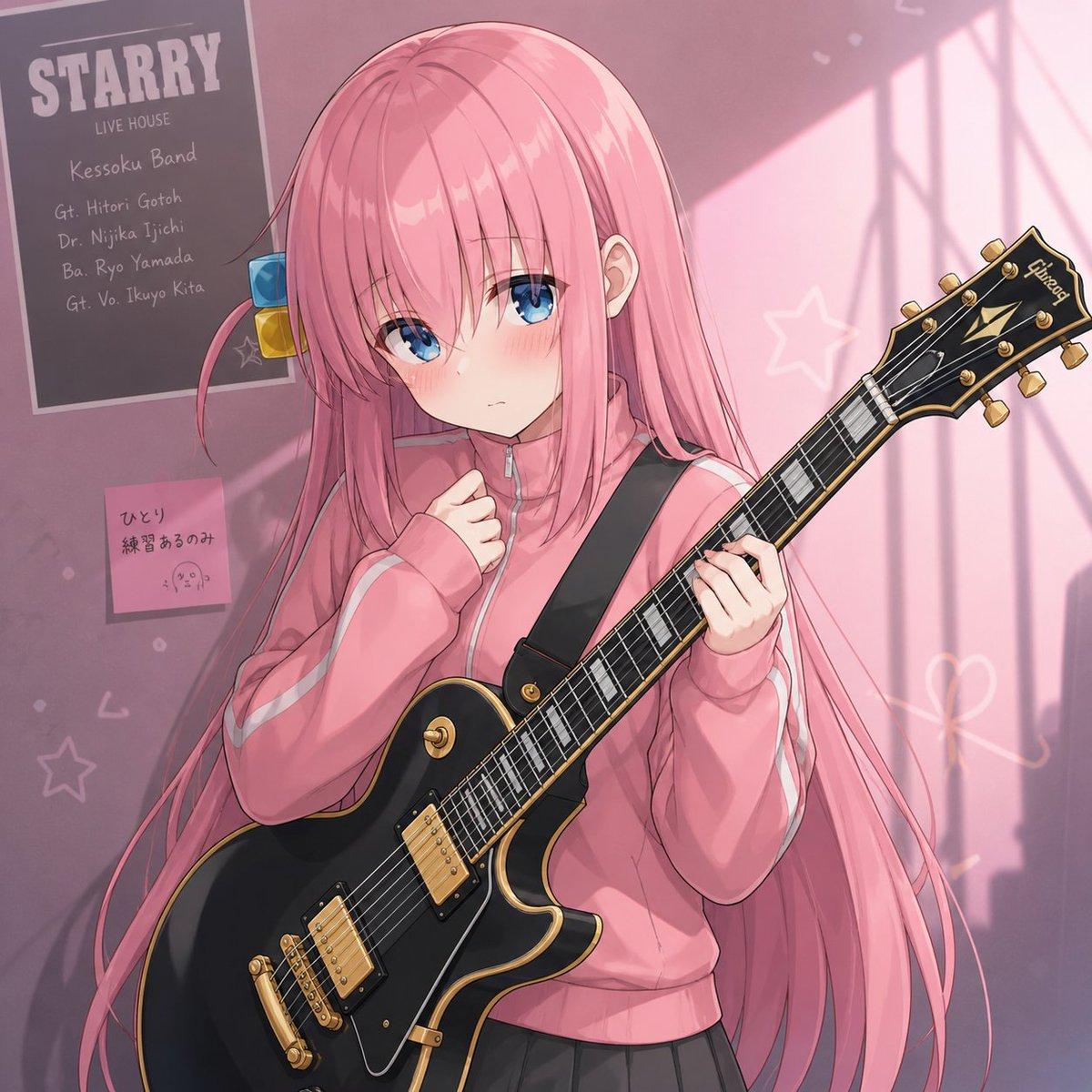
Create a polished anime-style square illustration of {argument name="character name" default="Hitori Gotoh"}, a shy teenage girl with very long straight {argument name="hair color" default="pink"} hair and blue eyes, blushing with a nervous, downcast expression. She stands indoors in a soft pink rehearsal-room or bedroom setting, wearing an oversized {argument name="tracksuit color" default="pink"} zip-up tracksuit jacket with pale sleeve stripes and a black skirt, holding a black single-cut electric guitar with gold hardware, cream binding, humbucker pickups, and a black shoulder strap. Her left hand grips the guitar neck while her right hand is held anxiously near her chest, emphasizing introverted stage fright. The background is a mauve-pink wall with warm sunlight streaming in from the right, casting window-frame shadows and a gentle nostalgic glow. Include exactly 2 wall items on the left: one dark concert poster reading {argument name="poster headline" default="STARRY"} with smaller band-list text beneath it, and one small pink sticky note with handwritten Japanese practice text and a tiny doodle. Add subtle hand-drawn star and heart outlines on the wall, soft bokeh dust, delicate cel shading, glossy hair highlights, detailed guitar reflections, and a high-quality modern anime key-visual finish.
Choose the primary action to open PicX Studio with the available template settings. Review the model and format, personalize the creative direction, and generate when ready.
Yes. You can change the subject, setting, lighting, mood, format, and available model controls before creating your image.
This template is free to open and customize. Generation usage is shown in PicX Studio before you create.
Start with GPT Image 2, which is the model associated with this template. You can compare another compatible model for a different finish.
© 2026 PicX Studio. All rights reserved.

Follow a topic to a crawlable collection of related PicX Studio templates.
43,474 public templates available. Verified via the PicX Studio public templates API; refreshed hourly.












![Minimalist Flat Vector Travel Poster — Premium minimalist flat-vector travel poster for {argument name="city name" default="[CITY_NAME]"}, 3:4 vertical format.](https://cms-assets.youmind.com/media/1787917359711_3ug846_HQX205cbMAA6F6S-300x400.jpg)