How do I use the Italian Vintage Kitchen Portrait template?
Choose the primary action to open PicX Studio with the available template settings. Review the model and format, personalize the creative direction, and generate when ready.
A cinematic and warm prompt capturing an Italian woman in a rustic kitchen, holding a rotary phone among lemons and Mediterranean light. Change the subject, setting, or lighting one variable at a time.

Create a {argument name="subject" default="beautiful young Italian woman with olive-fair skin, warm brown eyes, and curly dark bob hair"}. She wears a {argument name="outfit" default="luxurious terracotta linen dress with embroidered sleeves, vintage pearl earrings, and a cream head scarf"}. She is laughing while holding an {argument name="prop" default="avocado green rotary telephone"} beside an old marble kitchen counter filled with fresh lemons, herbs, espresso cups, and handmade pasta. Background features colorful ceramic tiles, rustic wooden shelves, Mediterranean sunlight, and warm earthy tones. Luxury lifestyle editorial, Dolce Vita aesthetic, cinematic realism, Leica photography, ultra photorealistic.
Choose the primary action to open PicX Studio with the available template settings. Review the model and format, personalize the creative direction, and generate when ready.
Yes. You can change the subject, setting, lighting, mood, format, and available model controls before creating your image.
This template is free to open and customize. Generation usage is shown in PicX Studio before you create.
Start with GPT Image 2, which is the model associated with this template. You can compare another compatible model for a different finish.
© 2026 PicX Studio. All rights reserved.

Follow a topic to a crawlable collection of related PicX Studio templates.
43,474 public templates available. Verified via the PicX Studio public templates API; refreshed hourly.


















![69-untitled — FORMAT: 15s / 145 BPM / 14 SHOTS
SUBJECT: @[image1]
WARDROBE: Clean modern outfit
ENVIRONMENT: Street / indoor transitions
MOOD: Discovery → contr](/_next/image?url=https%3A%2F%2Fcdn.picxstudio.com%2Fuploads%2Fpost69_img0_d45faecf-38c3-4bcb-81a4-f6eb1cf42bb2.jpg&w=828&q=100)

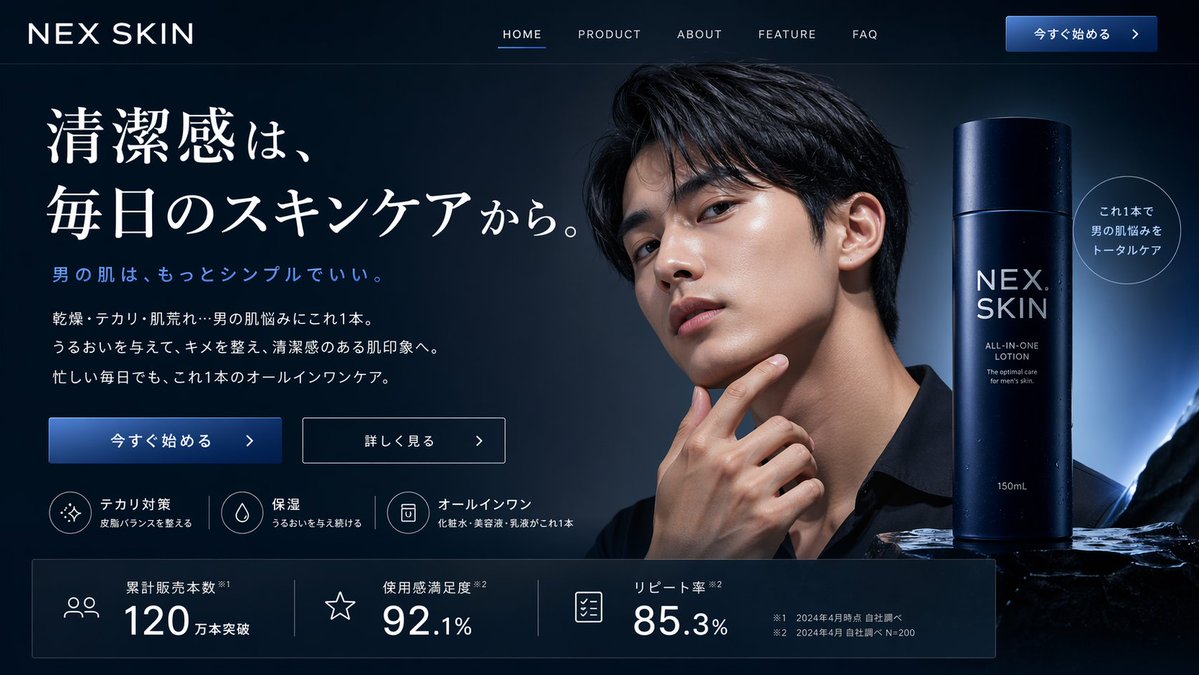
![118-google-nano-banana-pro-skincare-product- — A professional skincare shot of a [product container] with [cap/lid], labeled [brand, product, descriptor, volume](/_next/image?url=https%3A%2F%2Fcdn.picxstudio.com%2Fuploads%2Fpost118_img0_332898b8-29ea-42a9-87ab-9ed746a3f944.jpg&w=828&q=100)





![Minimalist Flat Vector Travel Poster — Premium minimalist flat-vector travel poster for {argument name="city name" default="[CITY_NAME]"}, 3:4 vertical format.](https://cms-assets.youmind.com/media/1787917359711_3ug846_HQX205cbMAA6F6S-300x400.jpg)
























![92-premium-marketing-shots-with-nano-banana — A high-end editorial photo of a [PRODUCT] placed flat on a [TEXTURED SURFACE], captured from a direct top-down vie](/_next/image?url=https%3A%2F%2Fcdn.picxstudio.com%2Fuploads%2Fpost92_img0_cd84004d-5efa-40c5-abdf-947da0ba10f5.jpg&w=828&q=100)



![Double Exposure Cinematic Character Poster — 生成一张{argument name="人物名称" default="[游戏或动漫人物名称]"}的经典战斗姿态的图片,要有电影级人物海报的感觉…](https://cms-assets.youmind.com/media/1777625683877_i7attj_HHKvCQQbEAAfk4Y.jpg)

![Color Splash Food Advertisement — High-energy advertisement of {argument name="food item" default="[FOOD]"} with bold paint-like color splashes frozen mid-motio](https://pbs.twimg.com/media/G_bwSzcbYAA4J0w.jpg)


![Surreal Bioluminescent Vine Fantasy — In a hidden realm where flora and fauna merge into living illusions, depict a {argument name="subject" default="[subject]"](https://pbs.twimg.com/media/G9_1fAXXEAA0DbV.jpg)





![Epic Car Chase Action Shot — action shot of all 5 [character references] in an epic car chase, Onomatopoeia style graphic punctuates the action, cinematic shot](https://pbs.twimg.com/media/HCPwDDlXYAA7UGp.jpg)