How do I use the Candlelit Luxury Perfume Ad template?
Choose the primary action to open PicX Studio with the available template settings. Review the model and format, personalize the creative direction, and generate when ready.
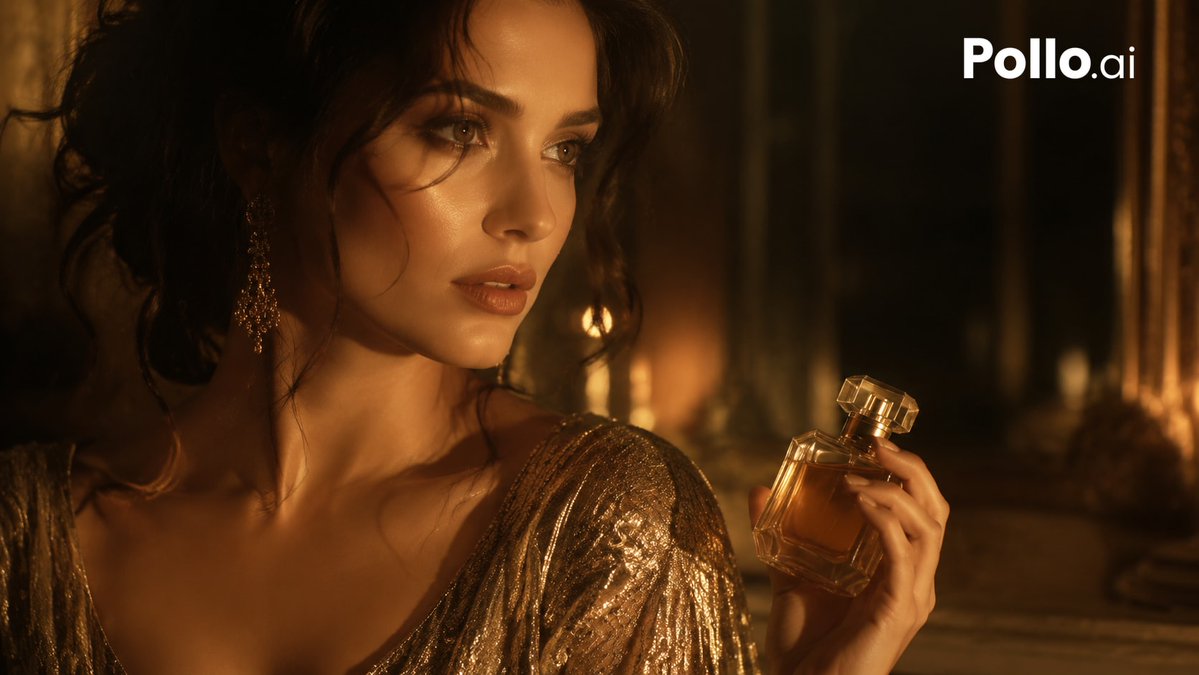
A cinematic close-up perfume advertisement featuring a glamorous woman in gold holding an amber bottle in warm candlelight. (free to use) — Free AI image template on PicX Studio.
Create a cinematic luxury perfume advertisement still in a warm, dark, candlelit interior. Show a glamorous {argument name="subject" default="woman"} in close-up from the chest up, positioned slightly left of center, with her face intentionally obscured by a large solid medium-brown rectangular block covering the central upper face area. She has dark wavy hair pinned loosely with strands falling around her neck, wears long sparkling gold chandelier earrings, and a shimmering metallic gold evening dress with pleated sequins and a low neckline. Her right hand is raised near the right side of the frame holding an elegant faceted rectangular glass perfume bottle filled with amber liquid, with a geometric gold cap catching the light. Use {argument name="lighting style" default="golden candlelight"}, shallow depth of field, soft bokeh flames in the background, dark reflective walls, and a sensual high-fashion editorial mood. Add a small white “Pollo.ai” watermark in the top-right corner. Horizontal 16:9 composition, photorealistic, cinematic color grading, rich amber and bronze tones, no extra text.
Use Candlelit Luxury Perfume Ad to plan an AI image around gpt-image-2 generation, themes such as en and gpt-image-2. Match the preview's composition first, then personalize the subject, setting, and mood for your own project.
Use the primary action to load the template settings in PicX Studio.
Adjust the subject and creative details for your destination.
Create the image, compare the result with the preview, and refine one variable at a time.
A continuous mix — similar concepts first, woven with same-model prompts and fresh picks from the catalog.
Choose the primary action to open PicX Studio with the available template settings. Review the model and format, personalize the creative direction, and generate when ready.
Yes. You can change the subject, setting, lighting, mood, format, and available model controls before creating your image.
This template is free to open and customize. Generation usage is shown in PicX Studio before you create.
Start with gpt-image-2, which is the model associated with this template. You can compare another compatible model for a different finish.
A continuous mix — similar concepts first, woven with same-model prompts and fresh picks from the catalog.
Follow a topic to a crawlable collection of related PicX Studio templates.
28,404 public templates available. Verified via the PicX Studio public templates API; refreshed hourly.