How do I use the Fisheye Urban Tiny Planet Shot template?
Choose the primary action to open PicX Studio with the available template settings. Review the model and format, personalize the creative direction, and generate when ready.
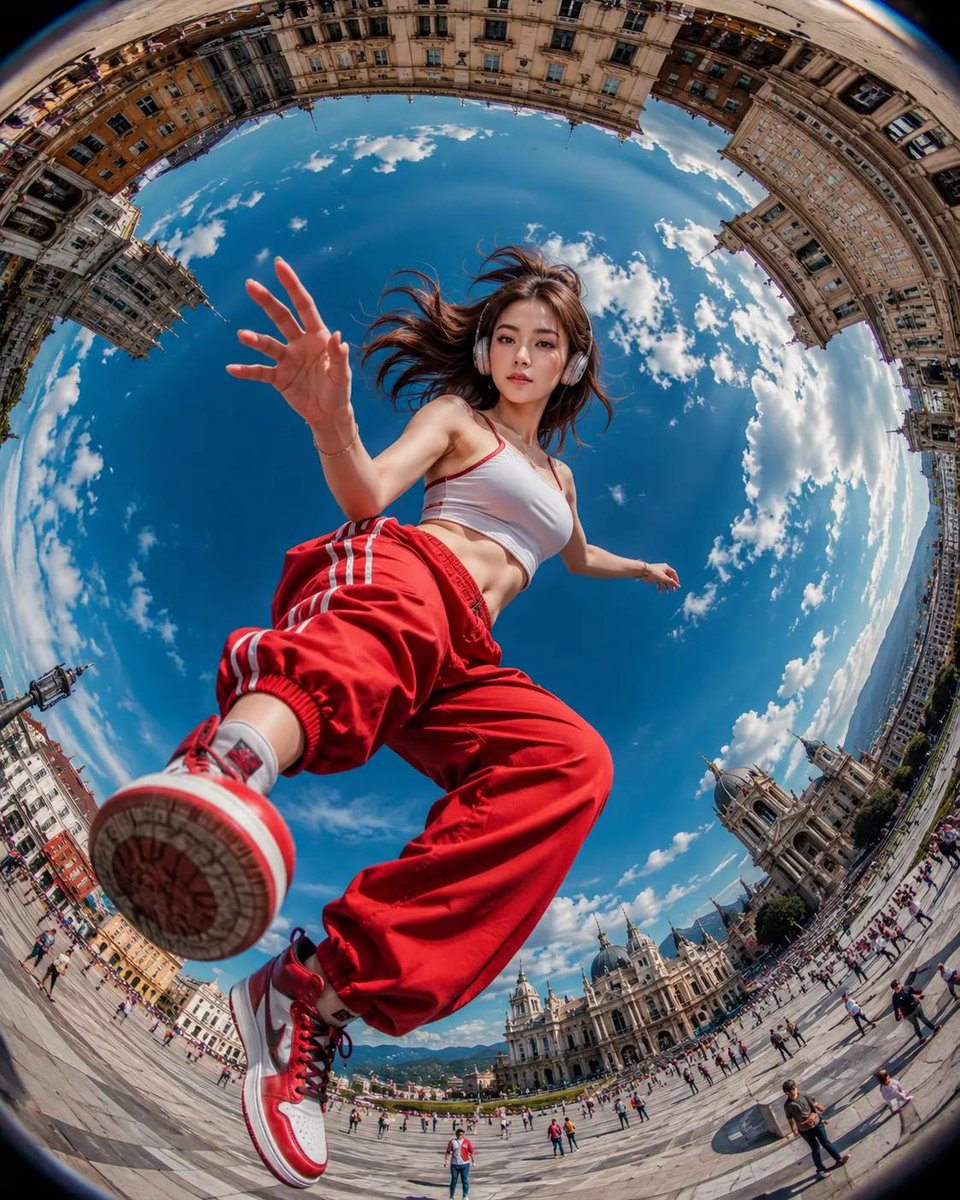
A dynamic urban action shot using an extreme fisheye lens perspective, creating a 'tiny planet' effect with historic architecture. (free to use) — Free AI image template on PicX Studio.
Ultra-realistic action photography, {argument name="lens" default="extreme fisheye lens (8mm)"}, worm’s-eye view from ground level, dynamic urban plaza scene. A {argument name="subject" default="stylish young woman"} appears to be stepping over the camera, one sneaker sole dominating the foreground, hand reaching toward the lens. She wears {argument name="outfit" default="oversized red track pants with white side stripes, a fitted white crop top, red-and-white high-top sneakers, and silver headphones"}. Wind-blown dark hair, natural beauty, confident expression. Massive circular “tiny planet” perspective with historic European architecture curving around the edges of the frame, bright blue sky filled with fluffy white clouds at the center. Cinematic composition, dramatic distortion, ultra-wide angle, vibrant colors, sharp focus, HDR, photorealistic, highly detailed skin texture, travel photography aesthetic, motion energy, depth and scale, 8K resolution, professional DSLR quality, masterpiece, Instagram viral shot.
Use Fisheye Urban Tiny Planet Shot to plan an AI image around gpt-image-2 generation, themes such as en and gpt-image-2. Match the preview's composition first, then personalize the subject, setting, and mood for your own project.
Use the primary action to load the template settings in PicX Studio.
Adjust the subject and creative details for your destination.
Create the image, compare the result with the preview, and refine one variable at a time.
A continuous mix — similar concepts first, woven with same-model prompts and fresh picks from the catalog.
Choose the primary action to open PicX Studio with the available template settings. Review the model and format, personalize the creative direction, and generate when ready.
Yes. You can change the subject, setting, lighting, mood, format, and available model controls before creating your image.
This template is free to open and customize. Generation usage is shown in PicX Studio before you create.
Start with gpt-image-2, which is the model associated with this template. You can compare another compatible model for a different finish.
Follow a topic to a crawlable collection of related PicX Studio templates.
39,157 public templates available. Verified via the PicX Studio public templates API; refreshed hourly.
A continuous mix — similar concepts first, woven with same-model prompts and fresh picks from the catalog.