How do I use the Anime Sakura Thank-You Portrait template?
Choose the primary action to open PicX Studio with the available template settings. Review the model and format, personalize the creative direction, and generate when ready.
This generates a pastel anime-style spring portrait of a twin-tailed girl holding a celebratory follower-thank-you sign, ideal for social posts or milestone announcements. Change the subject, setting, or lighting one variable at a time.
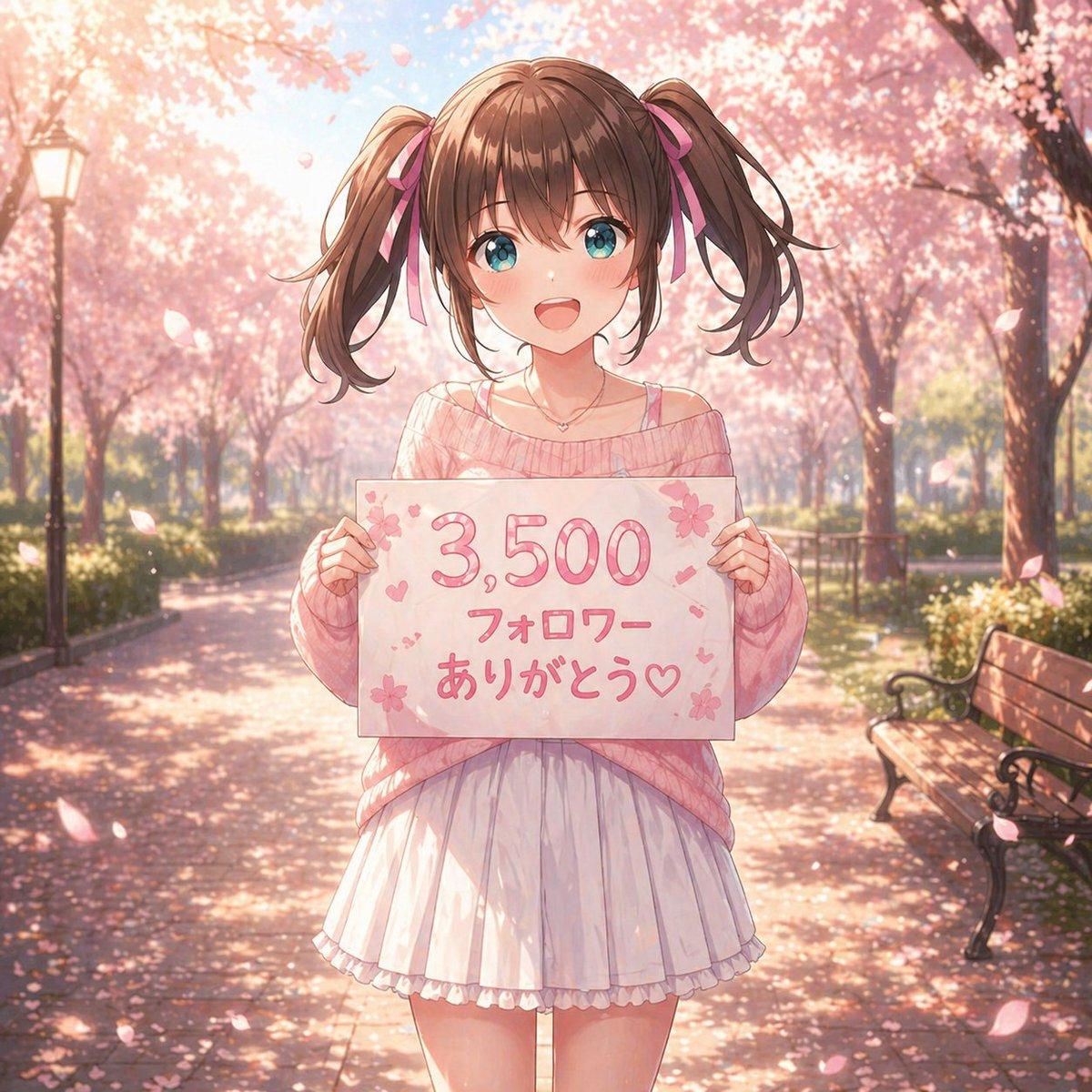
A soft, dreamy anime illustration of a cute teenage girl standing centered on a park path lined with blooming cherry blossom trees in full spring. She faces the viewer and holds a handmade white sign at chest height with the Japanese text {argument name="sign text" default="3,500 フォロワー ありがとう♡"} written in large rounded pink lettering, decorated with small sakura flowers, hearts, and tiny confetti-like marks. The girl has {argument name="hair color" default="medium brown"} hair styled in high twin ponytails tied with pink ribbons, straight-cut bangs, and loose curled ends. Her face is intentionally blank and featureless, a smooth shaded skin-toned oval with no eyes, nose, or mouth. She wears an oversized off-shoulder knit sweater in {argument name="sweater color" default="pastel pink"}, with a thin camisole strap visible on one shoulder, a short white pleated skirt with a soft ruffled hem, and a delicate small necklace. Her pose is gentle and symmetrical, both hands gripping the left and right edges of the sign. The setting is a sunlit sakura avenue with 2 visible benches on the right side and 1 vintage lamppost on the left, petals drifting through the air and scattered across the ground. Use warm backlighting, soft bloom, shallow depth of field, pastel pink and cream tones, romantic seasonal atmosphere, highly detailed anime rendering, polished linework, glossy hair highlights, subtle fabric folds, and a celebratory social-media thank-you mood.
Choose the primary action to open PicX Studio with the available template settings. Review the model and format, personalize the creative direction, and generate when ready.
Yes. You can change the subject, setting, lighting, mood, format, and available model controls before creating your image.
This template is free to open and customize. Generation usage is shown in PicX Studio before you create.
Start with GPT Image 2, which is the model associated with this template. You can compare another compatible model for a different finish.
© 2026 PicX Studio. All rights reserved.

Follow a topic to a crawlable collection of related PicX Studio templates.
43,474 public templates available. Verified via the PicX Studio public templates API; refreshed hourly.




![69-untitled — FORMAT: 15s / 145 BPM / 14 SHOTS
SUBJECT: @[image1]
WARDROBE: Clean modern outfit
ENVIRONMENT: Street / indoor transitions
MOOD: Discovery → contr](/_next/image?url=https%3A%2F%2Fcdn.picxstudio.com%2Fuploads%2Fpost69_img0_d45faecf-38c3-4bcb-81a4-f6eb1cf42bb2.jpg&w=828&q=100)

















![Minimalist Flat Vector Travel Poster — Premium minimalist flat-vector travel poster for {argument name="city name" default="[CITY_NAME]"}, 3:4 vertical format.](https://cms-assets.youmind.com/media/1787917359711_3ug846_HQX205cbMAA6F6S-300x400.jpg)





























![Poster-Ready Editorial Portrait of a Music Star — A high-fashion, editorial-style portrait of {argument name="music star" default="[MUSIC_STAR]"}, captured in a](https://pbs.twimg.com/media/G_7ynAbXEAAXIXp.png)