How do I use the Backstage Cosplayer Portrait template?
Choose the primary action to open PicX Studio with the available template settings. Review the model and format, personalize the creative direction, and generate when ready.
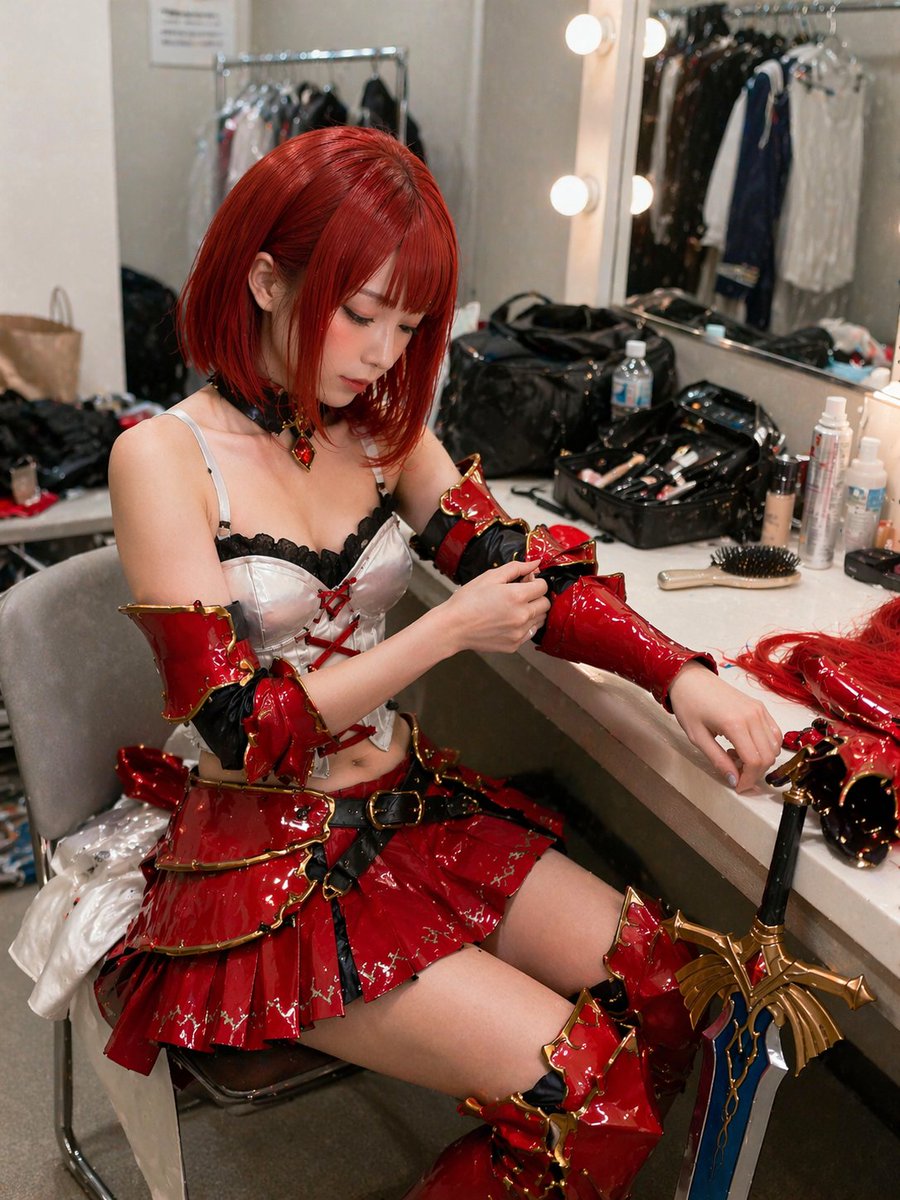
A realistic photograph of a cosplayer adjusting her intricate fantasy armor in a cluttered dressing room. (free to use) — Free AI image template on PicX Studio.
A highly detailed, realistic photograph of a young East Asian woman sitting in a cluttered backstage dressing room, getting ready for a cosplay event. She has {argument name="hair color" default="vibrant short red"} hair styled in a bob with bangs and is wearing an elaborate fantasy warrior costume featuring a {argument name="costume color" default="glossy red"} and gold tiered mini skirt, a white corset top with black lace and red lacing, matching glossy arm guards, and thigh-high boots. She is looking down with a focused expression, using her right hand to adjust the arm guard on her left arm. The vanity counter in front of her is messy, covered with makeup brushes, bottles, a hairbrush, and extra hairpieces. A large, ornate {argument name="prop" default="fantasy sword with a blue blade and gold hilt"} leans against the edge of the counter. The background shows a brightly lit vanity mirror with round bulbs reflecting a clothing rack, capturing a candid, slightly over-sharpened, and highly textured photographic style.
Use Backstage Cosplayer Portrait to plan an AI image around gpt-image-2 generation, themes such as en and gpt-image-2. Match the preview's composition first, then personalize the subject, setting, and mood for your own project.
Use the primary action to load the template settings in PicX Studio.
Adjust the subject and creative details for your destination.
Create the image, compare the result with the preview, and refine one variable at a time.
A continuous mix — similar concepts first, woven with same-model prompts and fresh picks from the catalog.
Choose the primary action to open PicX Studio with the available template settings. Review the model and format, personalize the creative direction, and generate when ready.
Yes. You can change the subject, setting, lighting, mood, format, and available model controls before creating your image.
This template is free to open and customize. Generation usage is shown in PicX Studio before you create.
Start with gpt-image-2, which is the model associated with this template. You can compare another compatible model for a different finish.
Follow a topic to a crawlable collection of related PicX Studio templates.
39,157 public templates available. Verified via the PicX Studio public templates API; refreshed hourly.
A continuous mix — similar concepts first, woven with same-model prompts and fresh picks from the catalog.