How do I use the Stylish Korean Woman Street Style template?
Choose the primary action to open PicX Studio with the available template settings. Review the model and format, personalize the creative direction, and generate when ready.
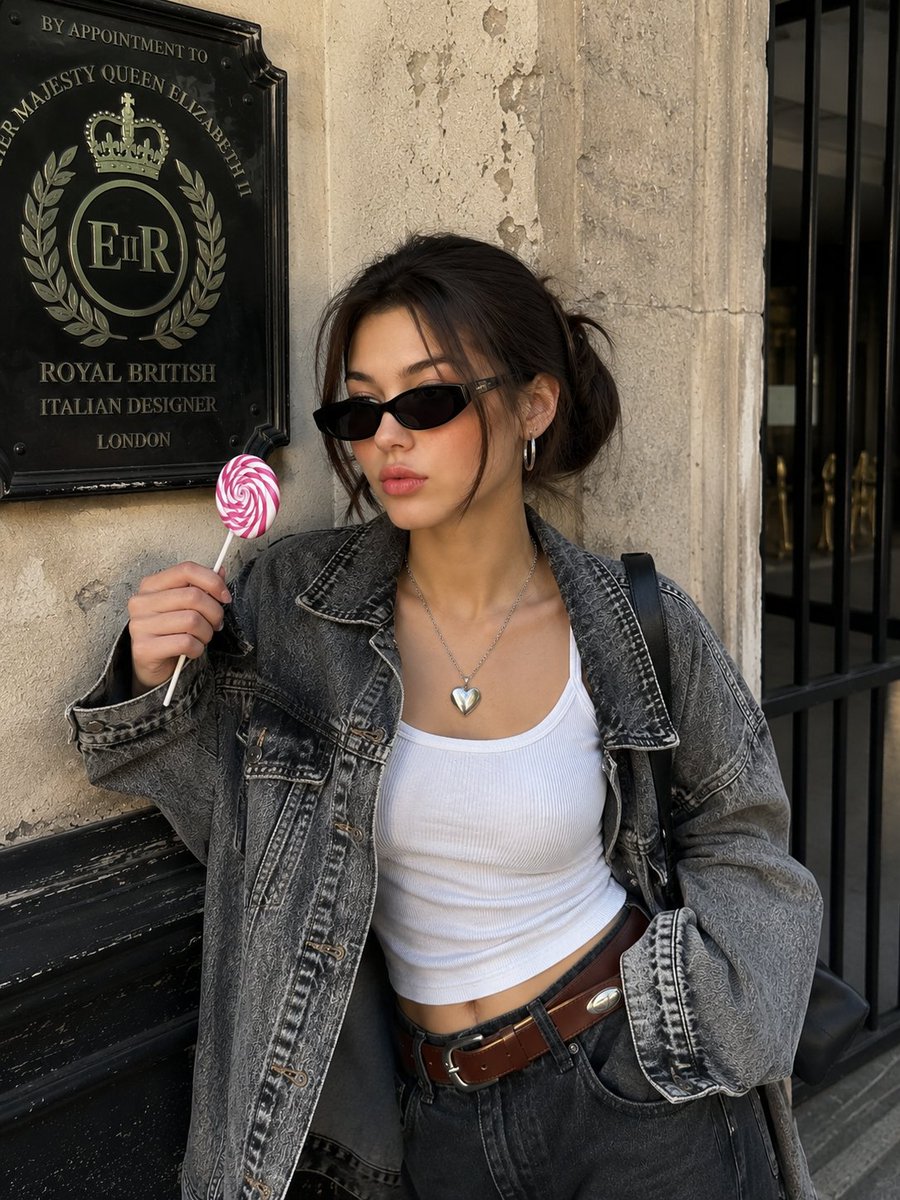
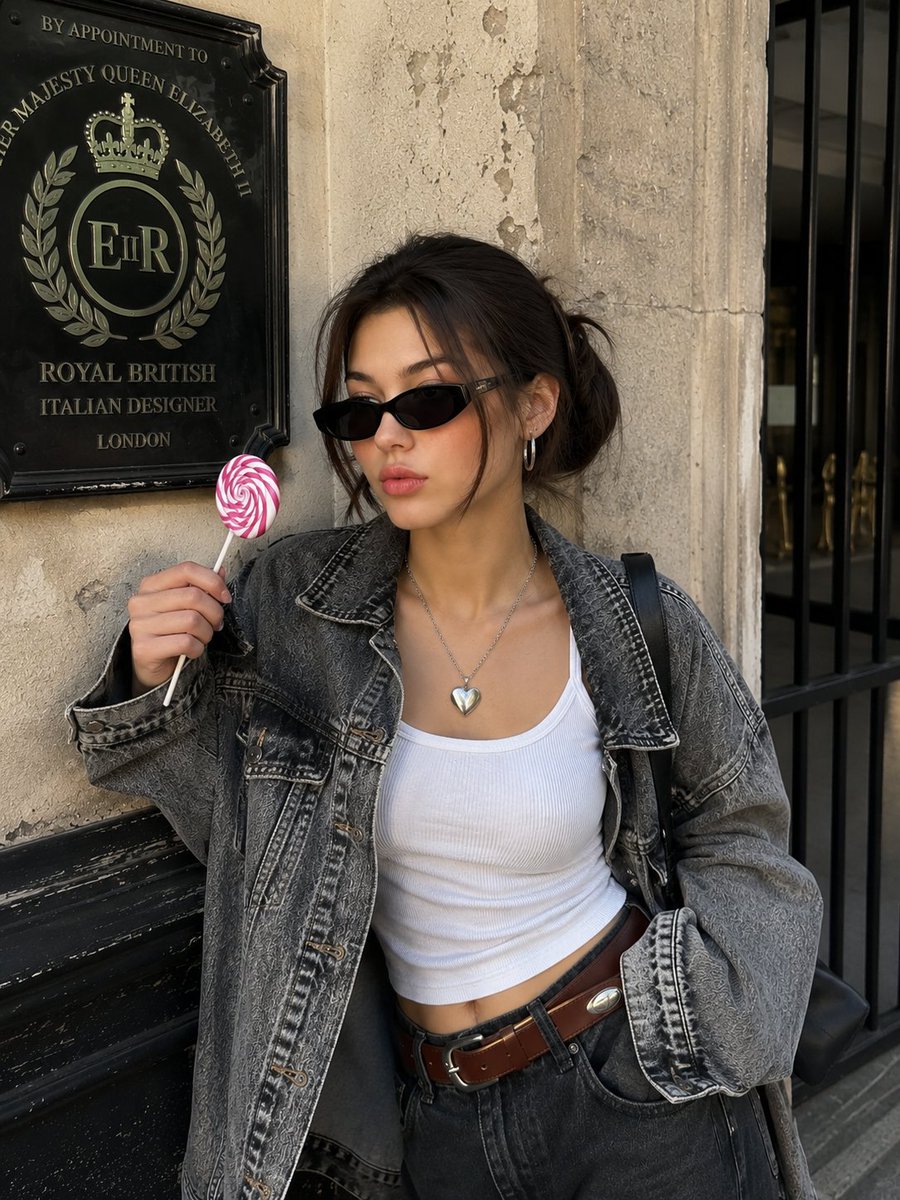
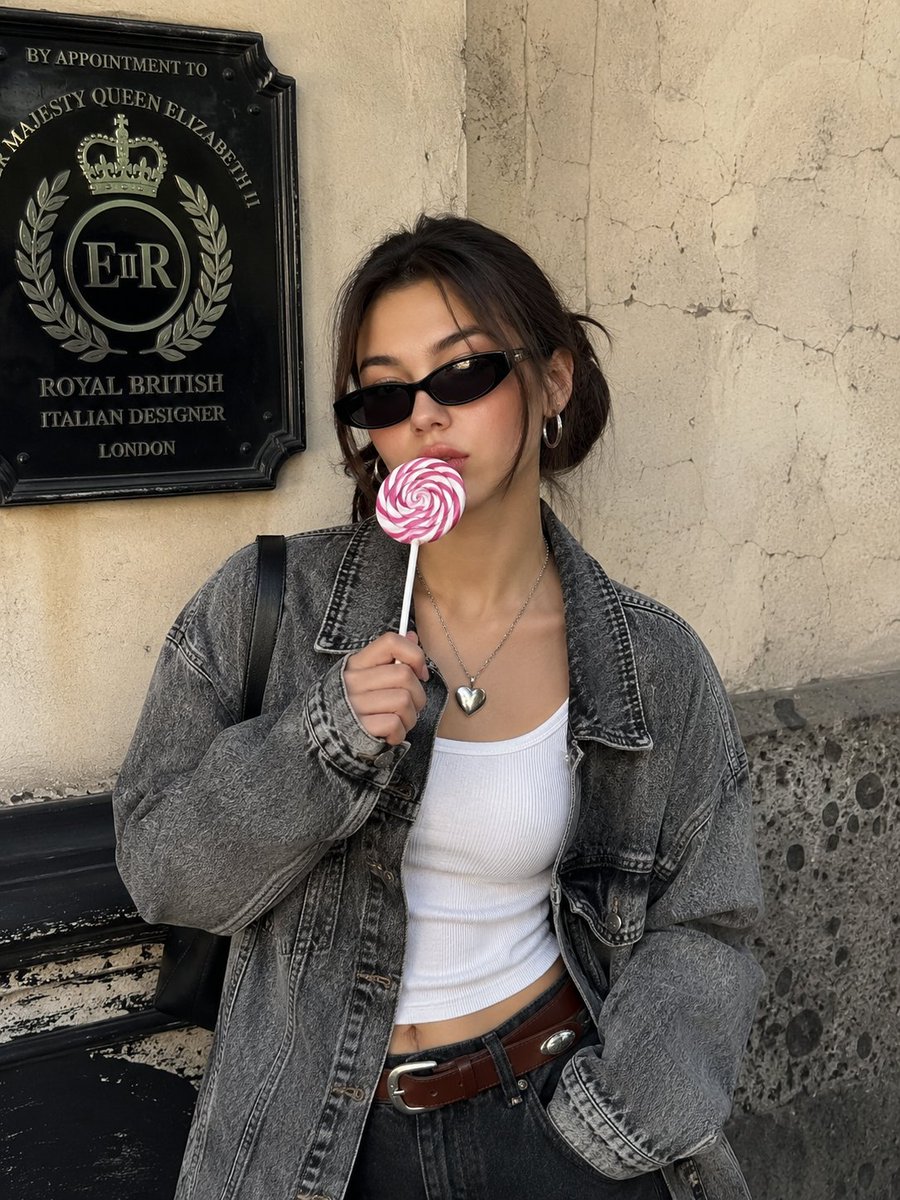
A fashion editorial style image of a young woman in a denim jacket, though the shared prompt appears to be for Midjourney. (free to use) — Free AI image template on PicX Studio.
Ultra realistic candid photo of a stylish young Korean woman standing casually in front of a vintage cracked beige plaster wall with dark stone textures and an antique black royal british emblem plaque, wearing oversized washed gray acid-wash denim jacket over a fitted white ribbed tank crop top, dark black denim jeans with brown leather belt, slim black rectangular cat-eye sunglasses, silver hoop earrings, silver chunky heart pendant necklace, black shoulder bag strap visible, sleek black hair in a low messy bun with middle part, holding a large pink and white swirled lollipop near her lips, relaxed diagonal body pose, calm cold expression, effortless cool girl aura, porcelain glass skin, with subtle freckles luminous complexion, pink peach blush across cheeks and nose, soft brown eyeshadow, defined eyeliner, manga-style curled lashes, glossy gradient cherry pink lips harsh direct flash photography in daylight, slightly overexposed highlights, cinematic composition, dreamy vibe, pinterest korean street style aesthetic shallow depth of field, 35mm lens look, high detail, realistic lighting, candid fashion editorial style ar 3:4-v.6.1 do not alter face.
Use Stylish Korean Woman Street Style to plan an AI image around gpt-image-2 generation, themes such as en and gpt-image-2. Match the preview's composition first, then personalize the subject, setting, and mood for your own project.
Use the primary action to load the template settings in PicX Studio.
Adjust the subject and creative details for your destination.
Create the image, compare the result with the preview, and refine one variable at a time.
A continuous mix — similar concepts first, woven with same-model prompts and fresh picks from the catalog.
Choose the primary action to open PicX Studio with the available template settings. Review the model and format, personalize the creative direction, and generate when ready.
Yes. You can change the subject, setting, lighting, mood, format, and available model controls before creating your image.
This template is free to open and customize. Generation usage is shown in PicX Studio before you create.
Start with gpt-image-2, which is the model associated with this template. You can compare another compatible model for a different finish.
Follow a topic to a crawlable collection of related PicX Studio templates.
39,157 public templates available. Verified via the PicX Studio public templates API; refreshed hourly.
A continuous mix — similar concepts first, woven with same-model prompts and fresh picks from the catalog.