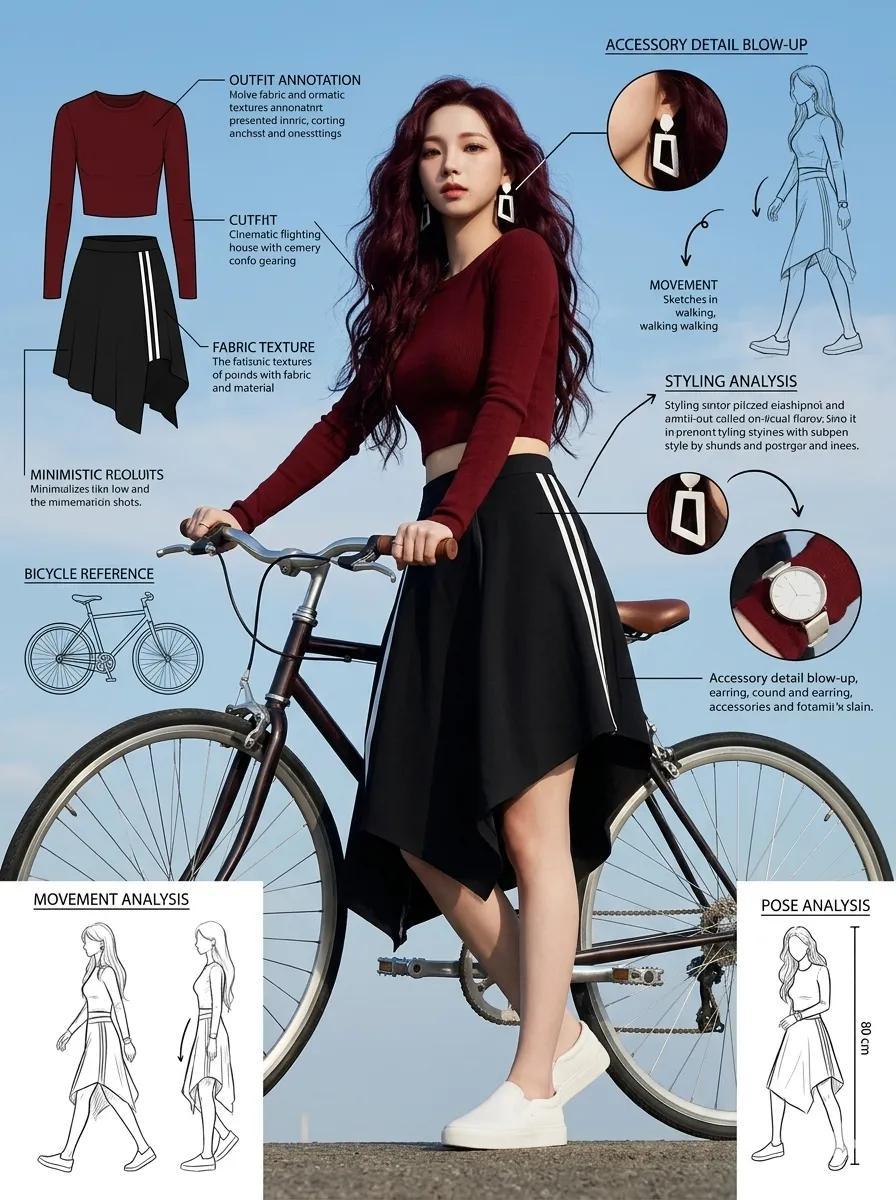
How do I use the Fashion Editorial Sketch Sheet template?
Choose the primary action to open PicX Studio with the available template settings. Review the model and format, personalize the creative direction, and generate when ready.
A professional fashion concept sheet prompt including full-body shots, infographics, and texture annotations in a modern European aesthetic. (free to use) — Free AI image template on PicX Studio.
Fashion sketch sheet of a stylish young woman posing next to a {argument name="prop" default="bicycle"}. Full-body photograph from a low angle, with detailed outfit annotations and fashion reference labels. Voluminous hair, striking geometric white earrings, dark red fitted long-sleeved crop top, black striped asymmetric skirt, minimalist white slip-on shoes. Artistic and relaxed pose holding the bicycle handlebars. Modern European summer fashion aesthetic. Around the model and the bicycle are {argument name="elements" default="fashion infographic elements, notes on fabric texture, bicycle design references"}, movement sketches, styling analysis, accessory details, pose analysis, outdoor cinematic lighting, blue sky background, lifestyle editorial photography aesthetic, professional and ultra-detailed fashion concept sheet, 8k, 1744x2336. Duration: 9:16.
Use Fashion Editorial Sketch Sheet to plan an AI image around gpt-image-2 generation, themes such as en and gpt-image-2. Match the preview's composition first, then personalize the subject, setting, and mood for your own project.
Use the primary action to load the template settings in PicX Studio.
Adjust the subject and creative details for your destination.
Create the image, compare the result with the preview, and refine one variable at a time.
A continuous mix — similar concepts first, woven with same-model prompts and fresh picks from the catalog.
Choose the primary action to open PicX Studio with the available template settings. Review the model and format, personalize the creative direction, and generate when ready.
Yes. You can change the subject, setting, lighting, mood, format, and available model controls before creating your image.
This template is free to open and customize. Generation usage is shown in PicX Studio before you create.
Start with gpt-image-2, which is the model associated with this template. You can compare another compatible model for a different finish.
A continuous mix — similar concepts first, woven with same-model prompts and fresh picks from the catalog.
Follow a topic to a crawlable collection of related PicX Studio templates.
36,410 public templates available. Verified via the PicX Studio public templates API; refreshed hourly.