How do I use the Cinematic Medieval Battle Attire template?
Choose the primary action to open PicX Studio with the available template settings. Review the model and format, personalize the creative direction, and generate when ready.
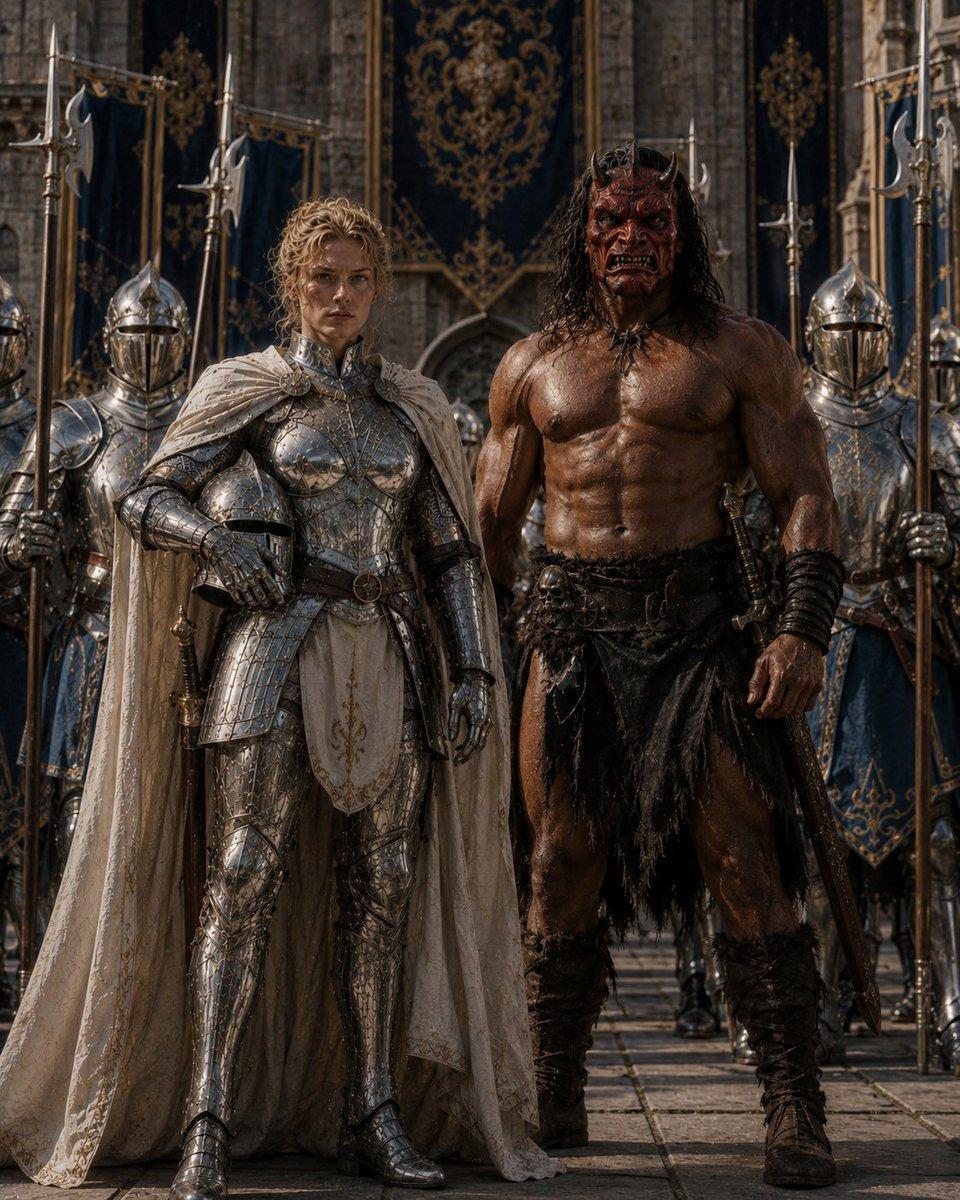
Generates a dramatic photorealistic fantasy scene of two armored warriors and a ceremonial guard formation in a cathedral setting. (free to use) — Free AI image template on PicX Studio.
Create a cinematic dark-fantasy portrait of {argument name="two central warriors" default="a regal blonde woman in ornate silver full-plate armor and a towering shirtless barbarian man"} standing side by side in front of a grand medieval stone cathedral. The composition is vertical and symmetrical, waist-to-full-body framing, dramatic realistic lighting, high-detail photorealism, gritty fantasy-film atmosphere. Include exactly 2 main foreground figures: the left figure wears intricately engraved polished silver armor, gauntlets, greaves, a pale embroidered tabard, and a long cream-white cape; the right figure is extremely muscular, wet or oiled skin, long dark curly hair, black leather-and-fur war skirt, wrapped bracers, rugged boots, and a sheathed sword at his side. Place exactly 6 background guards in reflective steel helmets and armor, holding tall polearms or spears, arranged behind the main pair like a royal battle escort. Add deep navy banners with ornate gold heraldic patterns hanging on the cathedral walls, stone paving underfoot, and a ceremonial military formation feel. Cover the visible faces with plain opaque brown rectangular censor blocks: one on the left main warrior, one on the right main warrior, and one on the left background guard. Use {argument name="visual style" default="ultra-detailed photorealistic cinematic medieval fantasy"}, rich metallic reflections, high contrast, shallow depth of field, no modern objects, no text, no watermark.
Use Cinematic Medieval Battle Attire to plan an AI image around gpt-image-2 generation, themes such as en and gpt-image-2. Match the preview's composition first, then personalize the subject, setting, and mood for your own project.
Use the primary action to load the template settings in PicX Studio.
Adjust the subject and creative details for your destination.
Create the image, compare the result with the preview, and refine one variable at a time.
A continuous mix — similar concepts first, woven with same-model prompts and fresh picks from the catalog.
Choose the primary action to open PicX Studio with the available template settings. Review the model and format, personalize the creative direction, and generate when ready.
Yes. You can change the subject, setting, lighting, mood, format, and available model controls before creating your image.
This template is free to open and customize. Generation usage is shown in PicX Studio before you create.
Start with gpt-image-2, which is the model associated with this template. You can compare another compatible model for a different finish.
A continuous mix — similar concepts first, woven with same-model prompts and fresh picks from the catalog.
Follow a topic to a crawlable collection of related PicX Studio templates.
36,410 public templates available. Verified via the PicX Studio public templates API; refreshed hourly.