How do I use the Cyberpunk Winged Lion Knight template?
Choose the primary action to open PicX Studio with the available template settings. Review the model and format, personalize the creative direction, and generate when ready.
A cinematic dark fantasy prompt for generating an armored winged knight with glowing cybernetic wings in a rainy neon city.
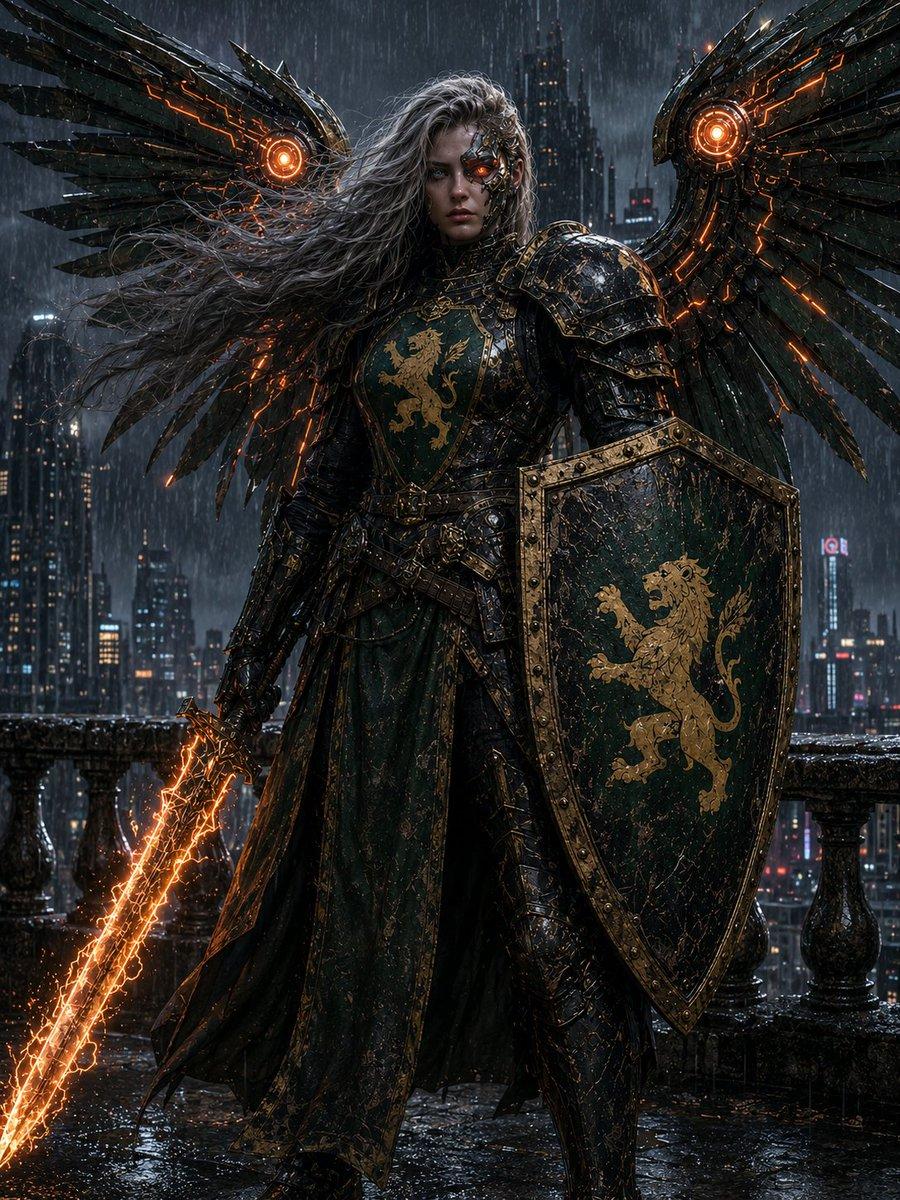
Create a dark cinematic fantasy portrait of {argument name="character name" default="a winged lion-knight angel"} standing full body on a rain-soaked gothic balcony above a futuristic cyberpunk city at night. The warrior wears ornate blackened steel plate armor with antique gold trim and deep emerald-green cloth panels, battered and wet, with a heraldic golden lion on the chest. The face is intentionally hidden by a smooth dark rectangular shadow/blur mask, while long wild silver-gray hair streams dramatically to the left in the wind. Include exactly 2 enormous mechanical feathered wings spread behind the figure, one on each side, made of black metal plates with glowing orange circuitry and exactly 2 bright circular orange turbine-like cores, one near the base of each wing. The warrior holds exactly 1 large kite shield in the right hand, dark green and black with a gold riveted border and a golden rampant lion emblem, and exactly 1 glowing cracked energy sword in the left hand angled downward, blazing with orange lightning sparks. Visible heraldry count: exactly 2 golden lion emblems, one on the chest and one on the shield. The background is a dense rainy skyline of tall skyscrapers with scattered neon windows and distant red lights, seen through heavy rainfall. Use dramatic low-key lighting, wet reflective stone floor, stormy atmosphere, ultra-detailed textures, gothic dark fantasy mixed with cyberpunk, high contrast orange glow accents, realistic digital painting, vertical 4:5 composition, centered heroic stance, no text, no watermark.
Choose the primary action to open PicX Studio with the available template settings. Review the model and format, personalize the creative direction, and generate when ready.
Yes. You can change the subject, setting, lighting, mood, format, and available model controls before creating your image.
This template is free to open and customize. Generation usage is shown in PicX Studio before you create.
Start with GPT Image 2, which is the model associated with this template. You can compare another compatible model for a different finish.
© 2026 PicX Studio. All rights reserved.

Follow a topic to a crawlable collection of related PicX Studio templates.