How do I use the Newspaper Mid-Unfold Diorama Prompt template?
Choose the primary action to open PicX Studio with the available template settings. Review the model and format, personalize the creative direction, and generate when ready.
A creative prompt for generating an epic 3D scene where a massive broadsheet newspaper is mid-unfold, and its headlines physically erupt into miniature dioramas of the events they describe. Change the subject, setting, or lighting one variable at a time.

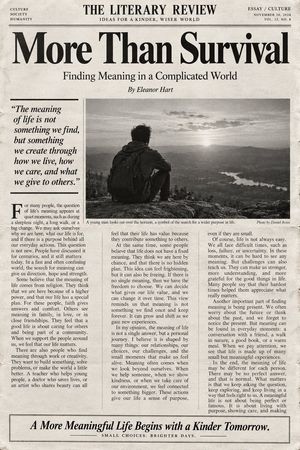
Epic 3D scene: a massive broadsheet newspaper mid-unfold, its headlines erupting into the events they describe. Front page stories become dioramas pushing off the page. {argument name="headline event" default="[HEADLINE EVENT]"} manifests in miniature chaos. Photographs animate and expand into three dimensions. Column text rises as city blocks of information. Editorial section becomes a battlefield of arguing figures. Classifieds transform into tiny desperate lives. Different sections occupy different worlds: sports as stadium, business as trading floor, obituaries as memorial garden. Yesterday's news composites beneath as fading ghost layer. Ink smells almost visible as atmosphere. Newsstand visible at the edge, morning light, coffee steam, 8K, photorealistic.
Choose the primary action to open PicX Studio with the available template settings. Review the model and format, personalize the creative direction, and generate when ready.
Yes. You can change the subject, setting, lighting, mood, format, and available model controls before creating your image.
This template is free to open and customize. Generation usage is shown in PicX Studio before you create.
Start with Nano Banana 2, which is the model associated with this template. You can compare another compatible model for a different finish.
© 2026 PicX Studio. All rights reserved.

Follow a topic to a crawlable collection of related PicX Studio templates.
43,474 public templates available. Verified via the PicX Studio public templates API; refreshed hourly.


![Mid-Century Modern Lifestyle Illustration — Stylized mid-century modern illustration of {argument name="human" default="[HUMAN]"} lounging {argument name="pose"](https://cms-assets.youmind.com/media/1787127576239_omn2xt_HP_2GvbbgAAIUPf-300x375.jpg)
![Mid-Century City Travel Picture Book — [DESTINATION] = {argument name="destination" default="[CITY NAME]"}
Create a charming vertical 4:5 mid-century travel pi](https://cms-assets.youmind.com/media/1786437706436_ycdwcf_HPTEN9dawAAtUgS-300x375.jpg)


![Isometric Brand Store Diorama — Present a clear, 45° top-down isometric miniature 3D cartoon diorama of the [BRAND], with soft refin…](/_next/image?url=https%3A%2F%2Fcdn.picxstudio.com%2Fuploads%2Fmeigen_18578a8c7cb6_25c7ccef-837d-4949-99fb-d6321dc5c72c.jpg&w=828&q=100)





![Mid-Century Travel Book Illustration — [DESTINATION] = {argument name="city name" default="[CITY NAME]"}
Create a charming vertical 4:5 mid-century travel pict](https://cms-assets.youmind.com/media/1786781710843_2ju1t5_HPqpPcDa4AEn4FO-300x375.jpg)


![Naive doodle-style subject illustration — A doodle-style {argument name="subject" default="[subject]"}, naive lines, humorous shape exaggeration](https://pbs.twimg.com/media/G6Wl2YxbsAARB2b.jpg)



















![Split Scene Street Photography — Split scene, left half [location 1], right half [location 2], geographically accurate landmarks and signage, seamless center di](https://pbs.twimg.com/media/HDNZNjBW0AA3A6o.jpg)