How do I use the Gothic Idol Concert Selfie template?
Choose the primary action to open PicX Studio with the available template settings. Review the model and format, personalize the creative direction, and generate when ready.
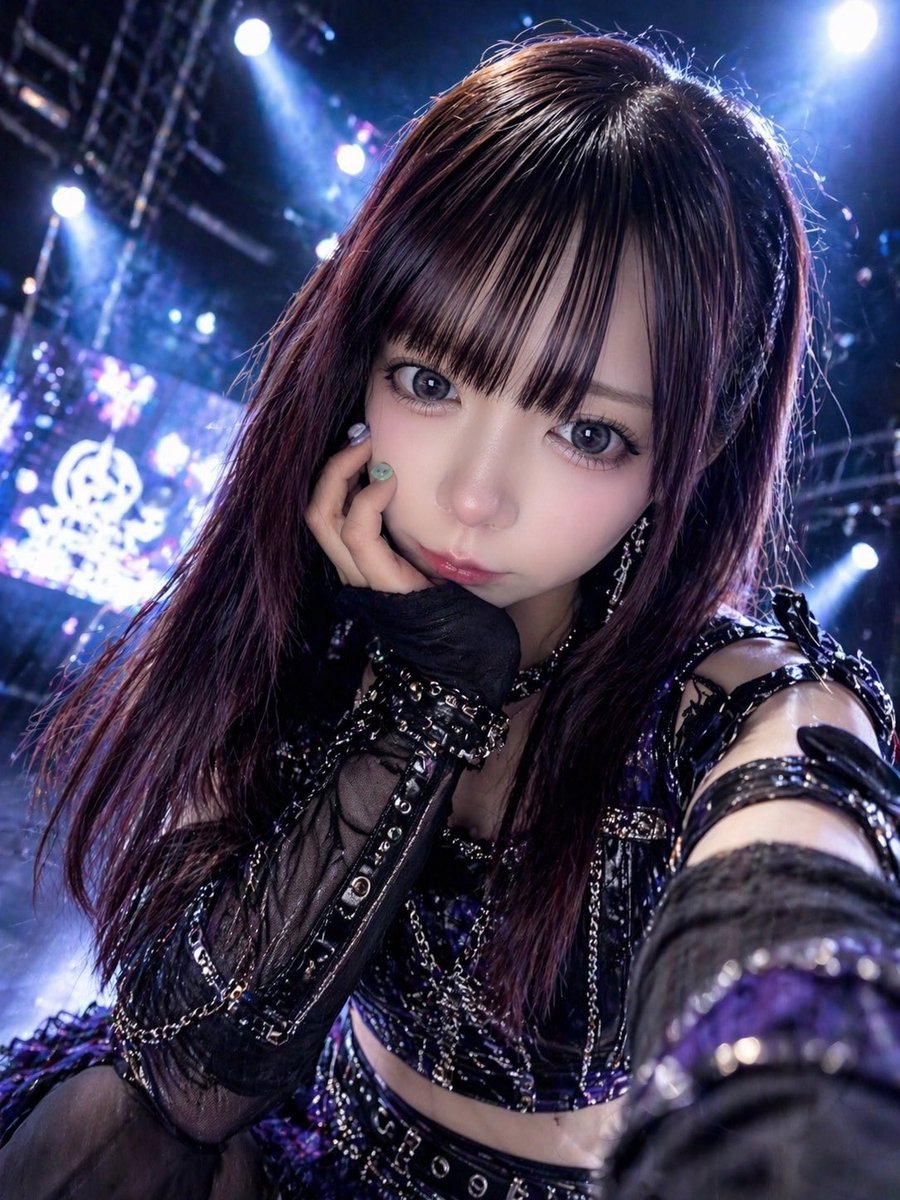
A vertical close-up concert portrait of a gothic-style idol leaning into the camera, ideal for generating dramatic live-performance visuals or fan-focused promotional art. (free to use) — Free AI image template on PicX Studio.
A dramatic close-up selfie-style stage photo of a Japanese idol performer leaning toward the camera from a low angle, filling most of the frame with her upper body and outstretched arm. She has long straight-to-wavy {argument name="hair color" default="dark auburn brown"} hair with glossy highlights and heavy side-swept bangs partly covering one eye. Her expression is cute and intimate, with one hand near her mouth in a shy idol pose, as if interacting directly with fans during a live concert. She wears a dark gothic idol costume in black and deep {argument name="accent color" default="purple"}, featuring 5 clearly visible outfit elements: a shiny corset-style cropped top with metallic trim, a black belt at the waist with silver grommets, sheer black mesh opera-length gloves, multiple strapped arm bands on the upper arm, and draped silver chains across the bodice and skirt. Add glossy patent-leather textures, studs, buckles, lace, and layered frilled fabric for a high-detail J-pop or anisong concert look. The background is a large indoor live stage with bright blue-white spotlights, haze, truss rigging, and an LED screen glowing with soft abstract shapes, creating strong backlight and bokeh. Use cinematic concert photography, high contrast, cool-toned lighting with purple-blue highlights, shallow depth of field, slight lens distortion from the close arm’s-length perspective, dynamic foreshortening, and a vertical smartphone composition. Make the image feel energetic, glamorous, and fan-service oriented, like {argument name="idol group concept" default="a dark fantasy idol live performance"}.
Use Gothic Idol Concert Selfie to plan an AI image around gpt-image-2 generation, themes such as en and gpt-image-2. Match the preview's composition first, then personalize the subject, setting, and mood for your own project.
Use the primary action to load the template settings in PicX Studio.
Adjust the subject and creative details for your destination.
Create the image, compare the result with the preview, and refine one variable at a time.
A continuous mix — similar concepts first, woven with same-model prompts and fresh picks from the catalog.
Choose the primary action to open PicX Studio with the available template settings. Review the model and format, personalize the creative direction, and generate when ready.
Yes. You can change the subject, setting, lighting, mood, format, and available model controls before creating your image.
This template is free to open and customize. Generation usage is shown in PicX Studio before you create.
Start with gpt-image-2, which is the model associated with this template. You can compare another compatible model for a different finish.
A continuous mix — similar concepts first, woven with same-model prompts and fresh picks from the catalog.
Follow a topic to a crawlable collection of related PicX Studio templates.
28,443 public templates available. Verified via the PicX Studio public templates API; refreshed hourly.